Steps in this chapter (11)
Publish the firm's policies manual and collect acknowledgements, keep the communications log and the record of communications with those charged with governance, track regulatory deadlines and draft the transparency report.
ISQM 1.33 and 34(e) require the firm to have an information system, to communicate with personnel about their responsibilities, and to communicate with those charged with governance and external parties about the system. The Information & policies page holds the policies manual, the communications log, the record of communications with those charged with governance, the regulatory calendar and a draft transparency report.
In January 2026 Emeka Obi publishes the manual from SQMTrove's starter text, adding Okafor Bello & Co's own procedures, and everyone acknowledges it.
10.1 Start the policies manual
Why
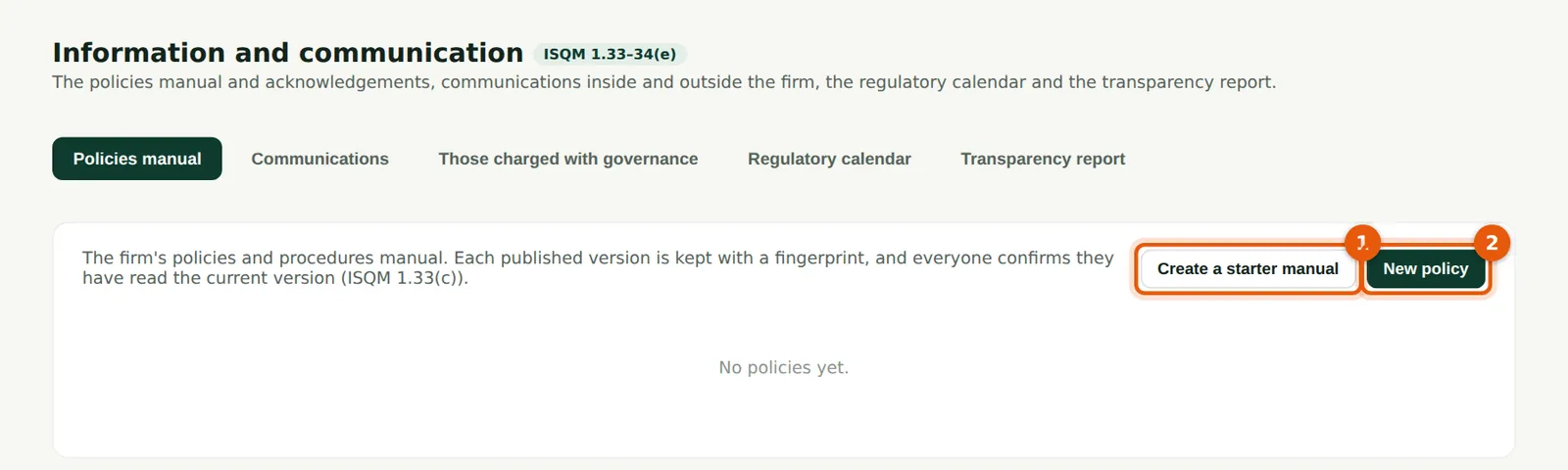
A new firm has no policies. Create a starter manual (1) — one policy for each ISQM 1 component, written for a firm of this kind — or write a policy from scratch (2).
Who
Quality lead.
What to do
- Choose Create a starter manual (1), or New policy (2).
10.2 The starter policies
Why
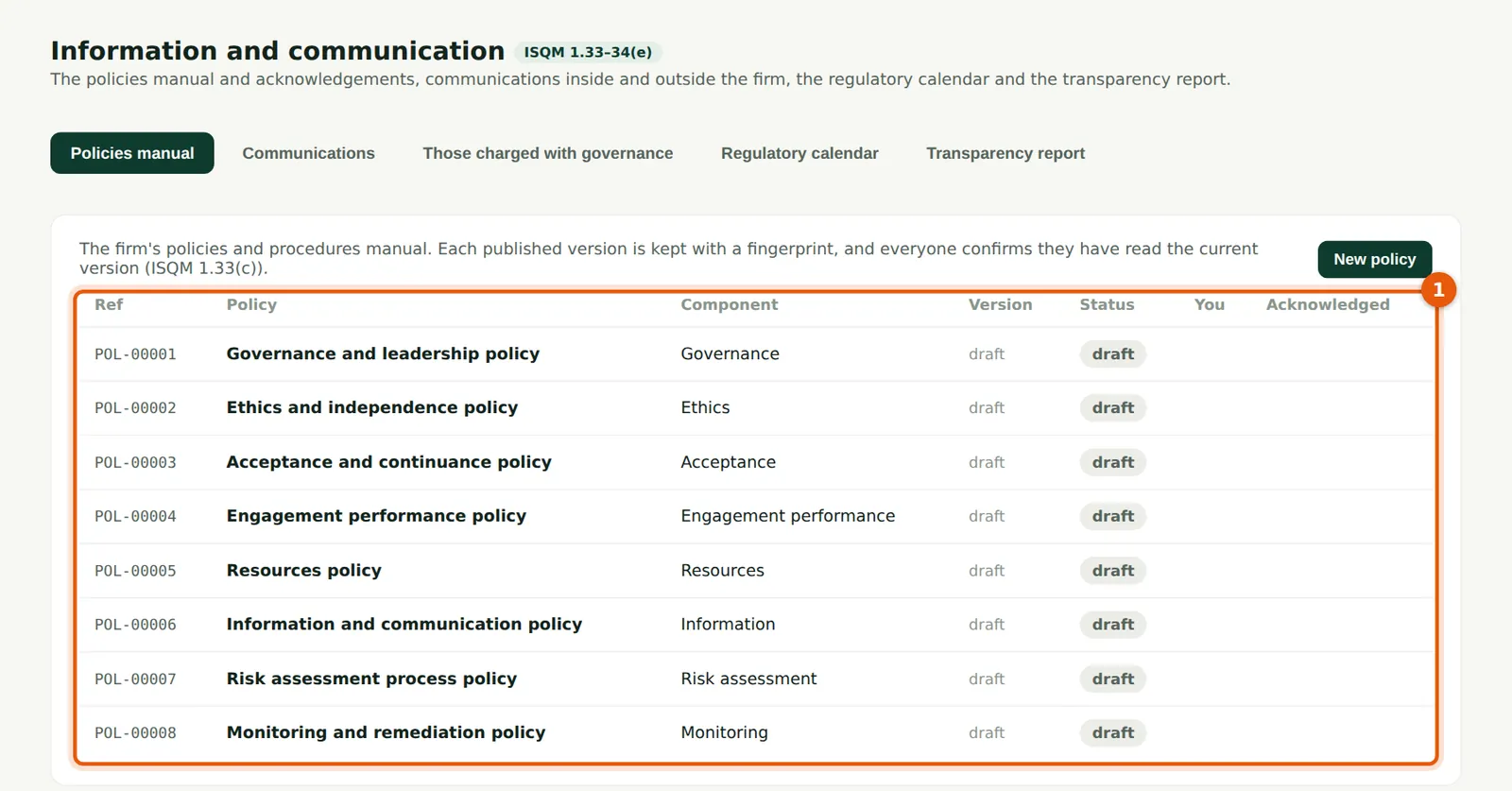
The starter manual creates draft policies (1). Drafts are not visible to personnel until published.
Who
Quality lead.
What to do
- Open each policy in turn and adapt it to the firm.
10.3 Edit and publish a policy
Why
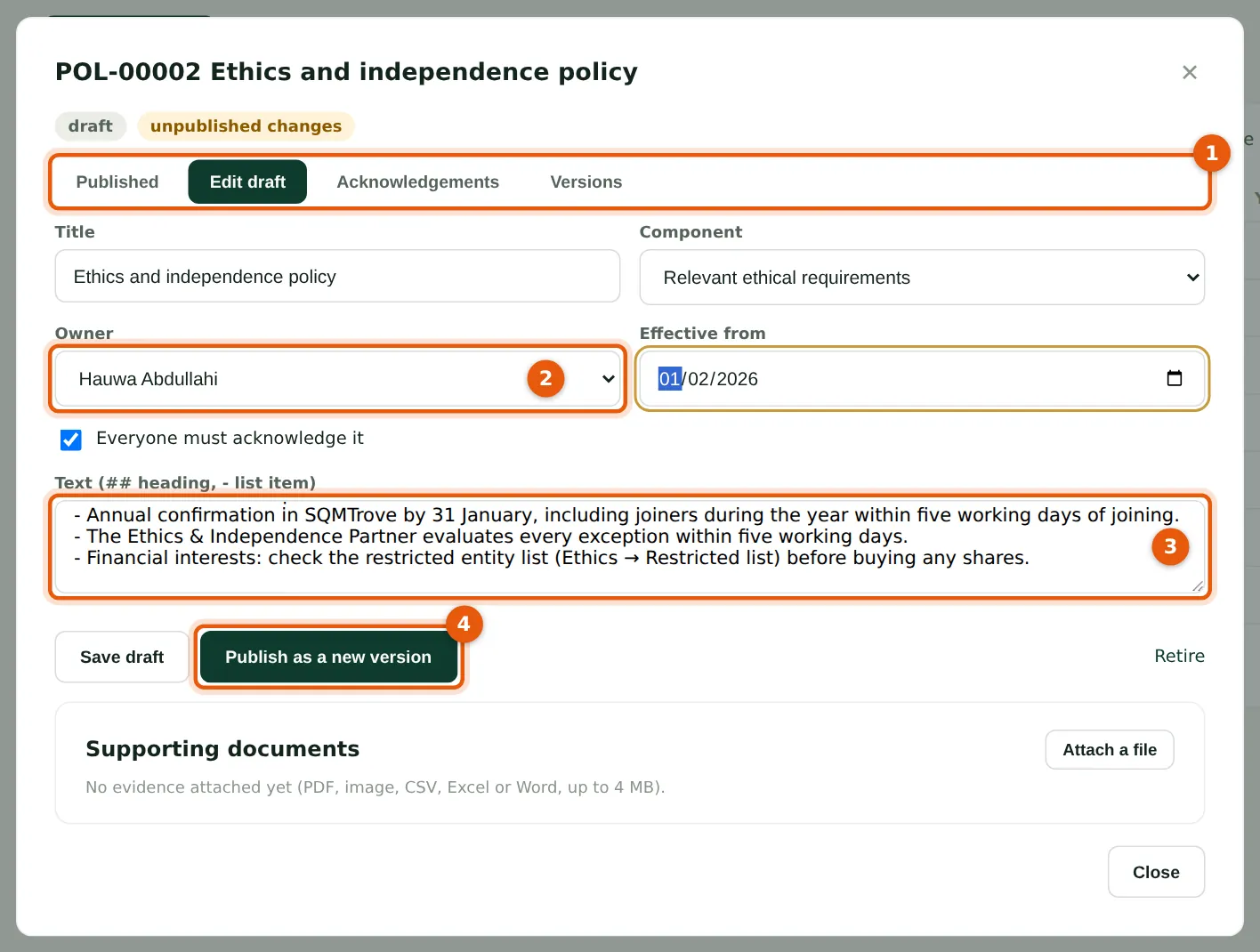
Each policy has an owner (2) — here the Ethics & Independence Partner — an effective date and a body (3) written in plain text with simple headings. The tabs (1) show the published version, the draft and earlier versions. Publishing (4) creates a new version, keeps the old ones and, if acknowledgement is required, asks everyone to read it.
Who
Quality lead; policy owners.
What to do
- Edit the body (3); choose the owner (2), the effective date and whether acknowledgement is required.
- Choose Publish (4). Choose Save draft to publish later.
10.4 Acknowledgements
Why
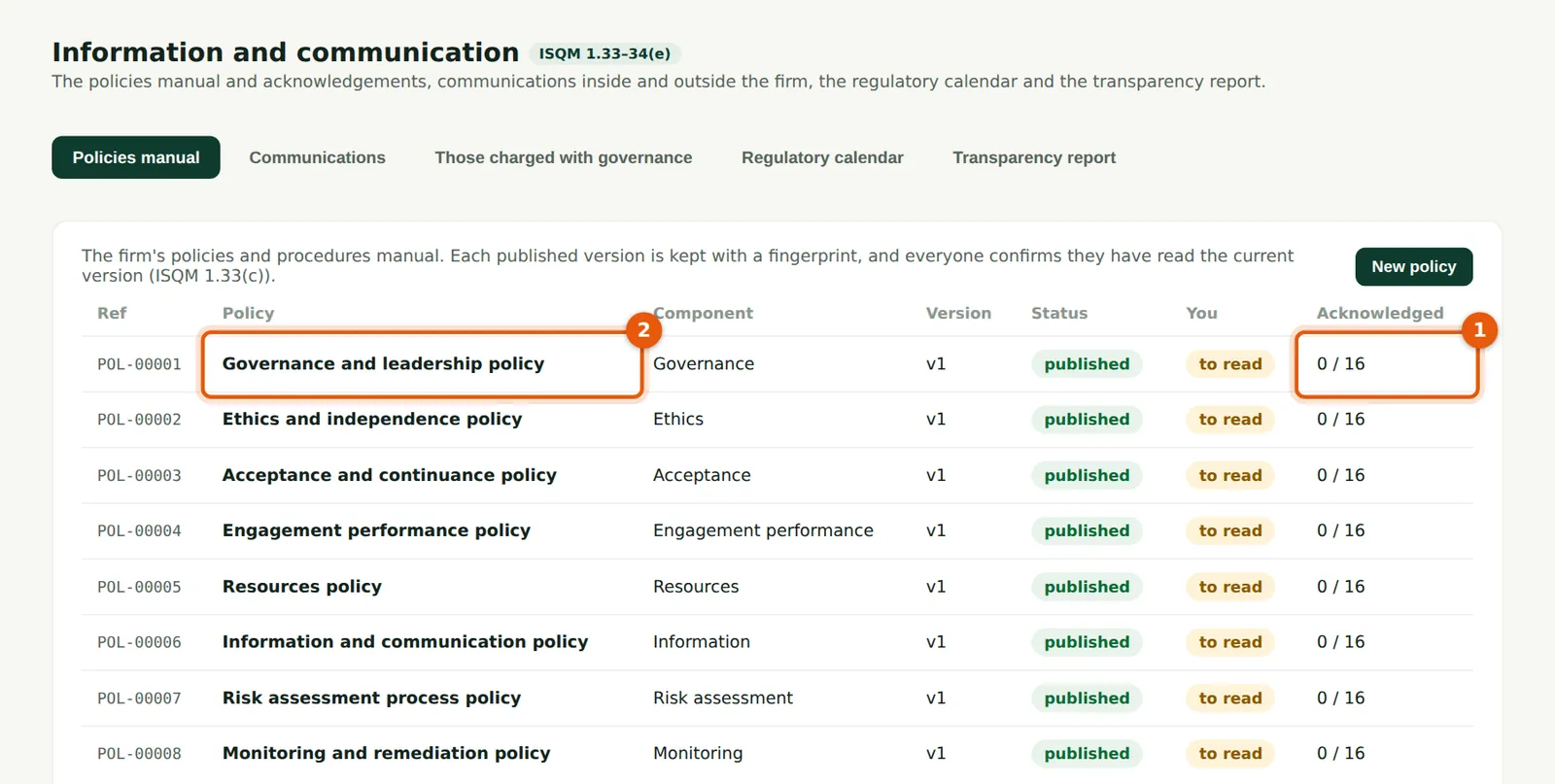
For each policy (2) the page shows the current version and how many people have acknowledged it (1). The number counts only acknowledgements of the current version.
Who
Quality lead.
What to do
- Follow up the people who have not acknowledged. Open a policy to see who has.
10.5 Read and acknowledge a policy
Why
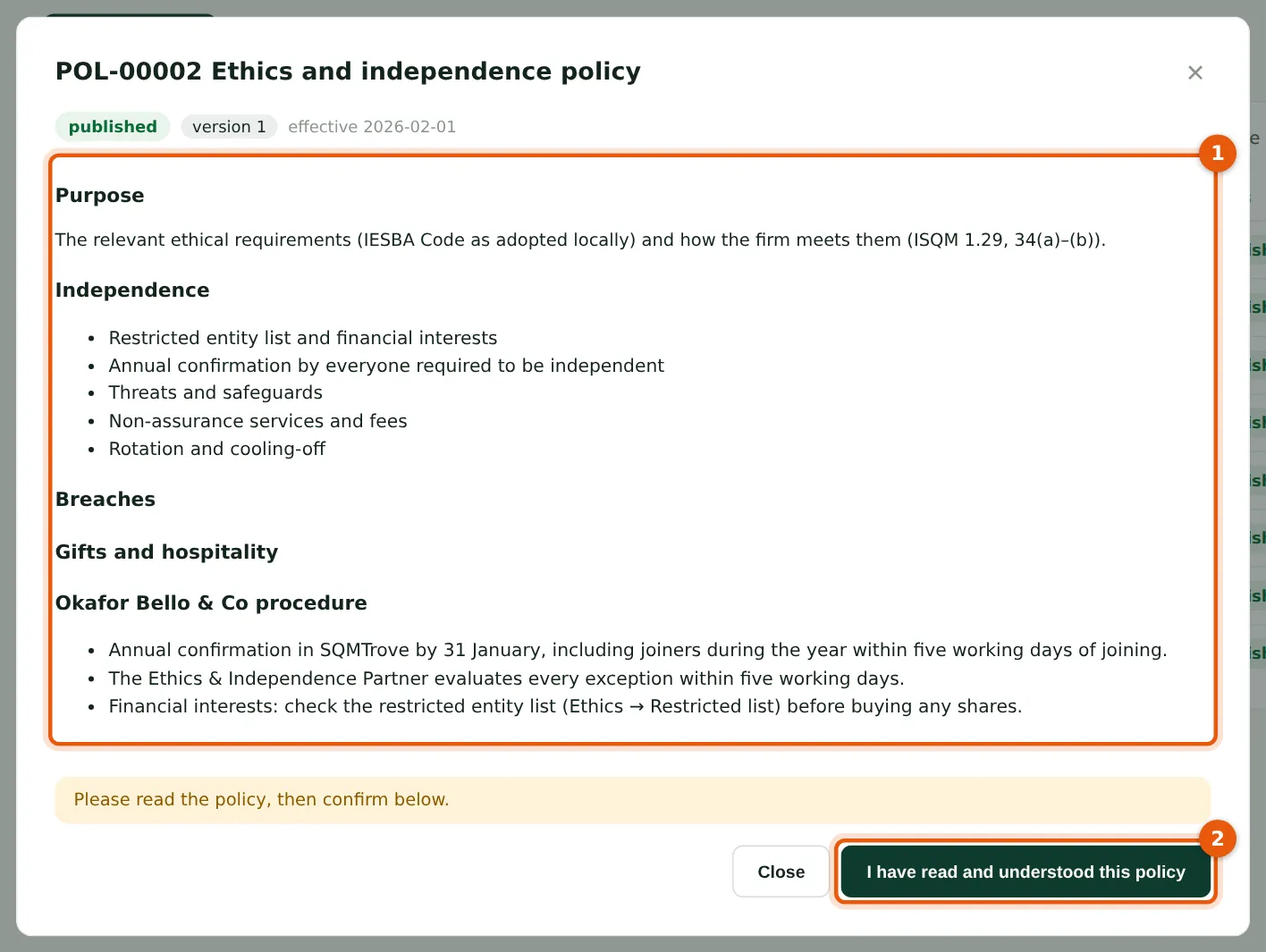
Policies to read appear under For you on each person's dashboard. The policy text (1) is shown in full; the acknowledgement (2) is recorded with the version and date.
Who
Everyone.
What to do
- Open the policy from the dashboard, read it (1) and choose I have read and understood this policy (2).
10.6 The communications log
Why
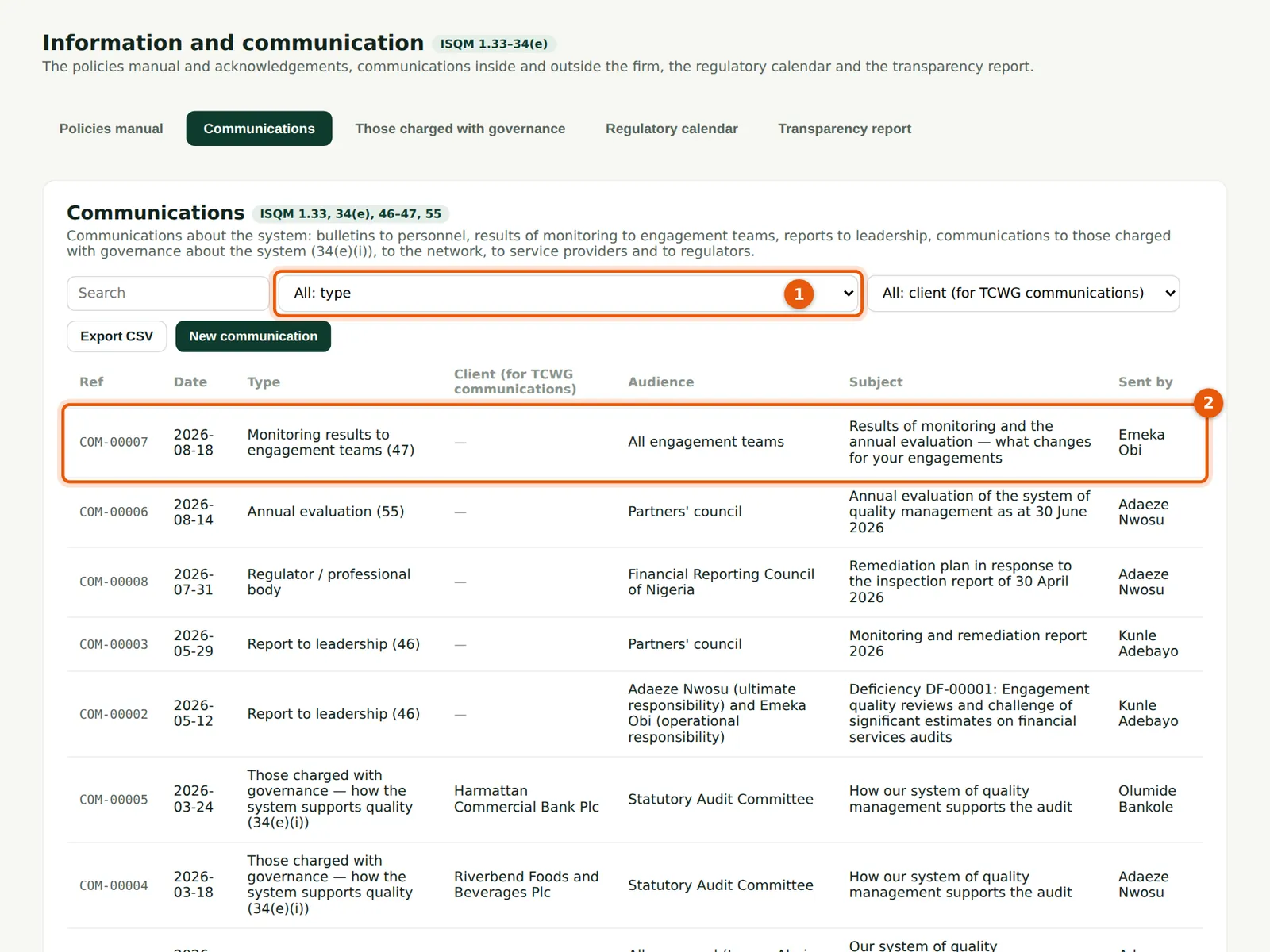
Every communication about quality: bulletins to personnel, monitoring results to engagement teams (ISQM 1.47), reports to leadership (46), communications with those charged with governance (34(e)(i)), the regulator, and the annual evaluation (55). Filter by type (1). The partners' council was told of the annual evaluation on 14 August 2026 (2).
Who
Quality lead (prepare); everyone can read.
What to do
- Choose New communication; choose the type, audience, subject and summary, and who sent it.
10.7 Communications with those charged with governance
Why
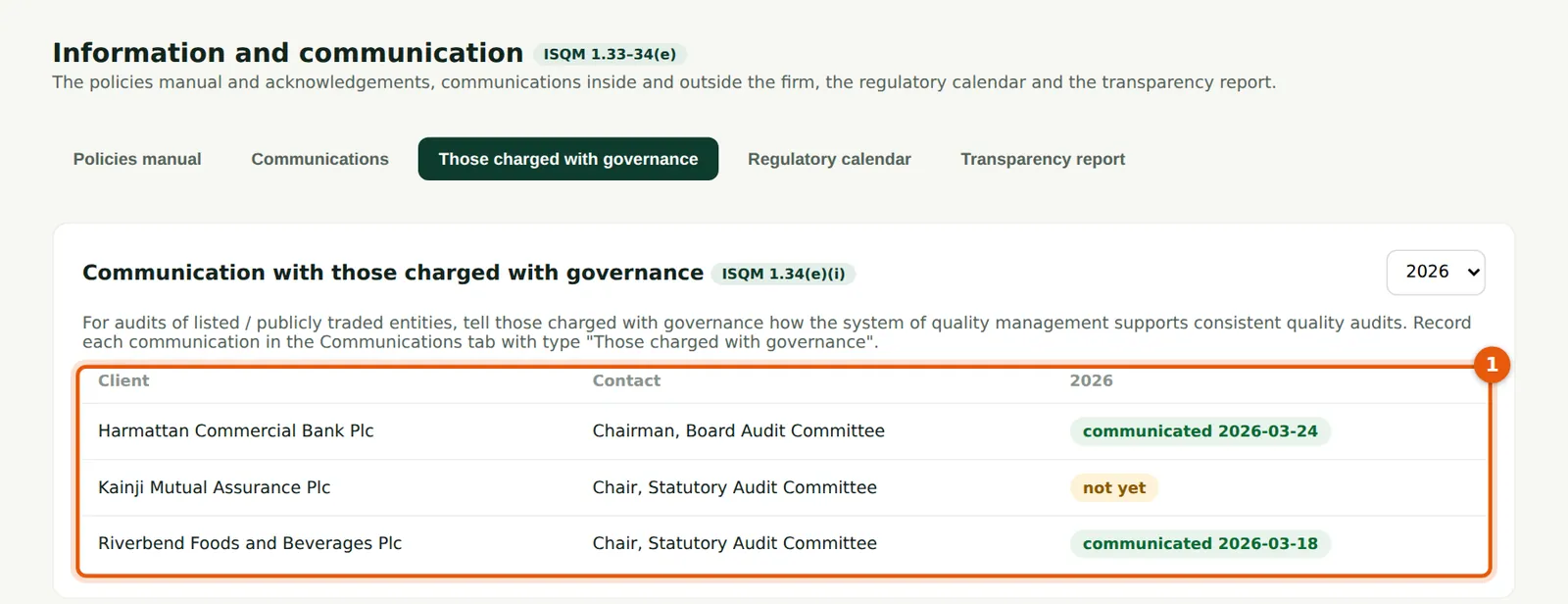
For each client where the firm has to explain how its system supports audit quality (listed entities, and others by policy), the page shows when it was last done (1). Riverbend Foods and Harmattan Bank were covered in March 2026; the others are still due.
Who
Engagement partners; quality lead.
What to do
- Record the communication in the communications log, with type Those charged with governance and the client.
10.8 The regulatory calendar
Why
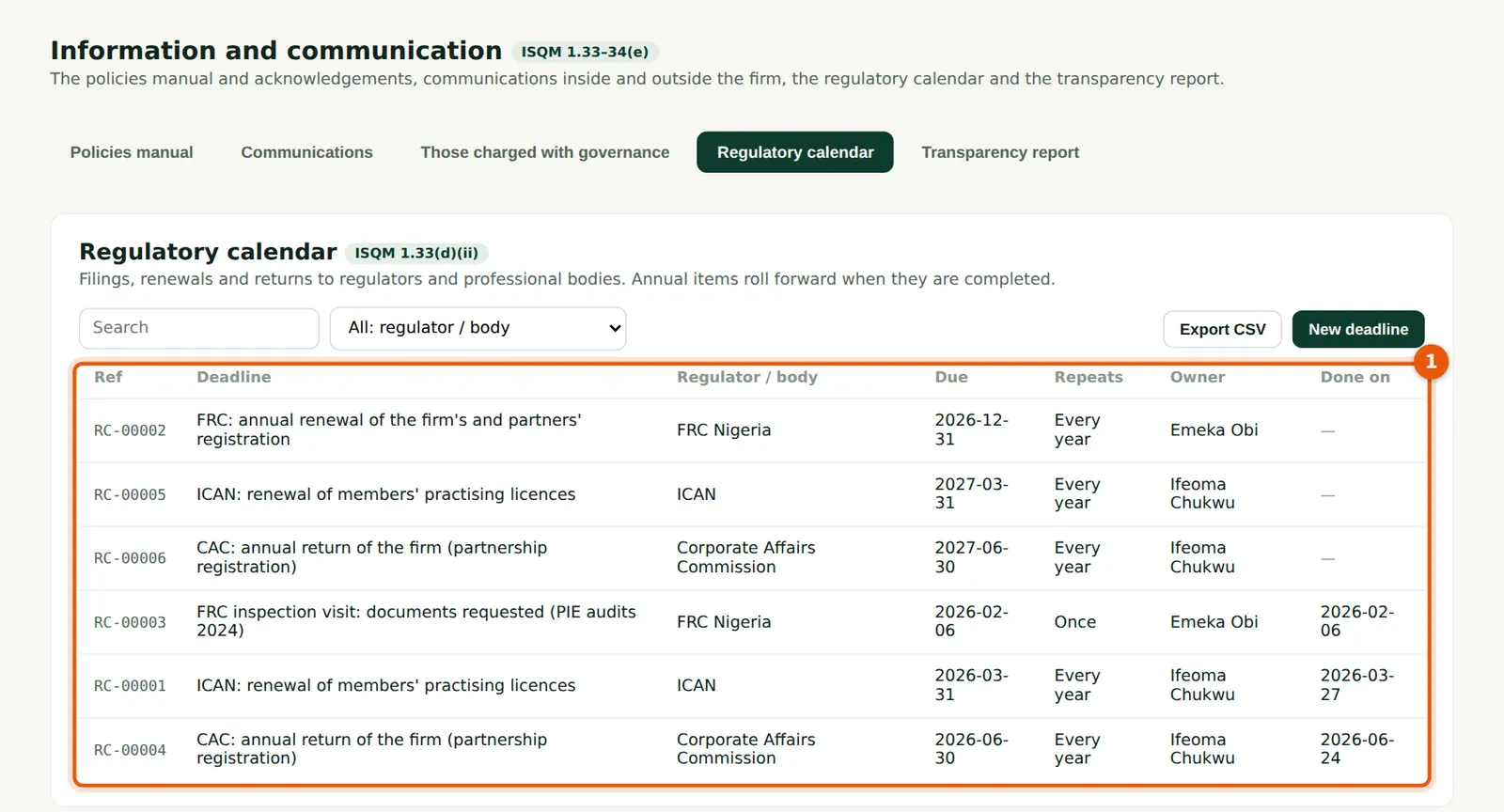
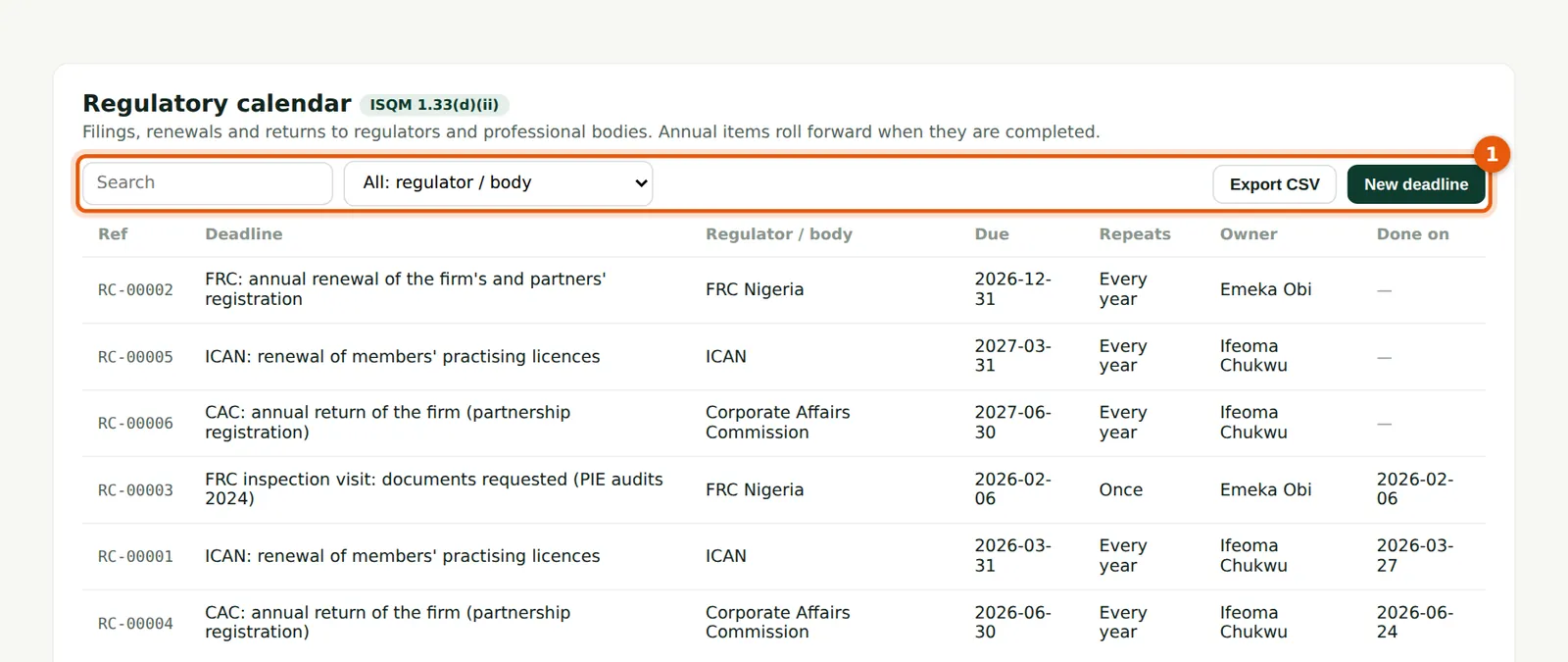
Deadlines of the FRC, ICAN, the Corporate Affairs Commission and others, with the owner and whether each repeats (1). Deadlines within 60 days appear on the dashboard. Marking a repeating deadline done moves it to next year.
Who
Quality lead; firm administrator.
What to do
- Choose New deadline; mark each one done on the day it is met.
10.9 A register on its own page
Why
Every register in SQMTrove works the same way: search, filters, CSV export and New (1). Any register can be opened on its own page from its link, which is useful for a bookmark.
Who
Anyone with access to the register.
What to do
- Use the search box and filters (1); choose CSV to export what is shown.
10.10 Draft the transparency report
Why
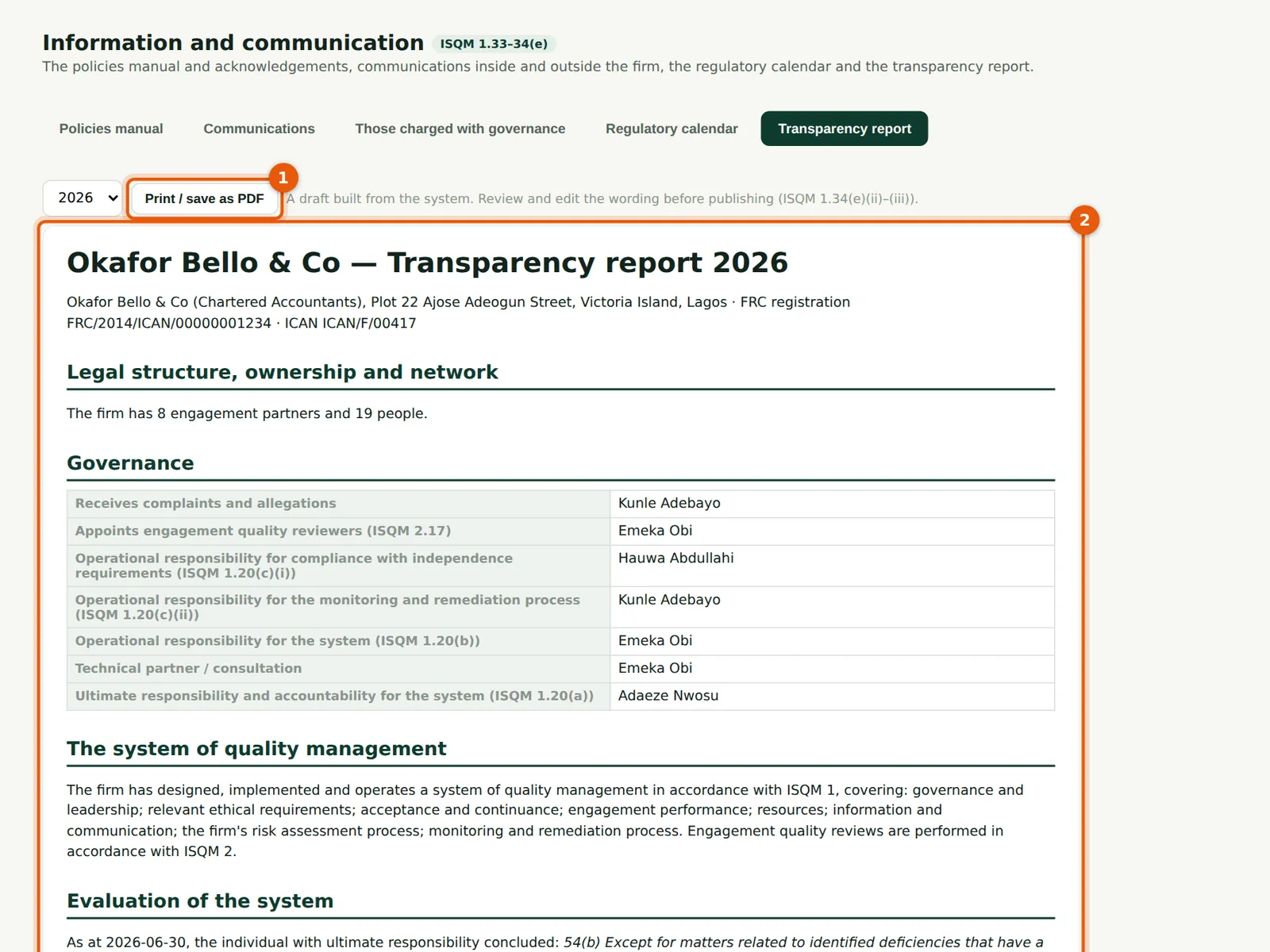
FRC Rule 12 requires a transparency report from auditors of public interest entities. SQMTrove drafts it (2) from the records: the firm and its registration, governance roles, the system, the latest signed evaluation, monitoring and inspections, independence confirmations, engagement quality reviews, the PIE clients and CPD. It is a draft: review and edit the wording before publishing.
Who
Quality lead; the Owner approves.
What to do
- Choose the year; read the draft (2).
- Choose Print / save as PDF (1) and edit the document before publishing it.
10.11 The rest of the draft
Why
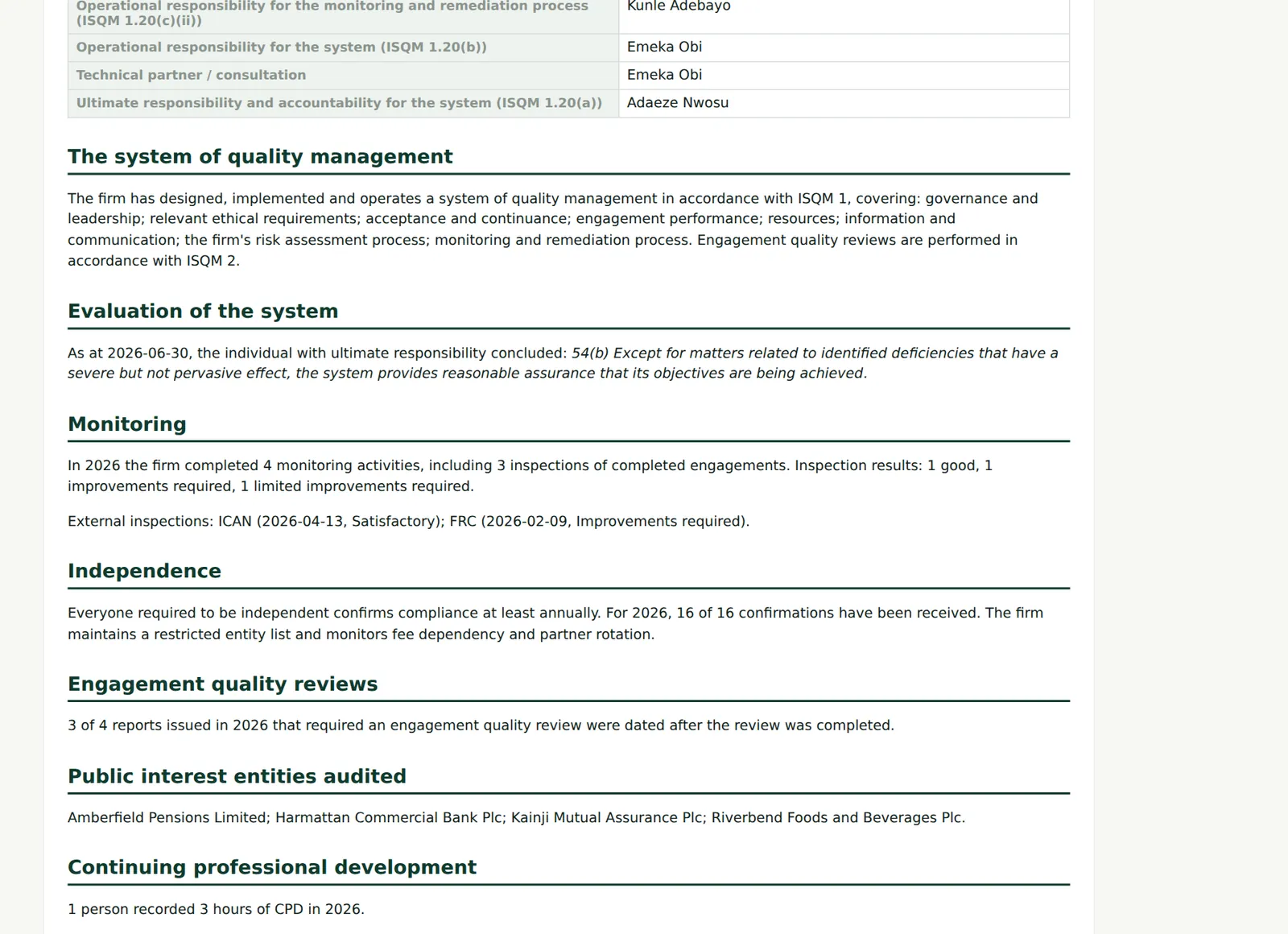
The figures come from the same records as the inspection pack, so they agree with what the regulator sees.
Who
Quality lead.
What to do
- Check each figure against the source register before publishing.