Steps in this chapter (15)
Keep the engagement register, import earlier engagements from a spreadsheet, appoint and check engagement quality reviewers, perform the review under ISQM 2, and record consultations and differences of opinion.
ISQM 1.31 and 34(f), ISQM 2 and ISA 220 (Revised) require the firm to direct, supervise and review engagements, to consult on difficult matters, to resolve differences of opinion, and to perform an engagement quality review where it is required, completing it before the report is dated.
The Engagements & EQR page holds the engagement register with the facts SQMTrove needs for these checks: the partner, team, reviewer, report date, file assembly date and hours. SQMTrove works out whether each engagement needs a review from the client's category and the firm's policy, checks the reviewer's eligibility, and raises a monitoring finding by itself when a report is dated before the review is complete, a file is assembled late, or a report is dated while a consultation or difference of opinion is still open.
In January 2026 Emeka Obi imports the firm's 2024 audits from its old spreadsheet and enters the 2025 audits. The illustration then follows three reviews: Riverbend Foods (listed, reviewed by Folake Adeyemi, who has a login), Amberfield Pensions (reviewed by an external reviewer without a login, whose signed record arrives after the report date) and Kainji Mutual (the same external reviewer, on time).
9.1 Import engagements from a spreadsheet
Why
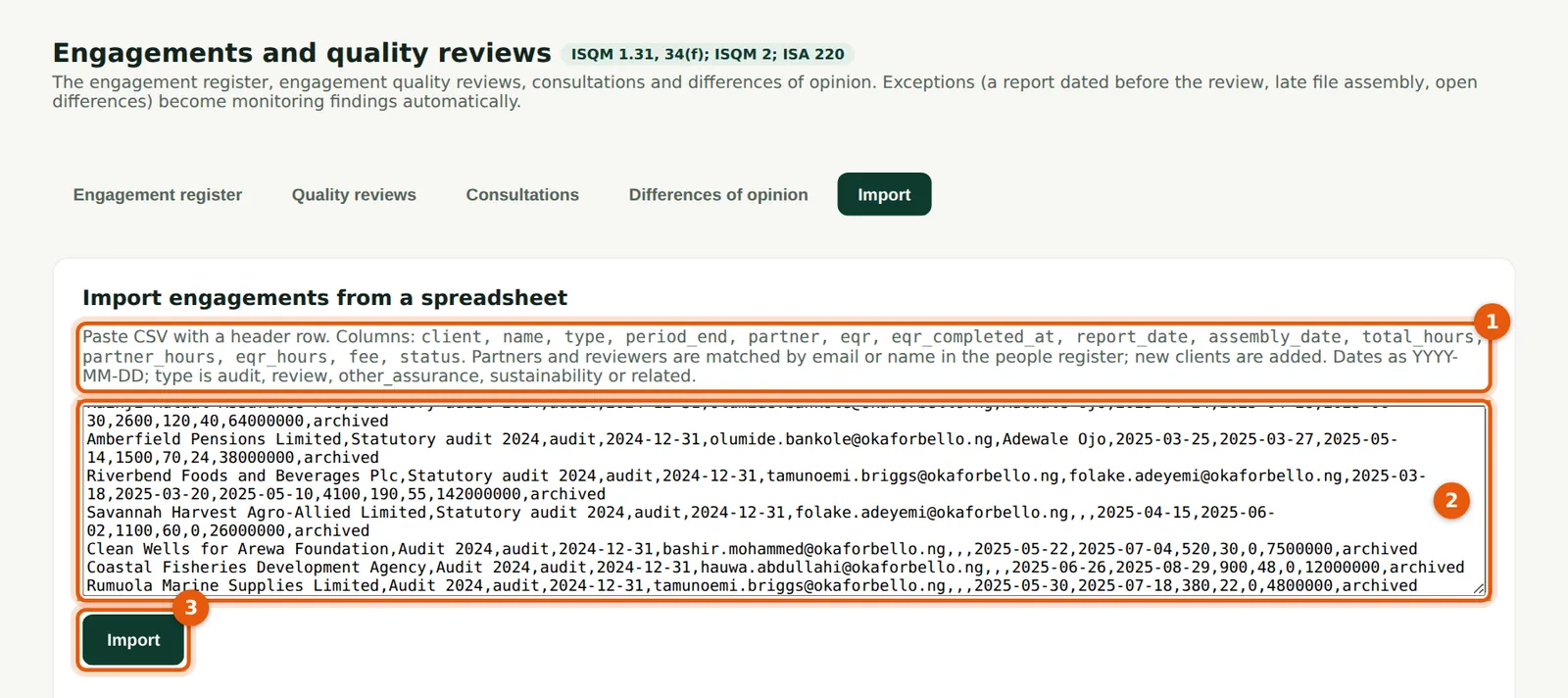
Earlier engagements give SQMTrove the history it needs for rotation, firm tenure, the partner inspection cycle and quality indicators. The first line of the text names the columns (1): client, engagement, type, period end, partner (email), reviewer (email or name), review completed, report date, file assembled, hours, fee and status. Clients are matched by name; people by email or name.
Who
Quality lead or firm administrator.
What to do
- Open Engagements & EQR → Import and read the column list (1).
- Paste the rows from the spreadsheet, with the heading row, into the box (2). Save the spreadsheet as CSV first if it has formulas.
- Choose Import (3).
9.2 Check the import result
Why
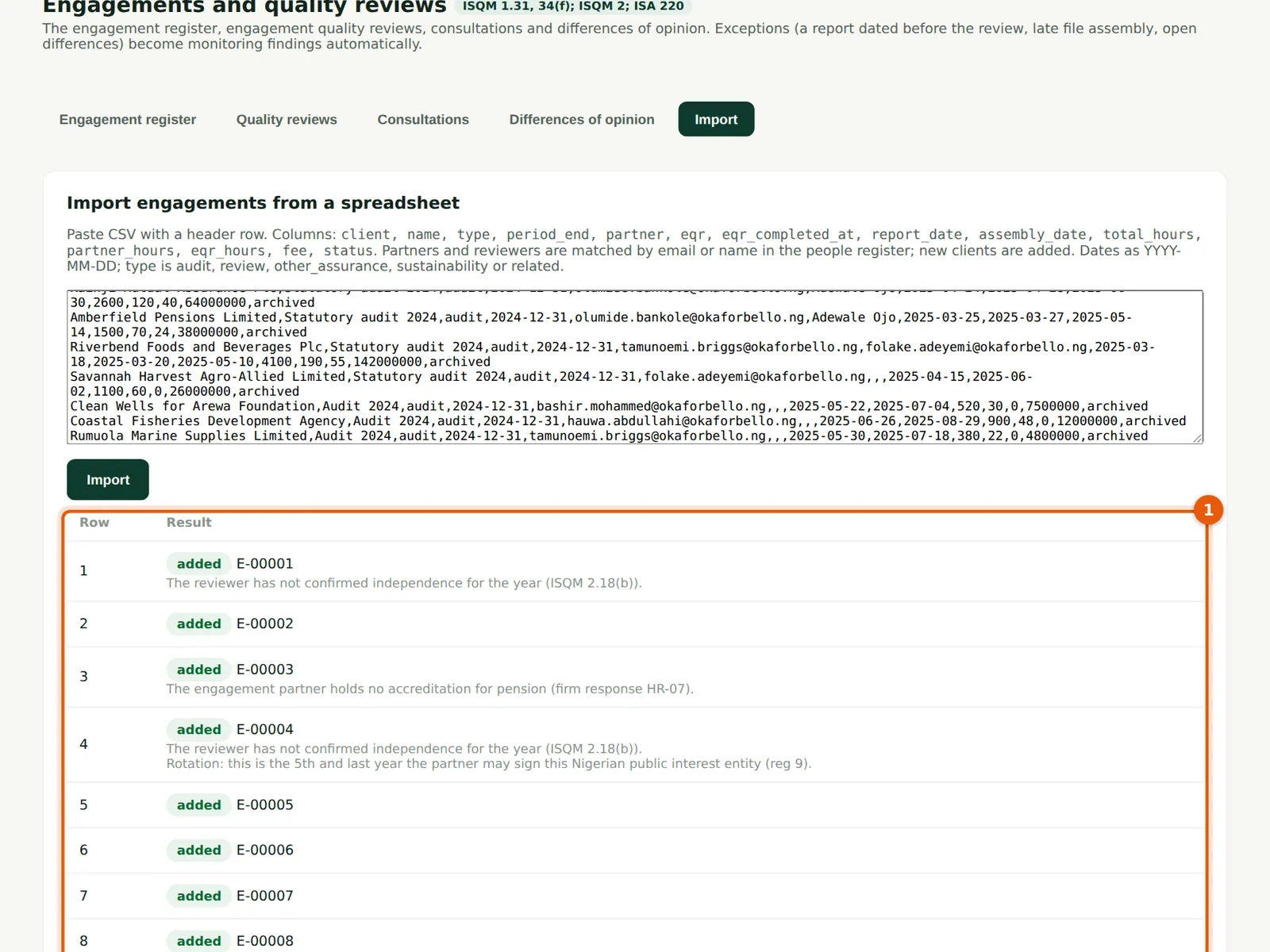
Each row is reported as imported, or with the reason it was not (1): an unknown client or person, a missing date, or a duplicate. Nothing is imported twice. An imported review date on or before the report date raises no finding; a later one raises an automatic finding, as for an engagement entered by hand.
Who
Quality lead.
What to do
- Read each line (1). Correct the rows that were not imported and import them again.
9.3 Add an engagement
Why
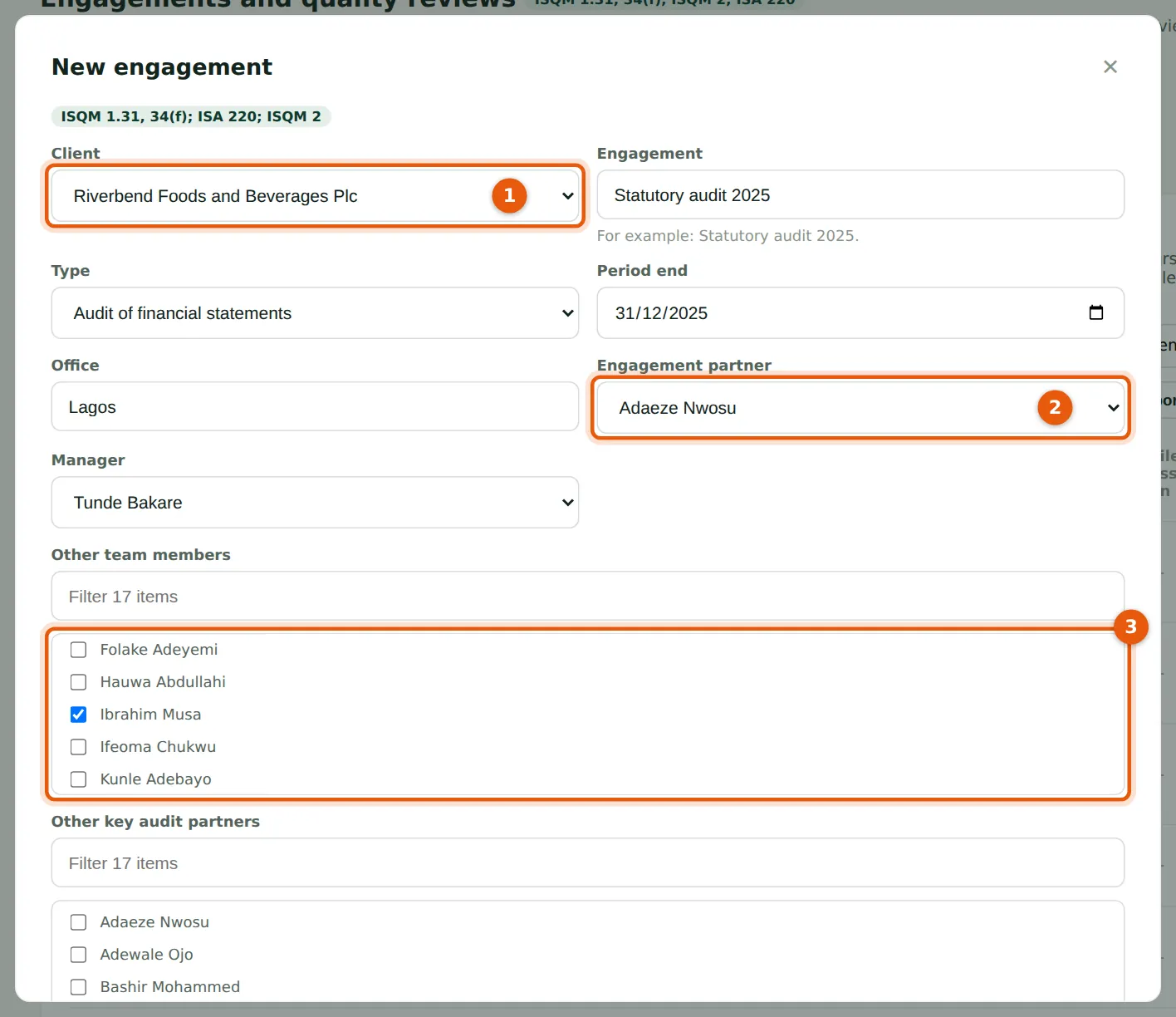
Choose the client (1): the client's category decides whether a review is required. Record the engagement partner (2), the manager and the team (3) — the team is used to stop a team member being appointed reviewer and an inspector reviewing their own work. Tick Engagement quality review required (4) when the firm decides on a review even though no rule requires one (ISQM 1.34(f)(iii)).
Who
Quality lead, partners or managers.
What to do
- On the Engagement register tab choose New engagement.
- Choose the client (1), type, period end and office; choose the engagement partner (2) and manager; tick the team members (3).
- Tick (4) only for a review the firm decides on; record the budgeted hours and fee; choose Add.
9.4 The engagement register
Why
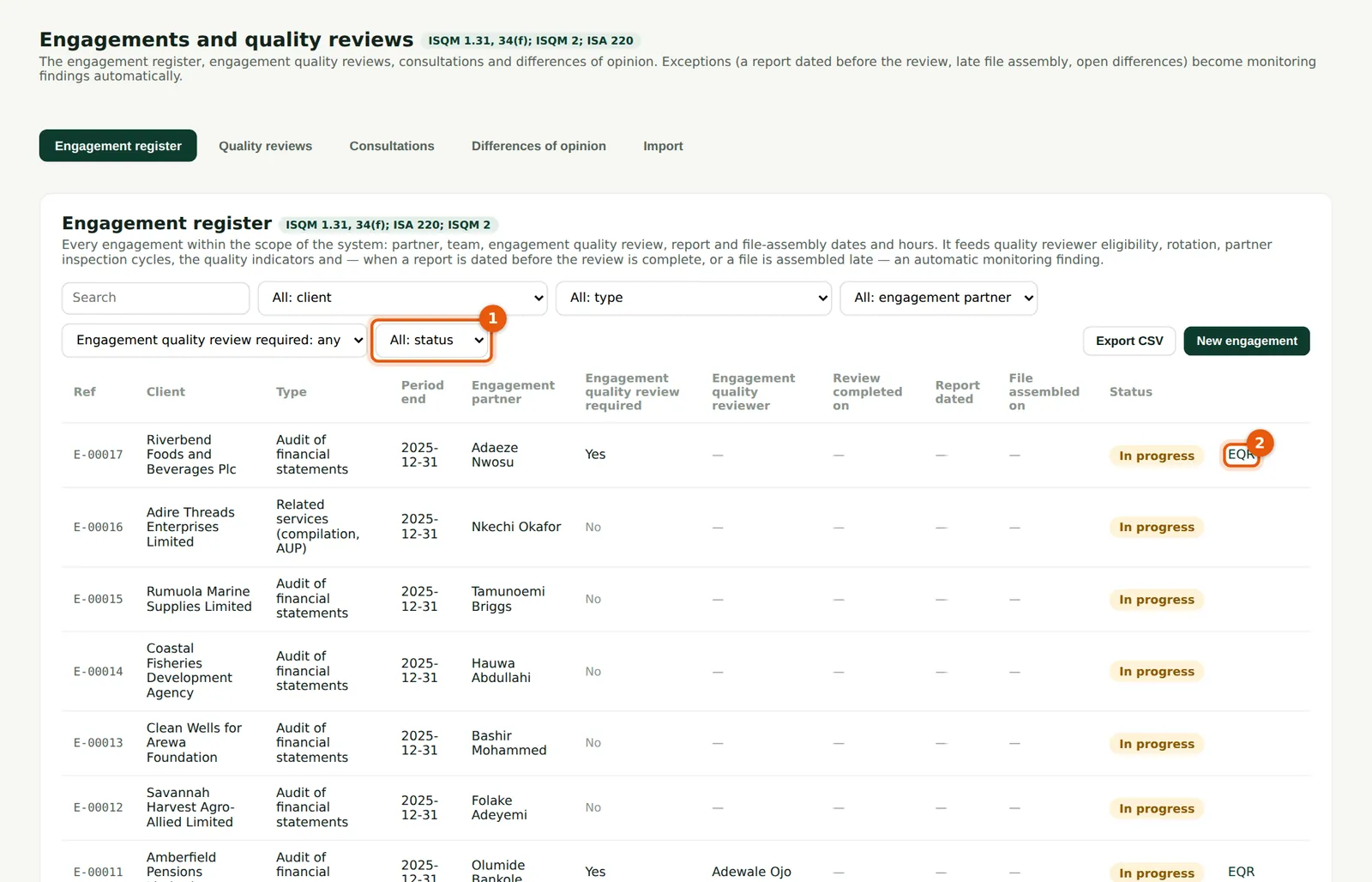
One row for each engagement with its partner, reviewer, review, report and assembly dates and status. Filter by status (1) to see engagements in progress. The EQR link (2) opens the engagement quality review page. When the AuditTrove link is on, AuditTrove's engagements appear here too (chapter 18).
Who
Everyone with access to engagements; partners and managers keep their rows up to date.
What to do
- Filter (1) or search the register; choose a row to edit it.
- Record the report date and the engagement partner's sign-off when the report is signed, and the file assembly date when the file is archived.
- Choose EQR (2) on a row to open its review.
9.5 Check eligibility and appoint the reviewer
Why
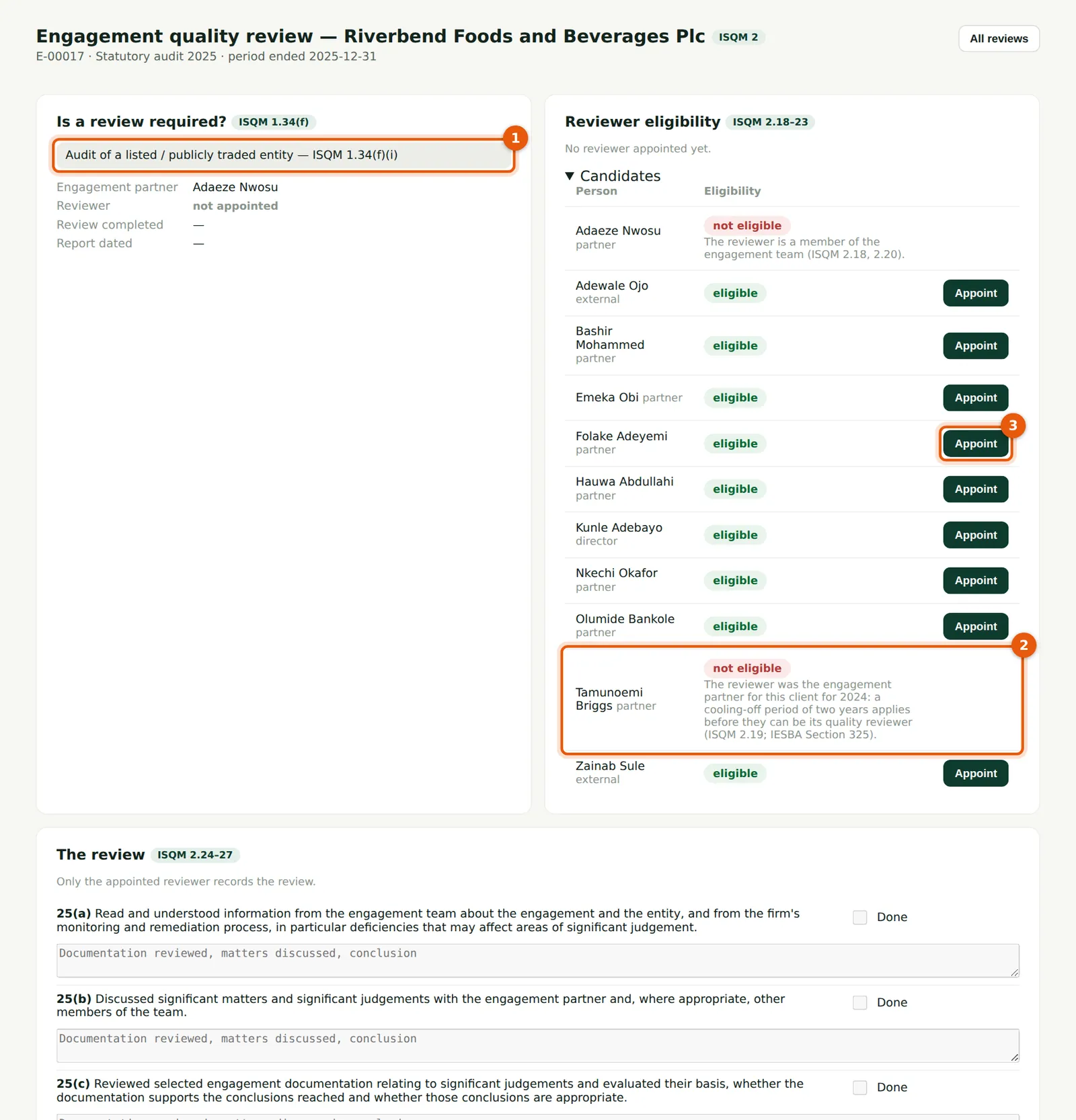
The top box says why a review is required (1): Riverbend is publicly traded. Candidates are listed with SQMTrove's eligibility checks (ISQM 2.18–23): not on the engagement team, a cooling-off period of two years after serving as engagement partner, PIE time-on and cooling-off limits, an independence confirmation for the year, accreditation for regulated sectors and a current practising licence. Tamunoemi Briggs (2) signed the 2024 audit, so he cannot review 2025. Folake Adeyemi is eligible.
Who
The person who appoints reviewers (at Okafor Bello & Co the quality lead, Emeka Obi, under ISQM 2.17).
What to do
- Open the engagement's EQR page and read why a review is required (1).
- Open Candidates. Read the reasons shown against anyone who is not eligible (2).
- Choose Appoint (3) next to the reviewer.
9.6 The reviewer is appointed
Why
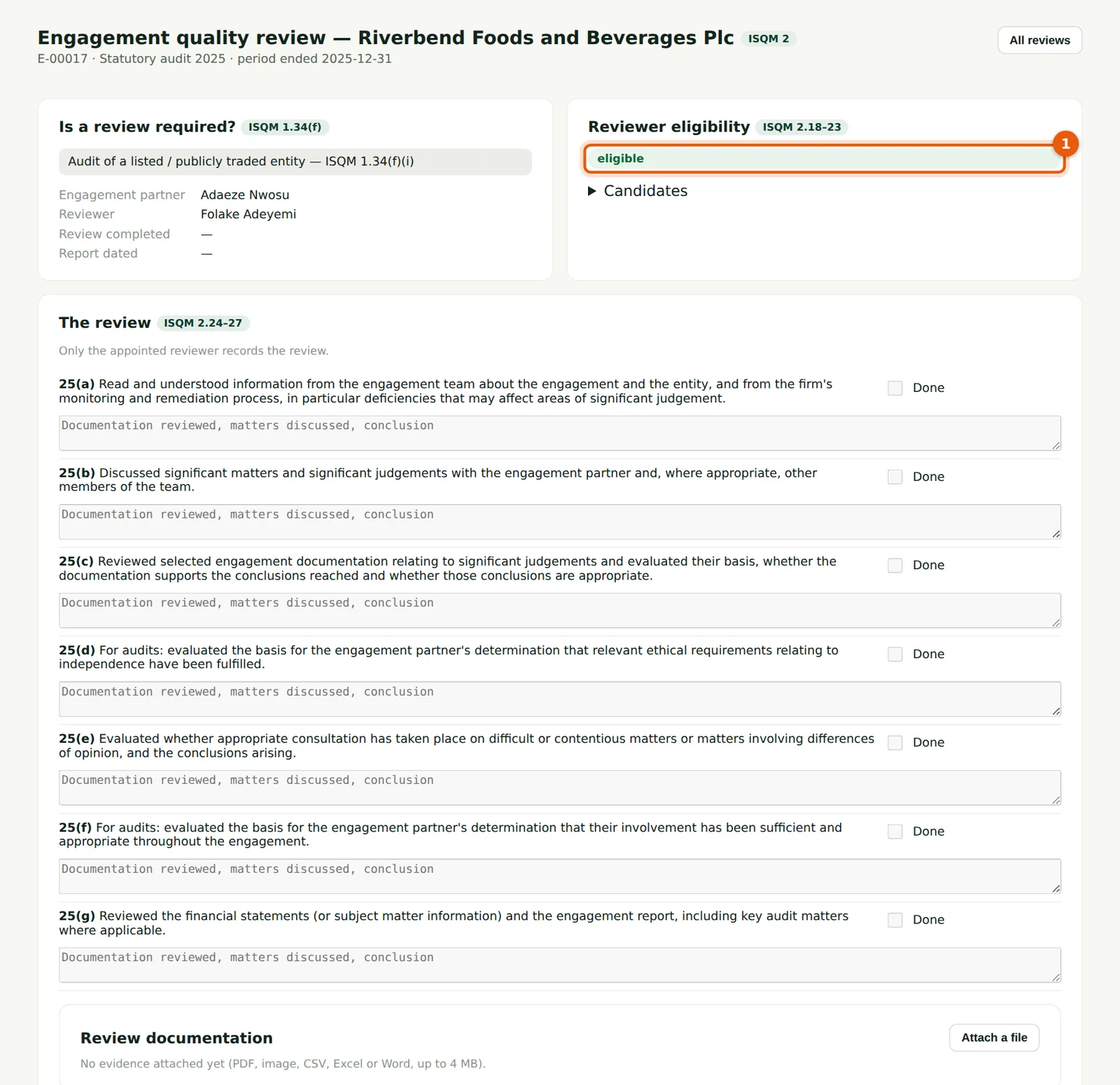
The eligibility of the appointed reviewer (1) is checked again whenever the page is opened, so a later change — for example a missing independence confirmation — shows at once. The reviewer is notified and sees the review on their dashboard.
Who
Appointer; reviewer.
What to do
- Check the result (1). To change the reviewer, open Candidates again.
9.7 Perform and record the review
Why
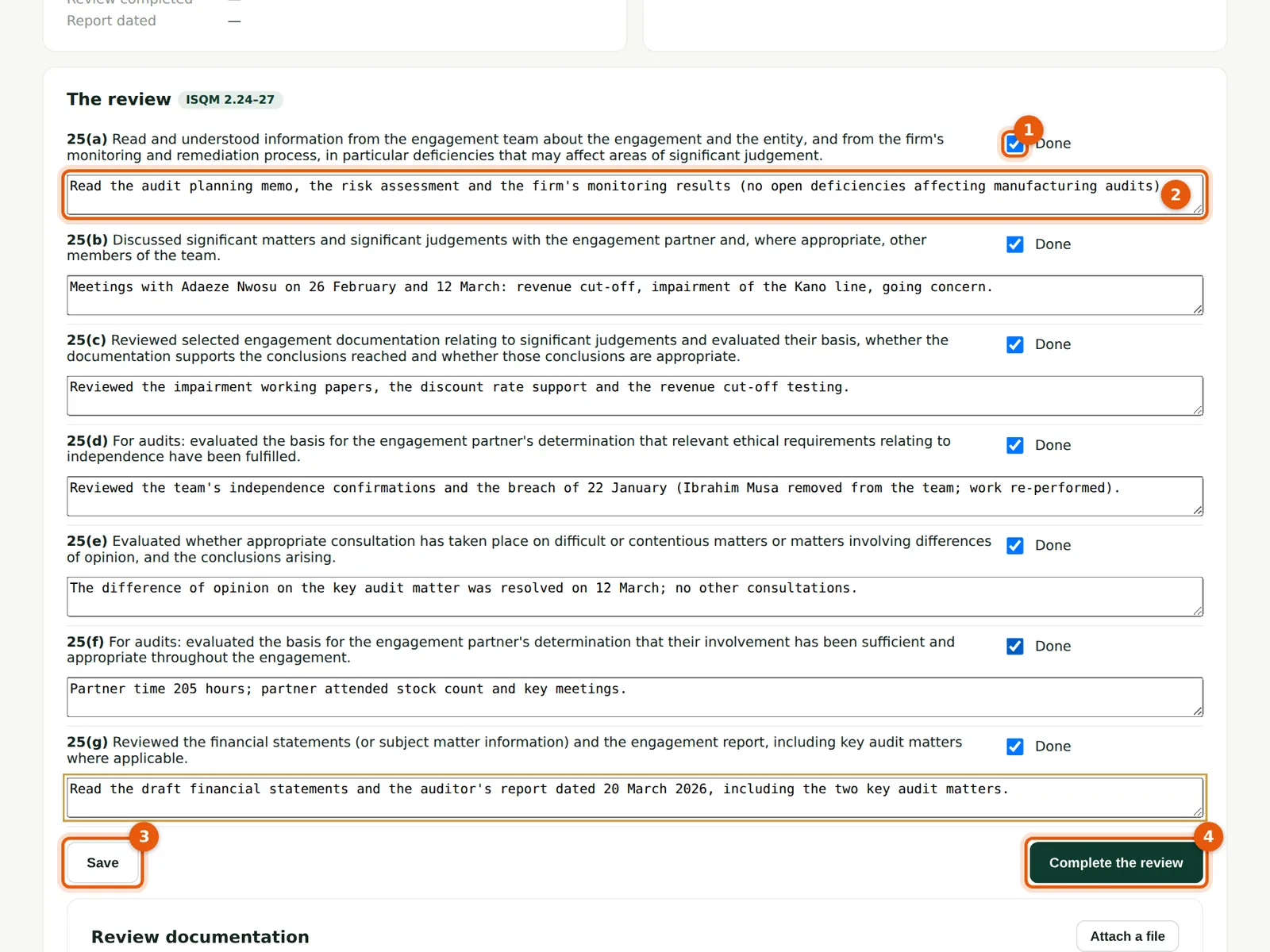
The checklist follows ISQM 2.25: reading information about the engagement and the firm's monitoring (a), discussing significant matters and judgements with the engagement partner (b), reviewing selected documentation (c), evaluating independence (d), consultations and differences of opinion (e), the partner's involvement (f), and the financial statements and report (g). The notes are the reviewer's documentation under ISQM 2.27.
Who
The appointed reviewer only.
What to do
- Tick Done for each procedure (1) and record what was reviewed and concluded (2).
- Choose Save (3) as you go. The review can be completed only when every procedure is done.
- When finished, choose Complete the review (4).
9.8 Confirm completion
Why
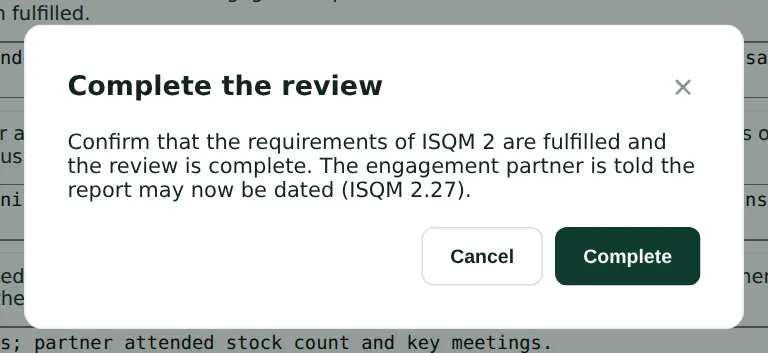
Completion is dated and signed with the reviewer's login. The engagement partner may date the report only after this (ISQM 2.24(b); ISA 220.36).
Who
Reviewer.
What to do
- Choose Complete. Choose Cancel to keep working.
9.9 The completed review
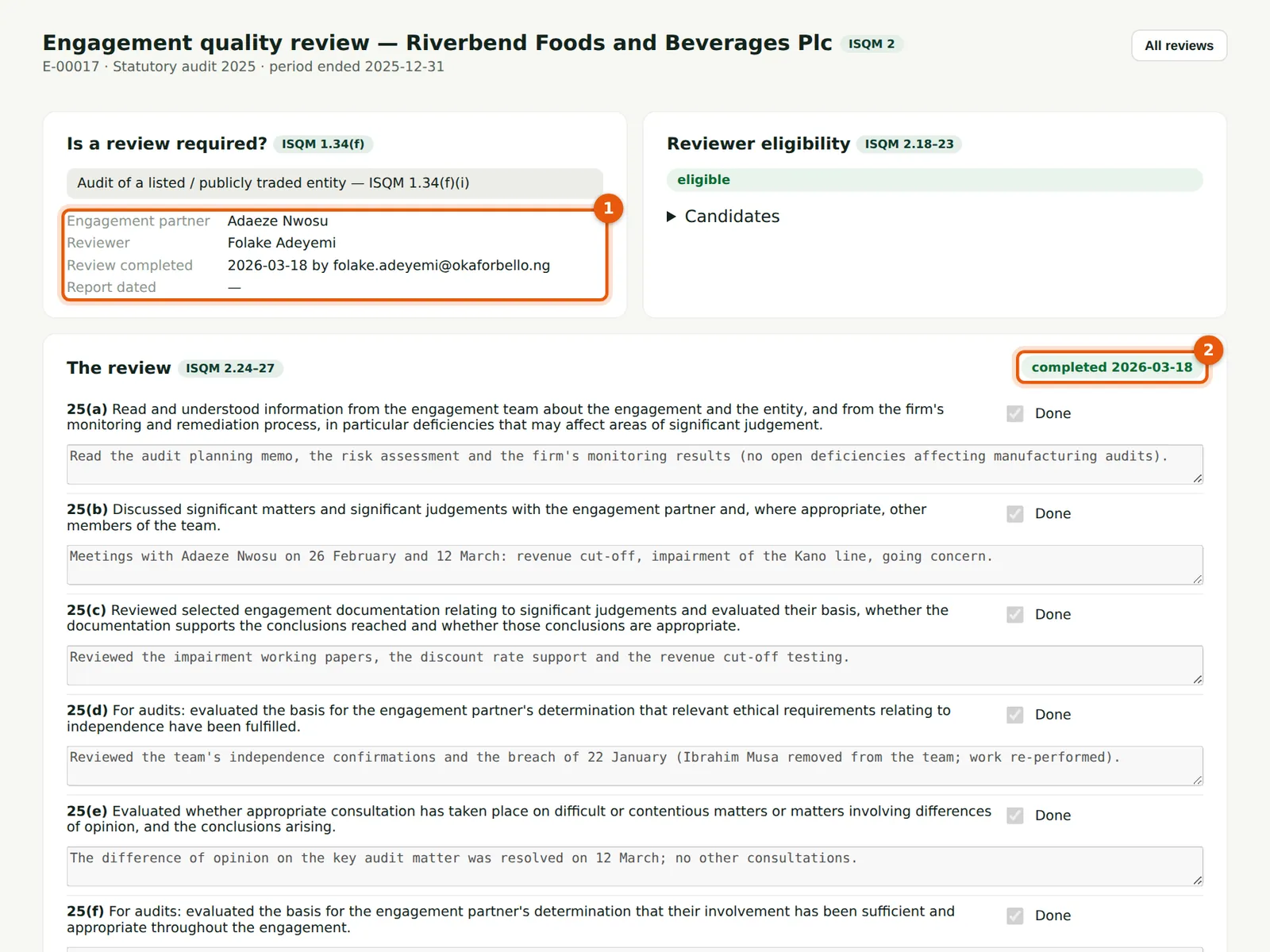
Why
The page records who completed the review and when (1), and the green label (2). The report on Riverbend Foods was dated two days later, so no finding arises. If the review must be reopened, the reviewer chooses Reopen the review and completes it again.
Who
Engagement partner; quality lead.
What to do
- Date the report only after the label shows completed (2).
9.10 Record a review by a reviewer without a login
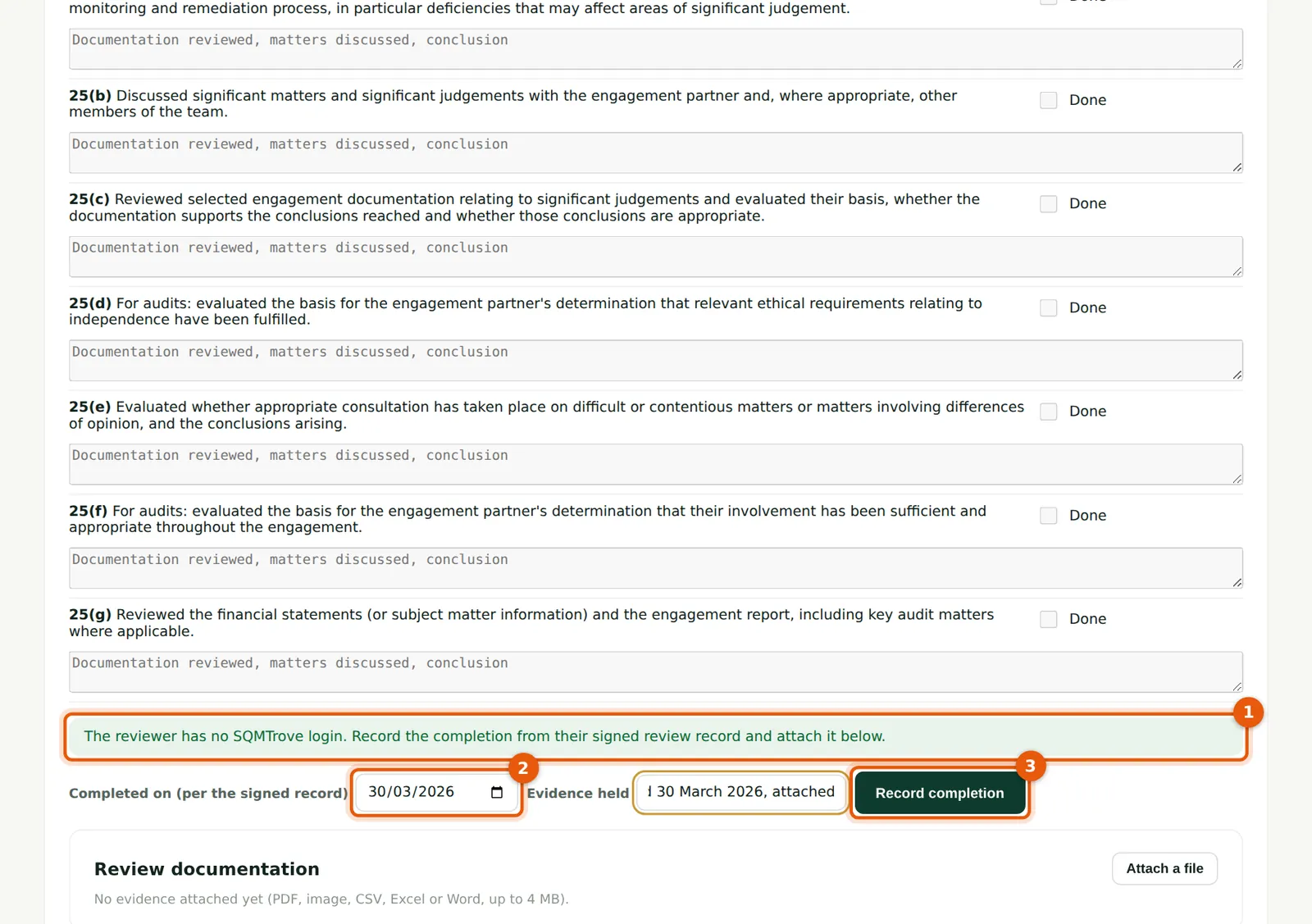
Why
Kainji Mutual and Amberfield Pensions are reviewed by Adewale Ojo FCA of Harbourline Quality Review Services Ltd, an external reviewer with no SQMTrove login (1). The quality lead records the completion date shown in the reviewer's signed record (2) and attaches the record. The completion shows as recorded by the quality lead from the reviewer's signed record.
Who
The appointer (quality lead), not the engagement partner.
What to do
- Enter the date on the signed record (2) and describe the evidence held.
- Choose Record completion (3), then attach the signed record below.
9.11 A report dated before the review
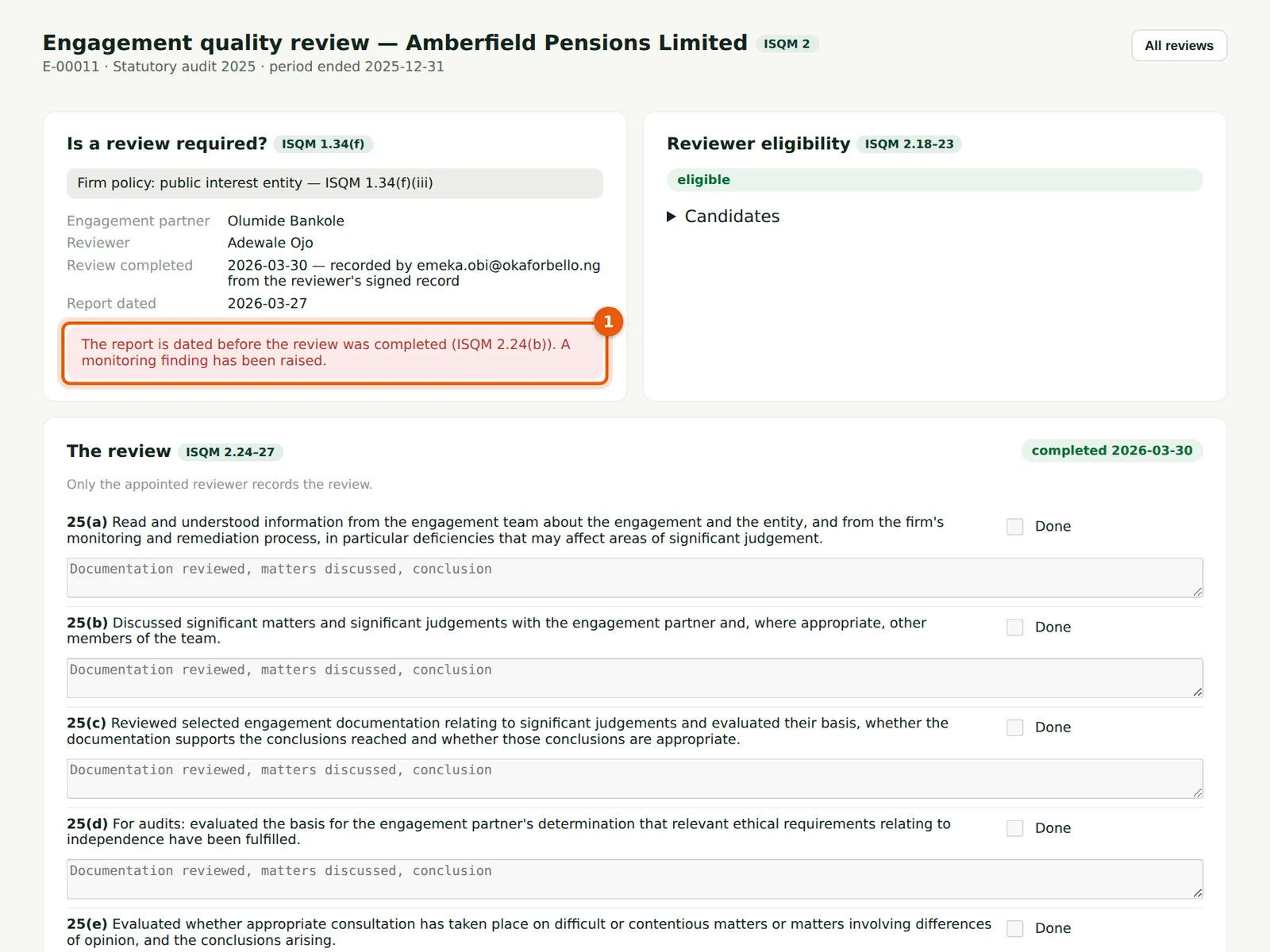
Why
Olumide Bankole dated Amberfield's report on 27 March, three days before the external review was completed. SQMTrove shows the breach of ISQM 2.24(b) (1) and raises a monitoring finding, which becomes part of deficiency DF-00001 (chapter 13). The signed record is attached (2).
Who
Quality lead; monitoring lead.
What to do
- Attach the evidence (2).
- Evaluate the finding in Monitoring & remediation → Findings (step 13.2).
9.12 All engagement quality reviews
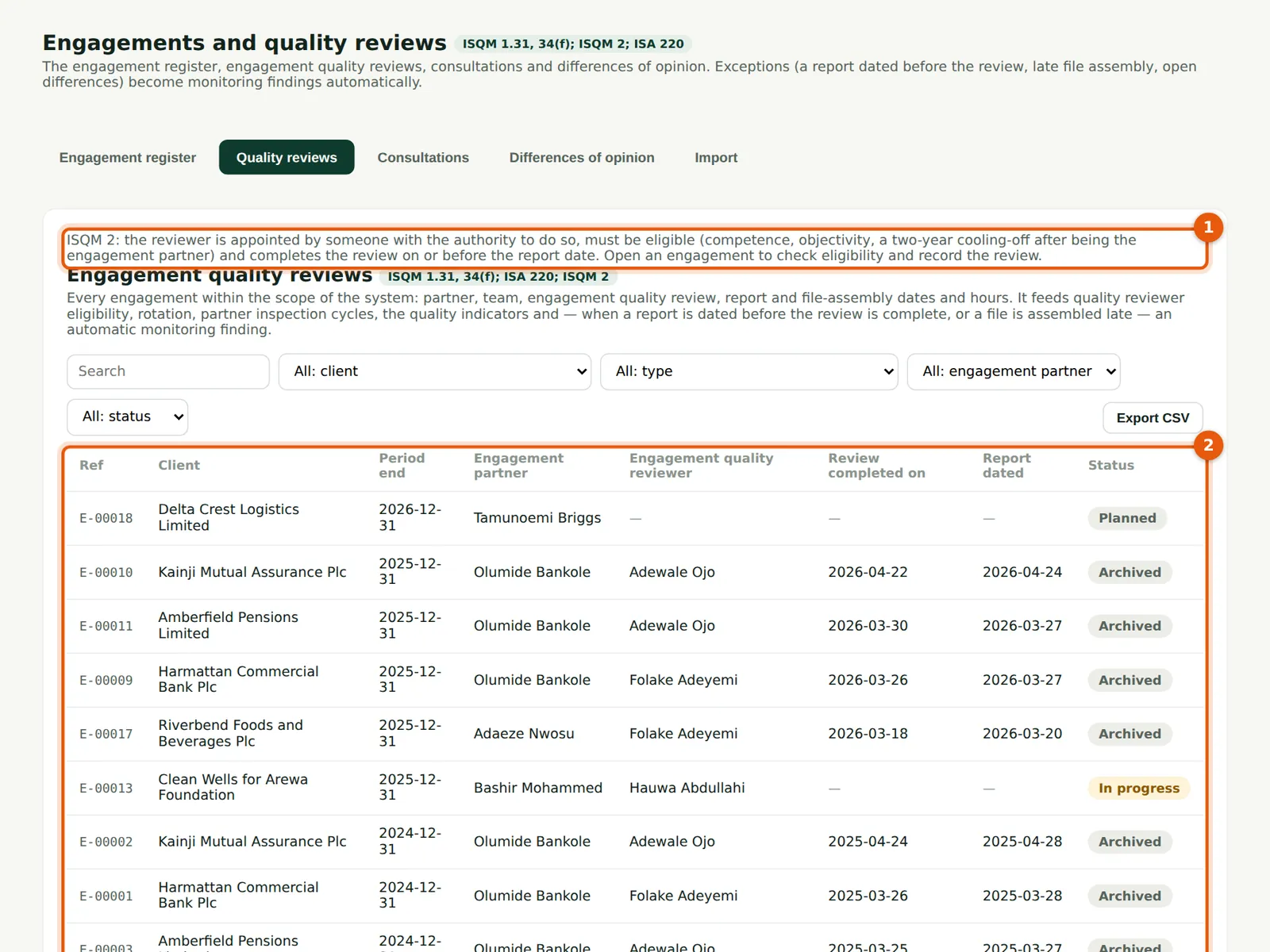
Why
The rules (1) and every engagement that needs a review (2), with the engagement partner, the reviewer, the date the review was completed and the report date. Amberfield's 2025 review (30 March) is after its report (27 March); every other review is on time. This list answers an inspector's first question on ISQM 2.
Who
Quality lead; inspectors.
What to do
- Check that each review due has a reviewer, and that each review was completed on or before the report date (2).
9.13 Record a consultation
Why
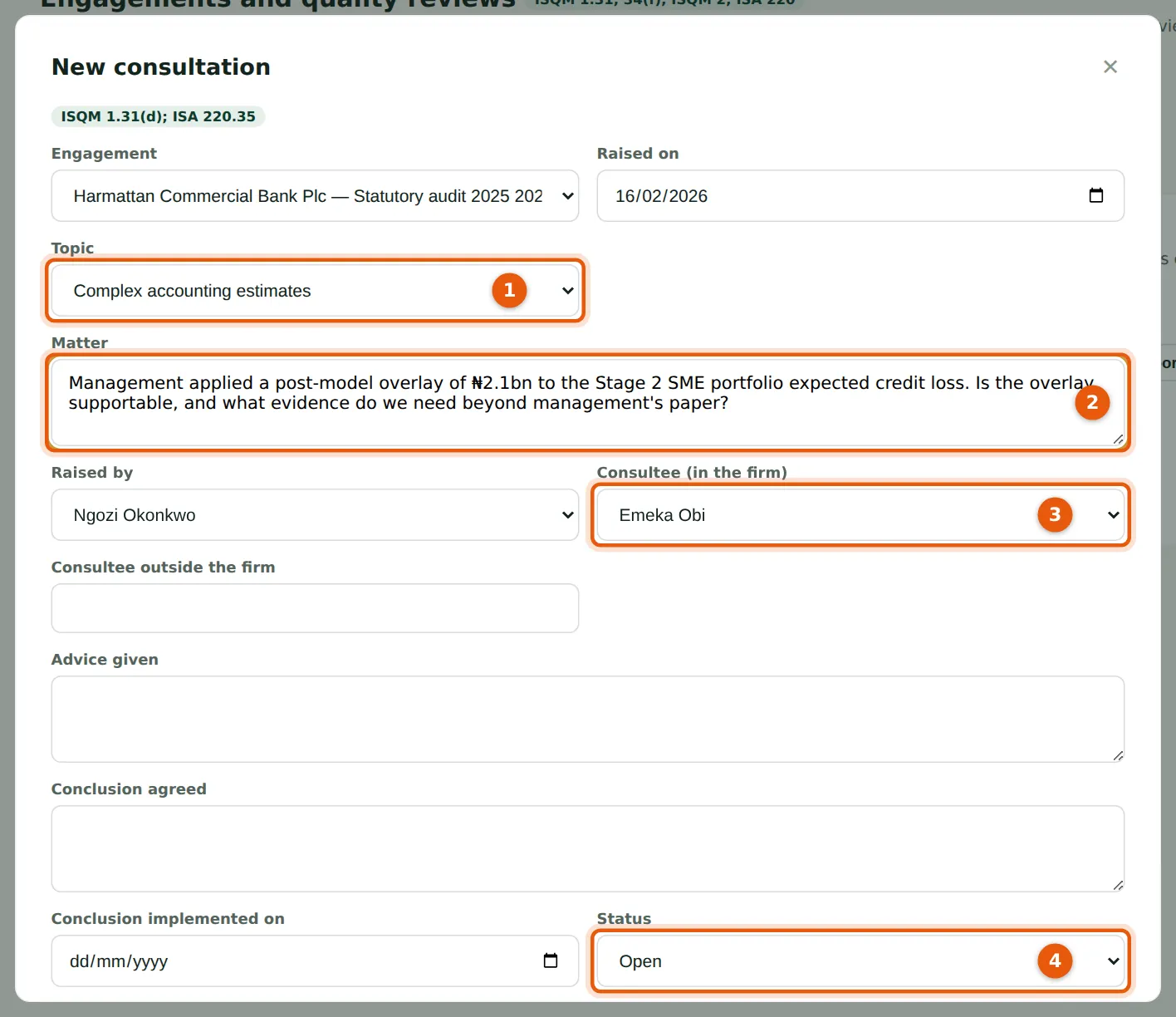
ISQM 1.31(d) and ISA 220.35 require consultation on difficult or contentious matters and the conclusions to be agreed and implemented. Ngozi Okonkwo asks whether a ₦2.1bn post-model overlay to the expected credit loss is supportable. Record the topic (1), the question (2), who is consulted (3) and the status (4). A report dated while a consultation is not implemented raises a finding.
Who
Anyone on the engagement team raises it; the consultee records the advice.
What to do
- Open Engagements & EQR → Consultations and choose New consultation.
- Choose the engagement and topic (1); write the question (2); choose the consultee (3).
- Later, record the advice, the conclusion and when it was implemented, and set the status (4) to Implemented.
9.14 The consultations register
Why
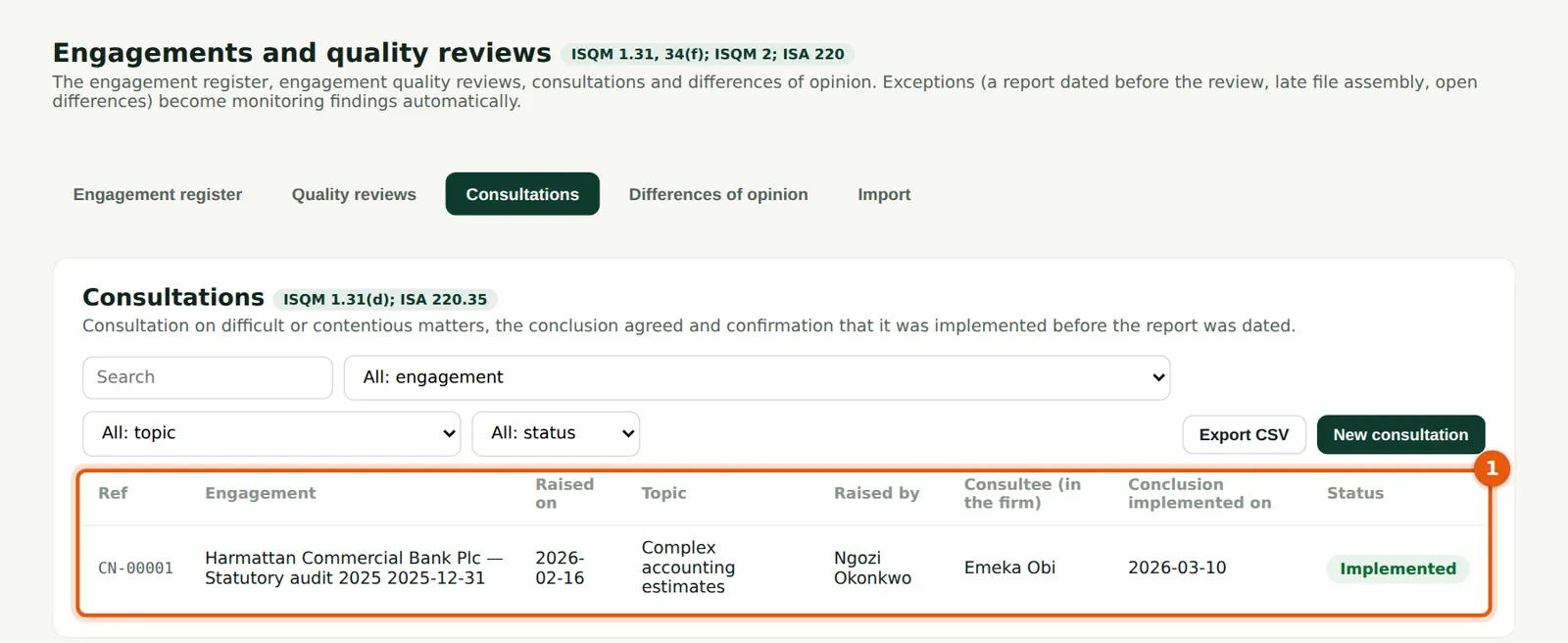
The consultations of the year with their status (1). The overlay was reduced to ₦1.6bn after back-testing, and the consultation marked implemented on 10 March, before the report date.
Who
Quality lead.
What to do
- Review open consultations before any report is dated.
9.15 Resolve a difference of opinion
Why
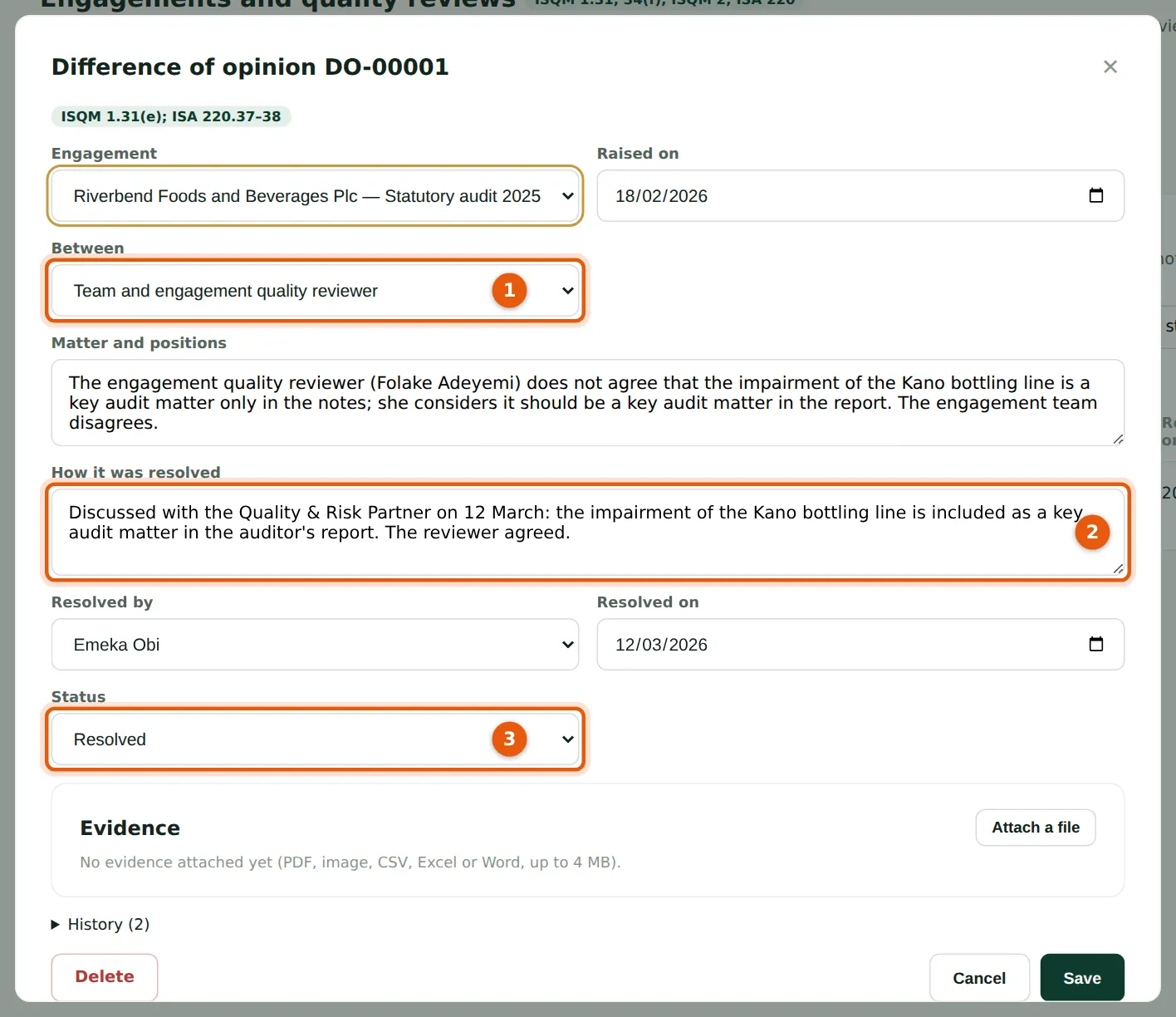
ISA 220.37–38 and ISQM 2.20: the reviewer thought the impairment of the Kano bottling line should be a key audit matter; the team disagreed. Record who disagrees (1), how it was resolved (2) and set the status to Resolved (3). The report cannot be dated without a finding while a difference is open.
Who
Engagement partner; the quality lead helps resolve it.
What to do
- Open Differences of opinion, choose the entry, record the resolution (2), who resolved it and when, and set Resolved (3).