Steps in this chapter (2)
See who did what and when, filter the trail, and verify that it has not been changed.
ISQM 1.57–60 require documentation that can be relied on. Every change in SQMTrove is recorded in the audit trail: who, what and when. The trail cannot be edited or deleted, and is sealed in hash-chained blocks, so any tampering shows up when it is verified.
21.1 The audit trail
Why
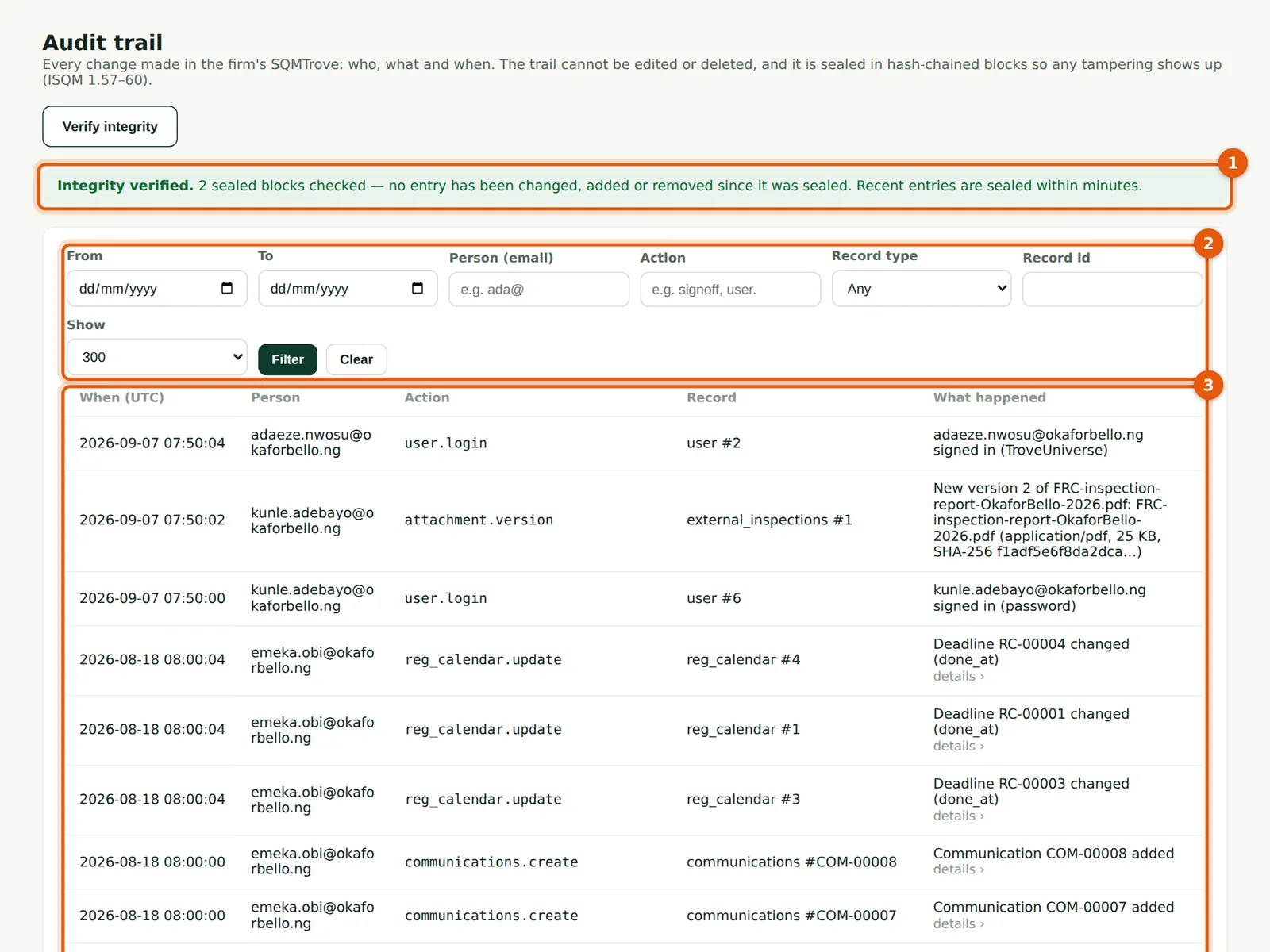
Verify integrity checks every sealed block and reports the result (1). Filter by date, person, action, record type and id (2). Each entry (3) shows the time (UTC), the person, the action and what happened.
Who
Owner, firm administrator and quality lead.
What to do
- Choose Verify integrity; the result appears (1).
- Filter (2) and choose Filter; choose an entry (3) to open it.
21.2 An entry in full
Why
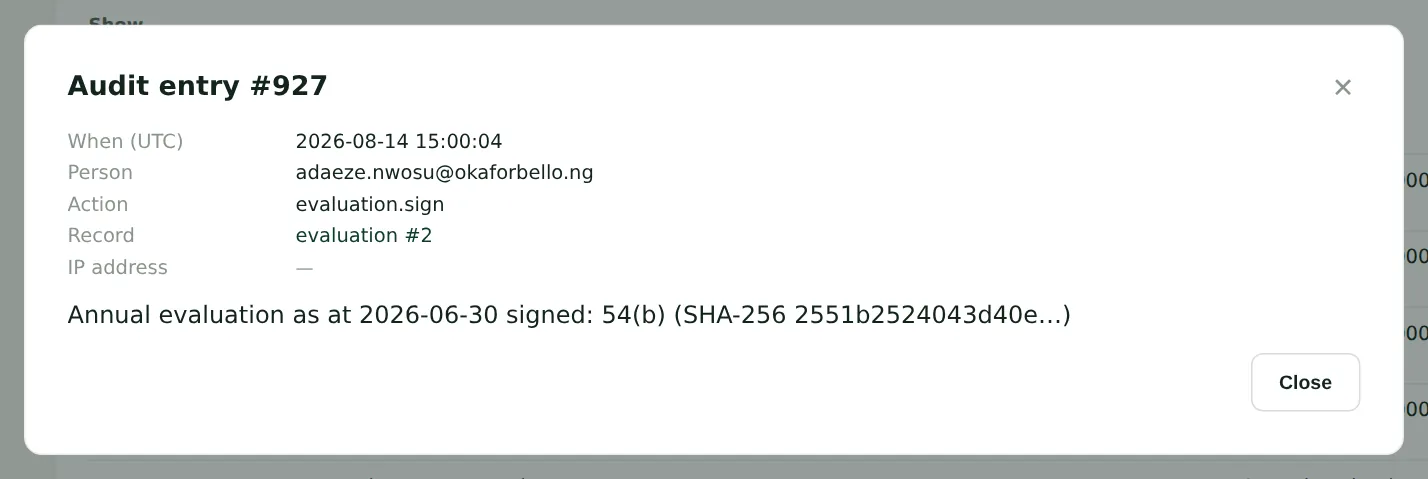
The full entry, with the values before and after the change where there are any.
Who
Owner, firm administrator and quality lead.
What to do
- Close the entry to return to the list.