Steps in this chapter (16)
One BookTrove login can work in several companies, and the companies of a group can be consolidated. This chapter shows how Savannah Harvest set up its haulage subsidiary, Savannah Harvest Logistics Ltd, and how the group accounts for the first quarter are produced.
The subsidiary was formed on 2 February 2026 with share capital of ₦60,000,000, all paid in by Savannah Harvest Agro-Allied Limited. It owns the trucks and charges the parent for haulage each month.
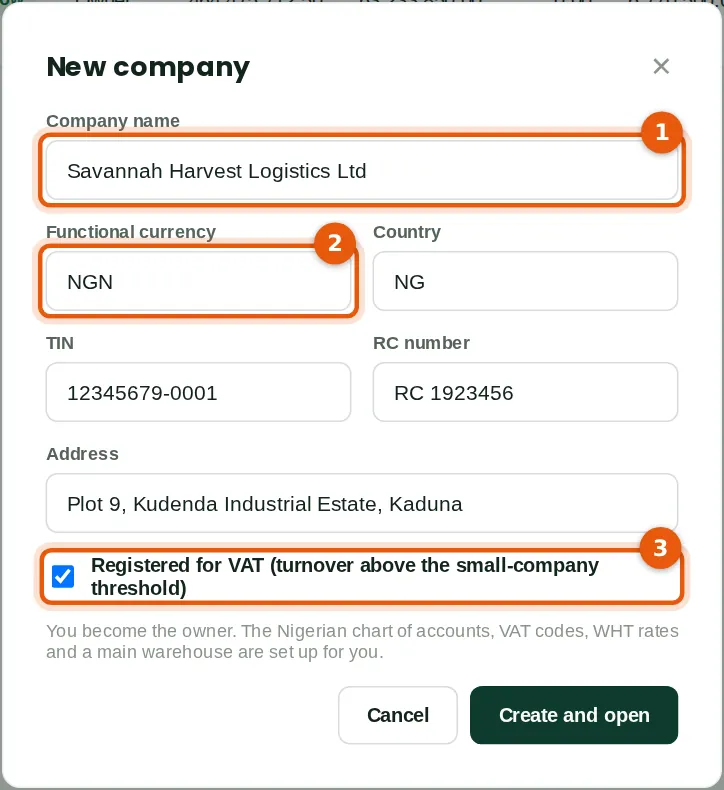
13.1 Create a new company
Why
Each company has its own books, settings, users and tax numbers. A new company gets the Nigerian chart of accounts, VAT codes, WHT rates and a main warehouse, and you become its owner. It counts towards the companies included in the plan (chapter 15).
Who
An owner of the subscription.
What to do
13.2 Create the group
Why
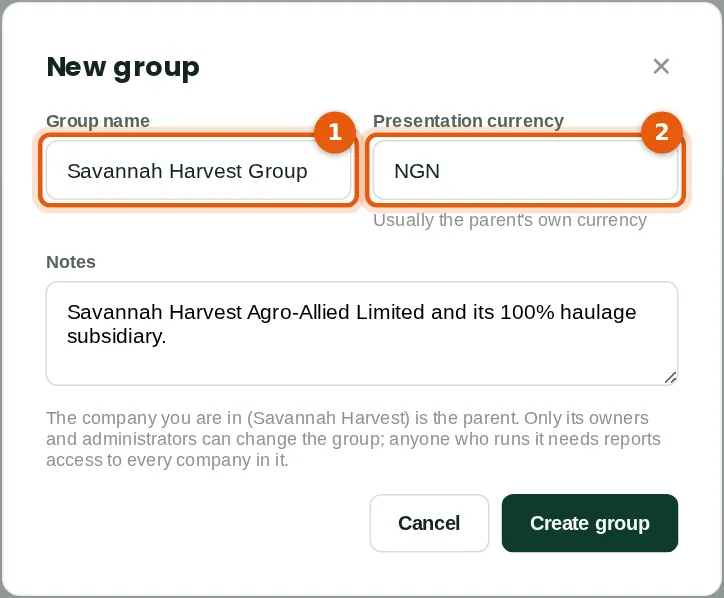
A group is defined in the parent company. Anyone who runs the consolidation needs report access to every company in it.
Who
An owner or administrator of the parent company.
What to do
- Open Group consolidation in the parent company and click New group.
- Type the group name (1) and the presentation currency (2), usually the parent's own currency. Click Create group.
13.3 Add the subsidiary
Why
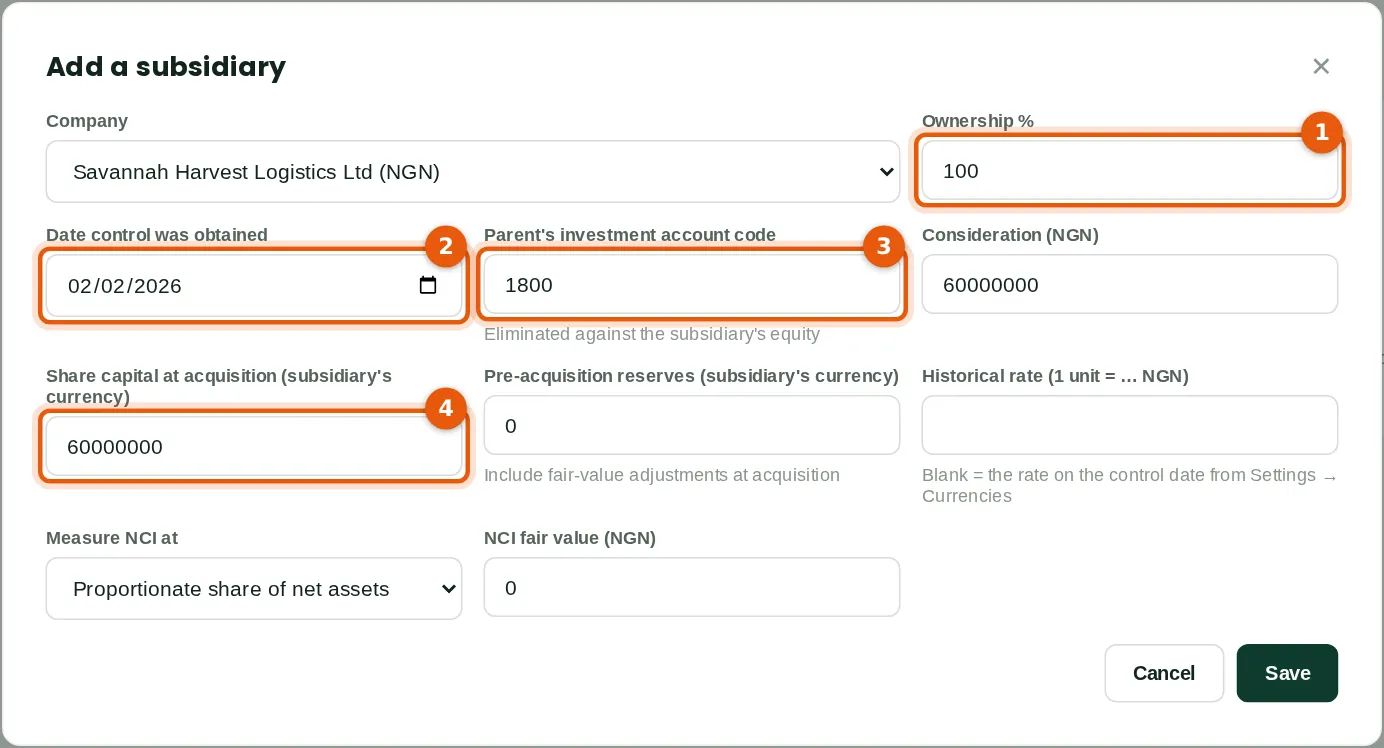
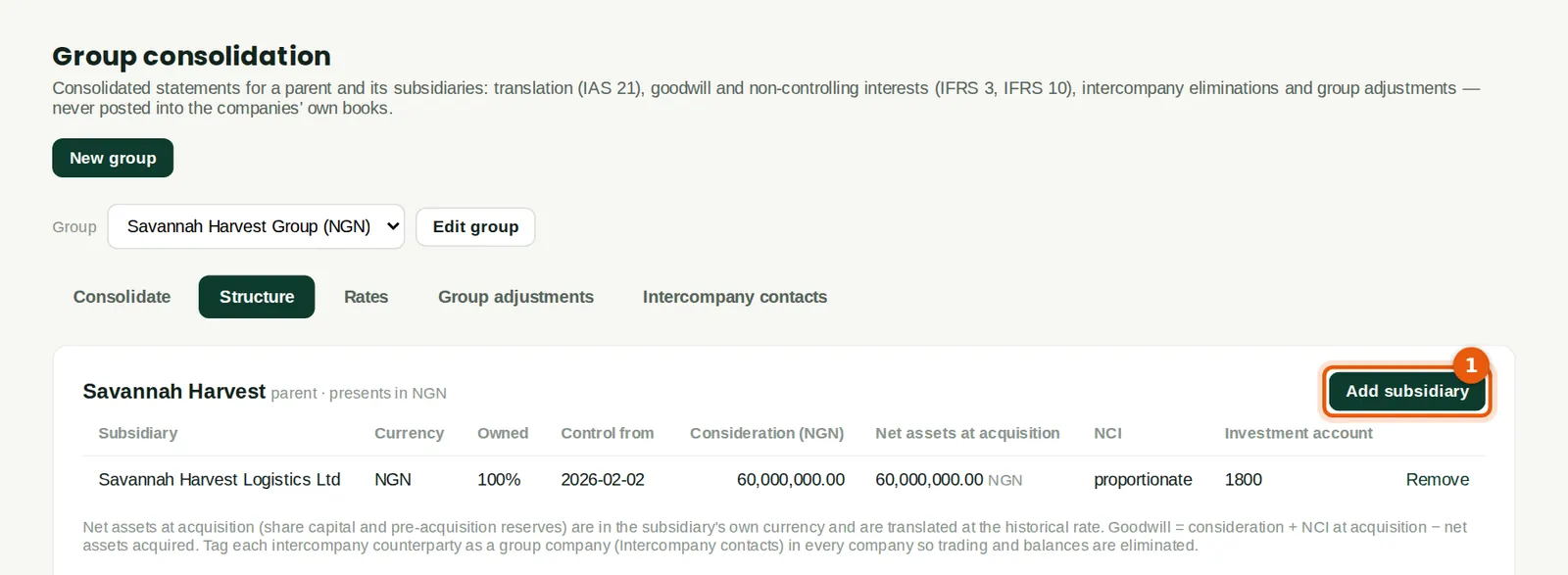
The details at acquisition let BookTrove eliminate the parent's investment against the subsidiary's equity (IFRS 10) and work out goodwill and non-controlling interests (IFRS 3). Savannah Harvest paid ₦60,000,000 for all the shares of a new company, so there is no goodwill and no non-controlling interest. A subsidiary with another currency is translated under IAS 21.
Who
An owner or administrator of the parent company.
What to do
- Click Add subsidiary and choose the company.
- Type the ownership percentage (1) and the date control was obtained (2).
- Type the parent's investment account code (3), the consideration, and the subsidiary's share capital (4) and reserves at acquisition.
- Choose how to measure non-controlling interests and click Save.
13.4 Mark the intercompany contacts
Why
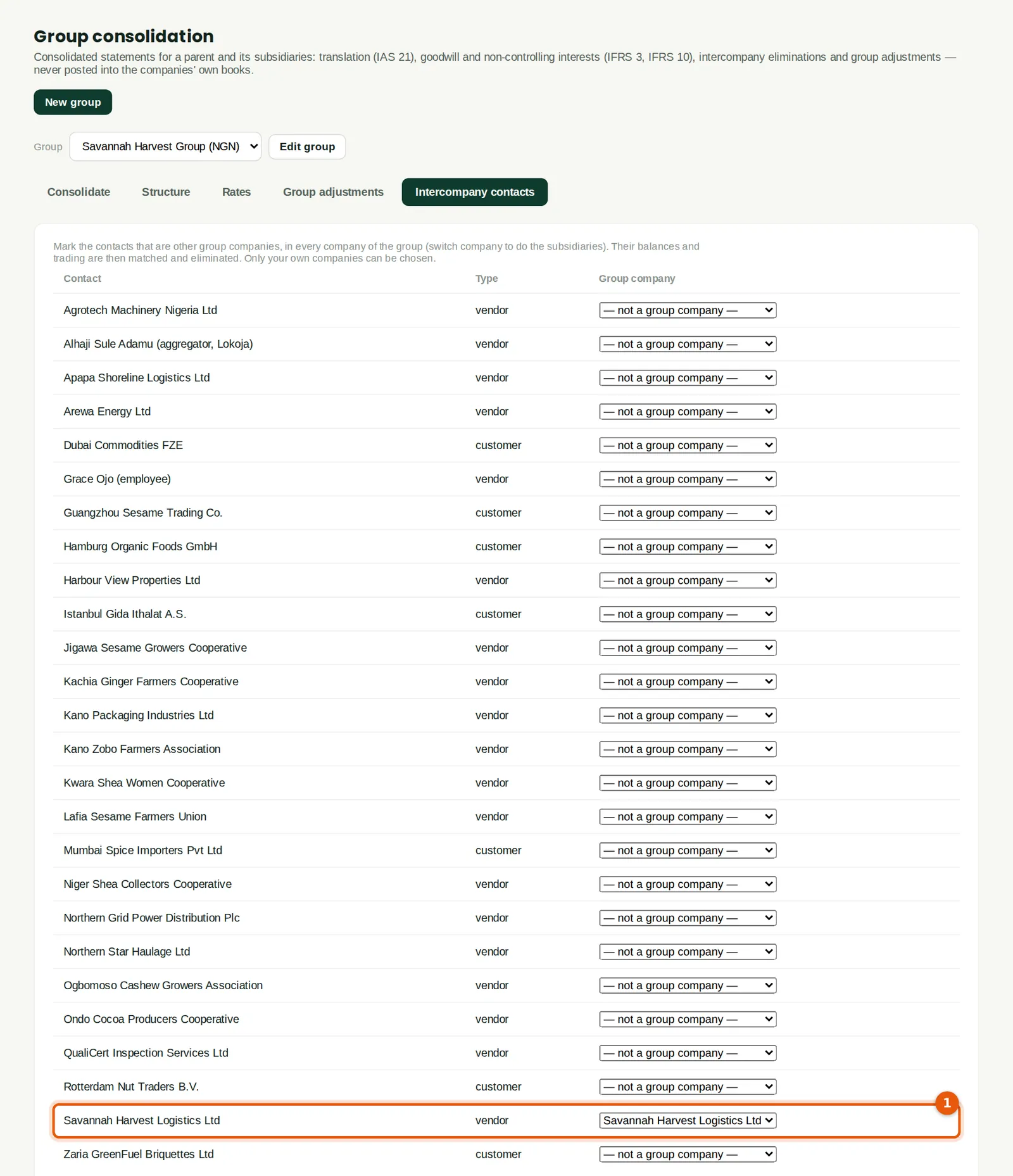
BookTrove matches and eliminates balances and trading between group companies. To know which contacts are group companies, mark them in every company of the group: in Savannah Harvest, the supplier Savannah Harvest Logistics Ltd (1); in the subsidiary, the customer Savannah Harvest Agro-Allied Limited.
Who
Accountant, in each company of the group.
What to do
- Open Intercompany contacts, and against the contact choose the group company it represents. Switch company and do the same in the subsidiary.
13.5 Run the consolidation
Why
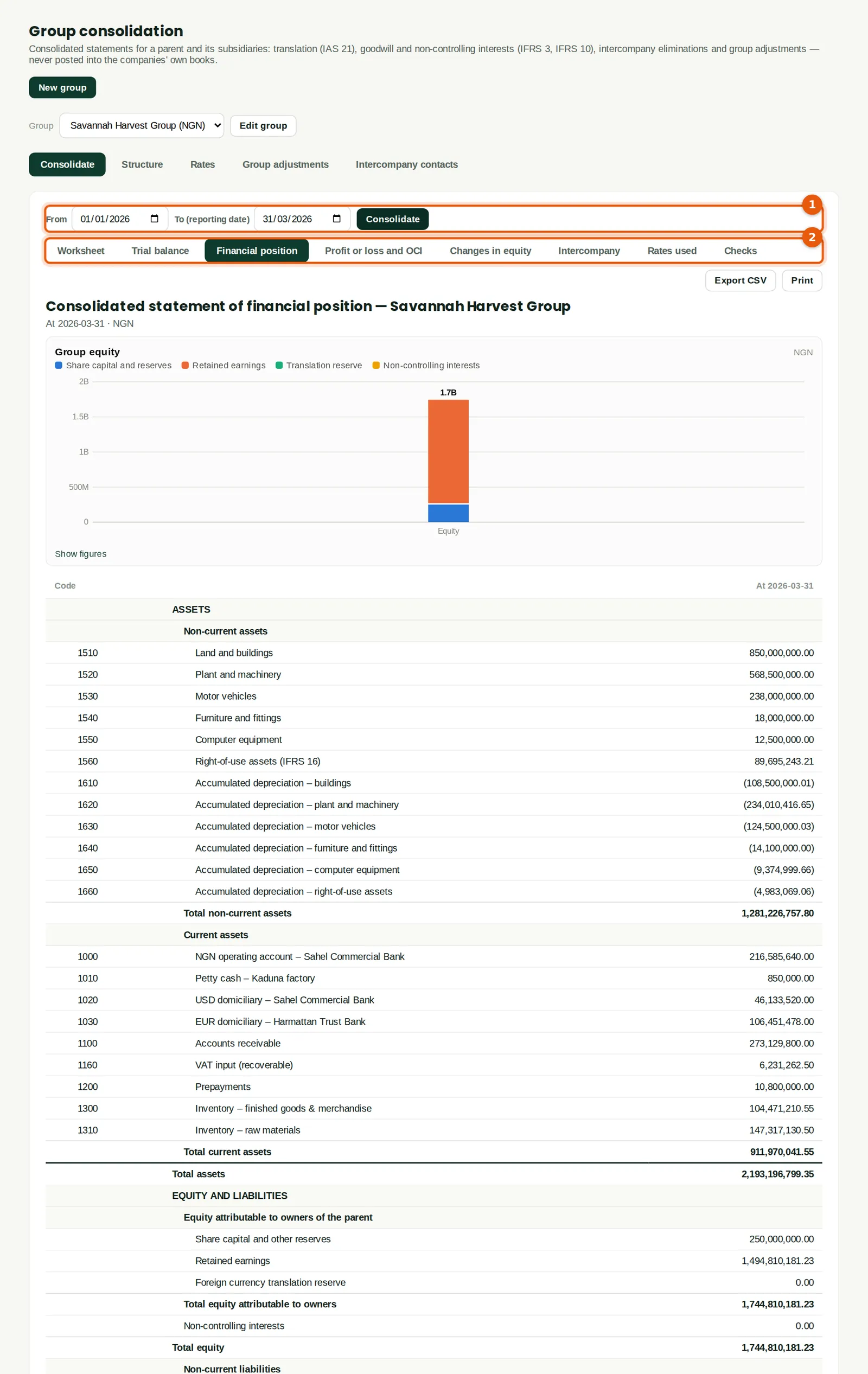
The consolidation is calculated from the companies' own books each time it runs; nothing is posted into them. The group's total assets at 31 March are ₦2,193,196,799.35.
Who
Finance manager or accountant.
What to do
- Open the Consolidate tab, set the period (1) and click Consolidate.
- Use the tabs (2) to see the worksheet, trial balance, financial position, profit or loss, changes in equity, intercompany matching, the rates used and the checks.
- Export CSV or print each statement.
13.6 Consolidated profit or loss
Why
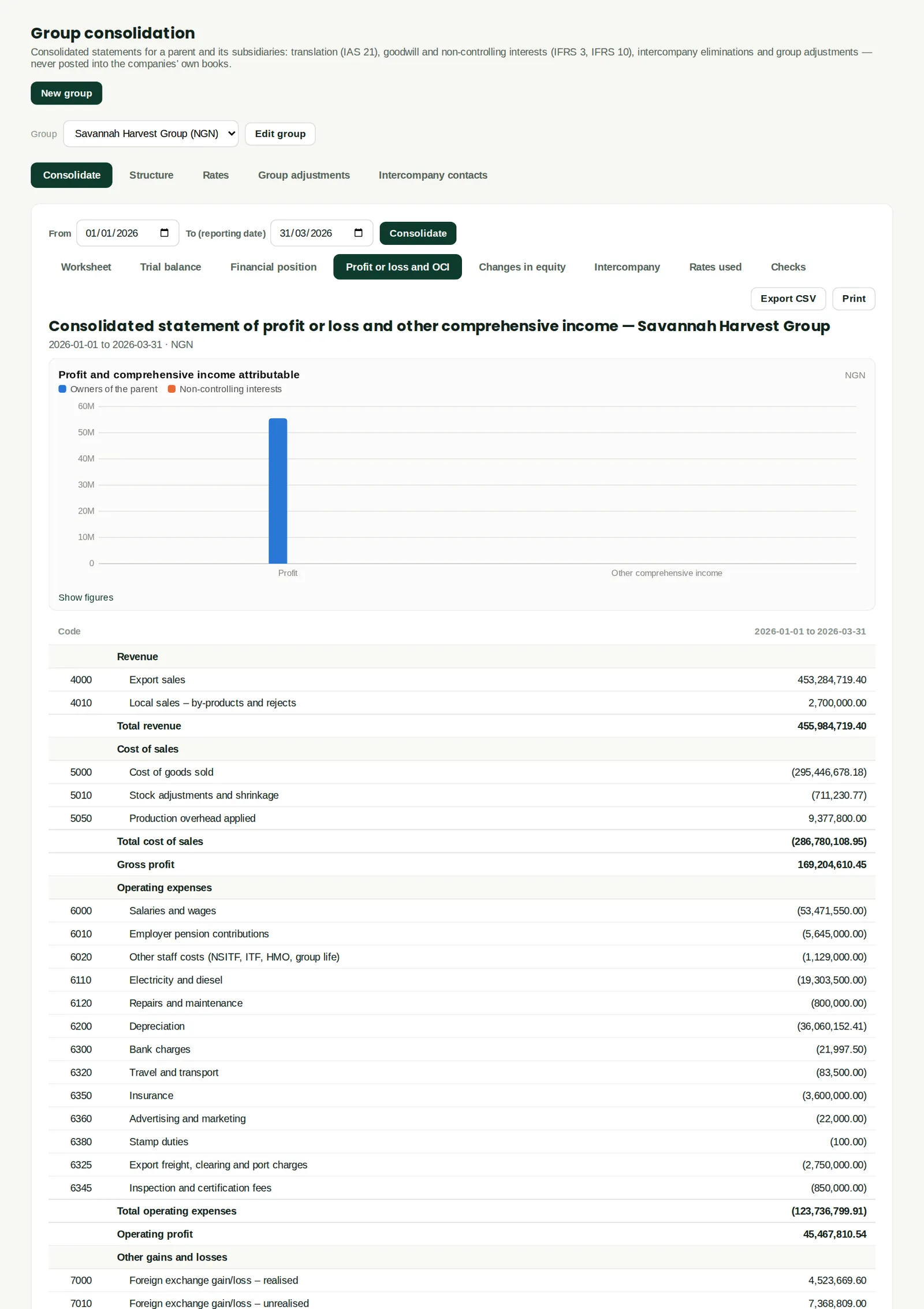
The group profit or loss, with the profit split between the owners of the parent and non-controlling interests. The haulage charged by the subsidiary to the parent is eliminated from both revenue and expenses.
Who
Finance manager, owners.
13.7 Intercompany matching and eliminations
Why
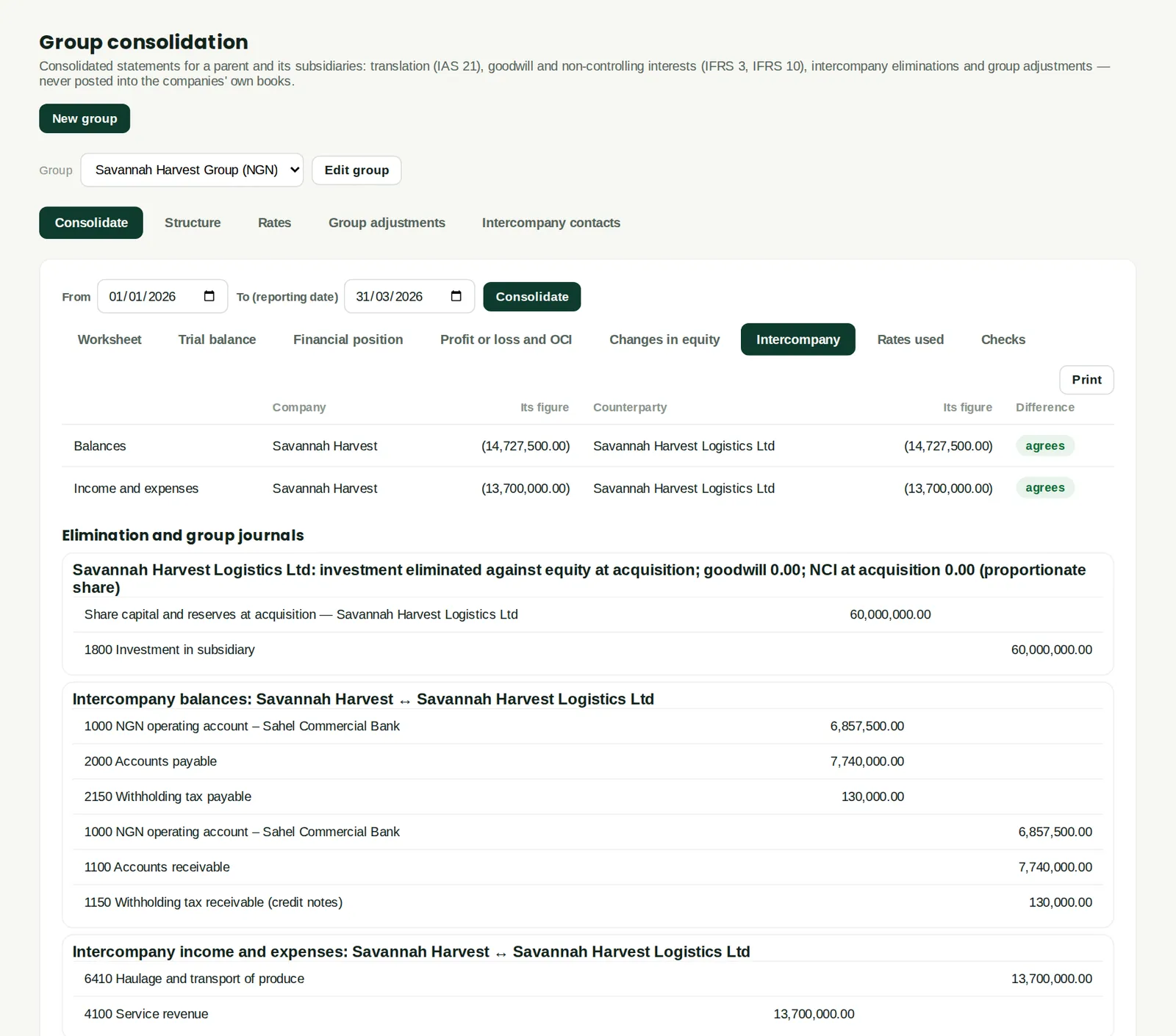
Each group company's balance with the other, and their income and expenses with each other, side by side. They agree here, so they are eliminated in full. A difference usually means an invoice or payment recorded in one company and not yet in the other, or withholding tax recorded differently. Below are the elimination journals, including the investment against the subsidiary's share capital.
Who
Accountant.
What to do
- If a difference shows, find the missing entry and post it in the company concerned, then consolidate again.
13.8 The consolidation worksheet
Why
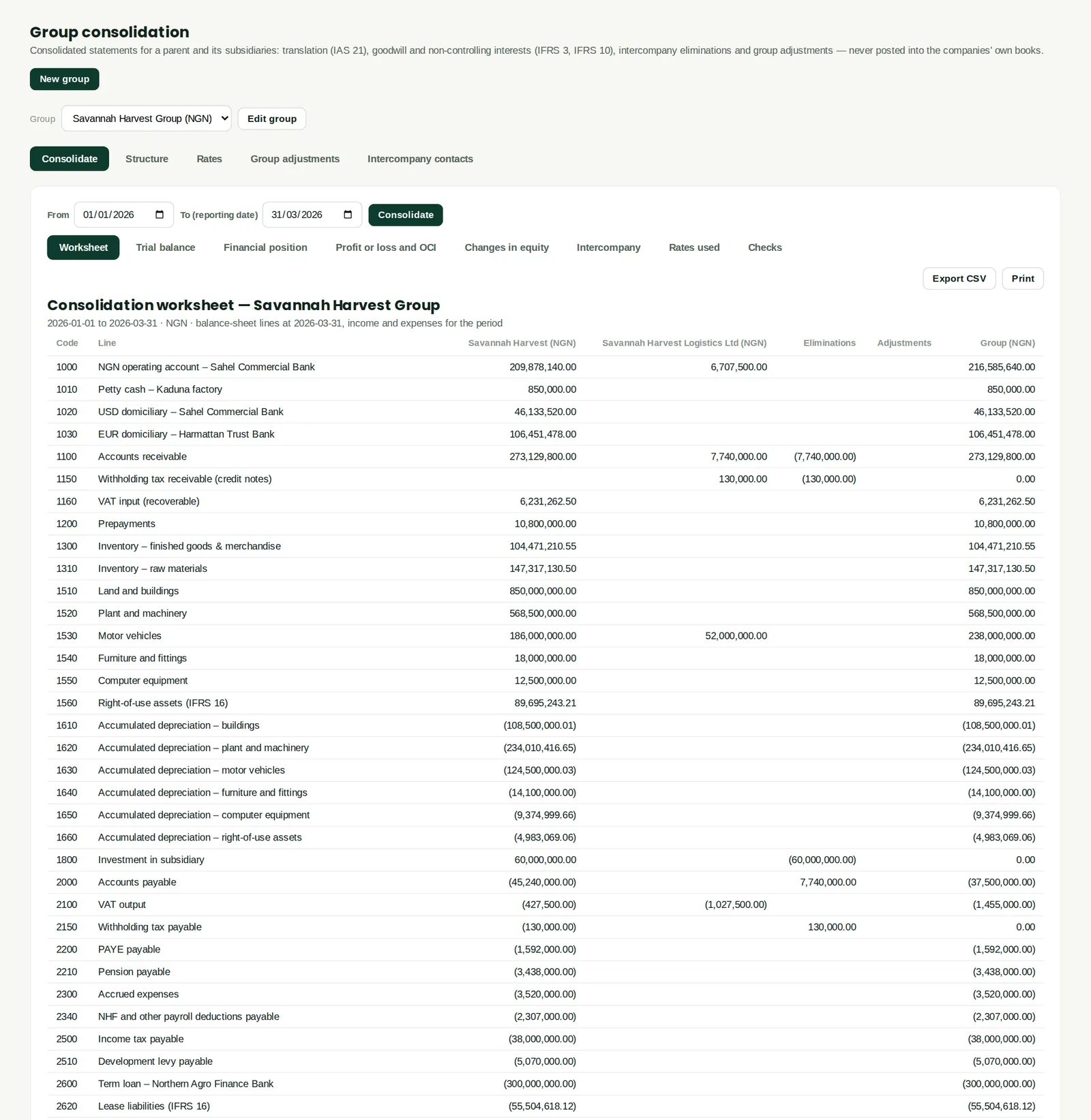
Every account with a column for each company, the eliminations, any group adjustments and the group total — the working paper behind the consolidated statements. Group adjustments (for example unrealised profit in stock) are entered on the Group adjustments tab.
Who
Accountant; auditors.
What to do
- Click Export CSV to give the worksheet to the auditors.
13.9 The group structure
Why
The subsidiaries with their currency, ownership, date of control, consideration, net assets at acquisition, how non-controlling interests are measured and the investment account. Click a subsidiary to change it, or Add subsidiary (1) for another. Edit group changes the name and presentation currency.
Who
Owner or administrator of the parent.
13.10 Rates for translation
Why
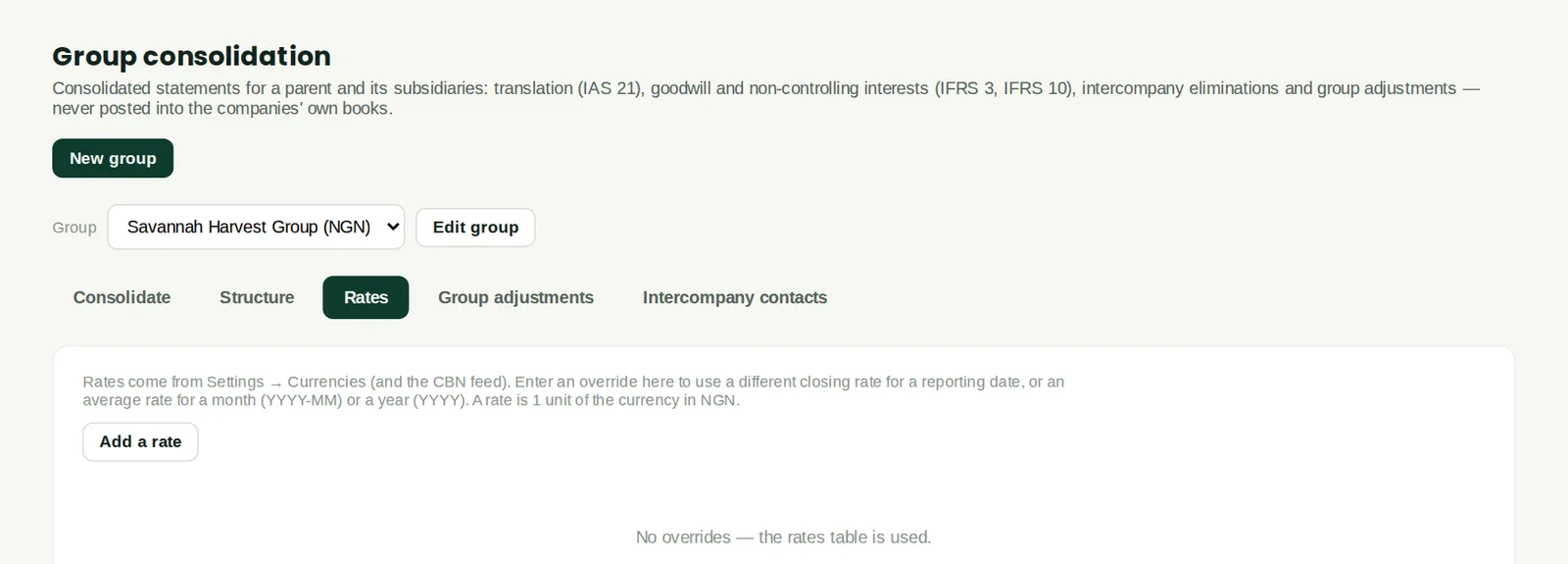
For a subsidiary in another currency, the closing rate translates assets and liabilities and the average rate the profit or loss (IAS 21). The rates come from Settings → Currencies; add a rate here only to use a different one for a reporting date or period. Savannah Harvest Logistics reports in naira, so no rates are needed.
Who
Accountant.
What to do
- Click Add a rate, choose closing or average, the date or month, and the rate.
13.11 Group adjustments
Why
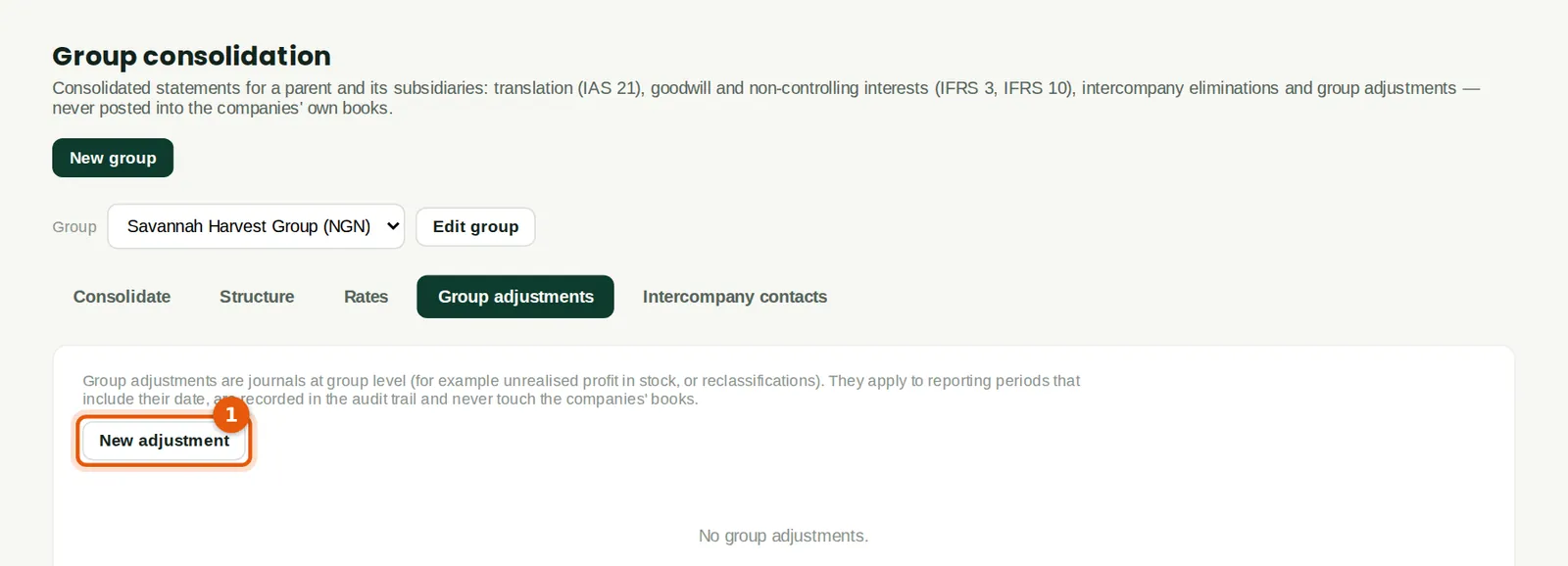
Journals made only at group level — for example removing unrealised profit on stock one group company bought from another, or a reclassification. They apply to periods that include their date, are recorded in the audit trail and never touch the companies' own books. Savannah Harvest's group needed none.
Who
Accountant.
What to do
- Click New adjustment (1).
13.12 Enter a group adjustment
Why
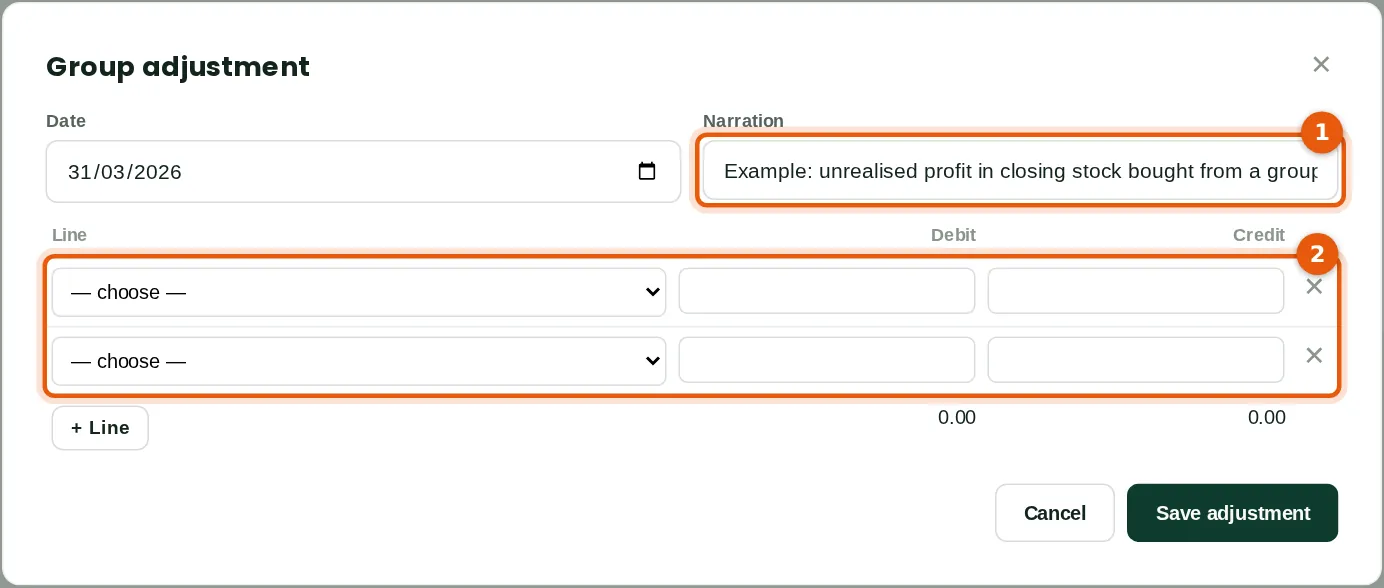
A balanced journal on the group's accounts, which can also use goodwill, non-controlling interests, group retained earnings and the group translation reserve. The example shows the form only; it was not saved.
Who
Accountant.
What to do
- Type the date and narration (1), fill in the lines (2) so that debits equal credits, and click Save adjustment.
13.13 Consolidated trial balance
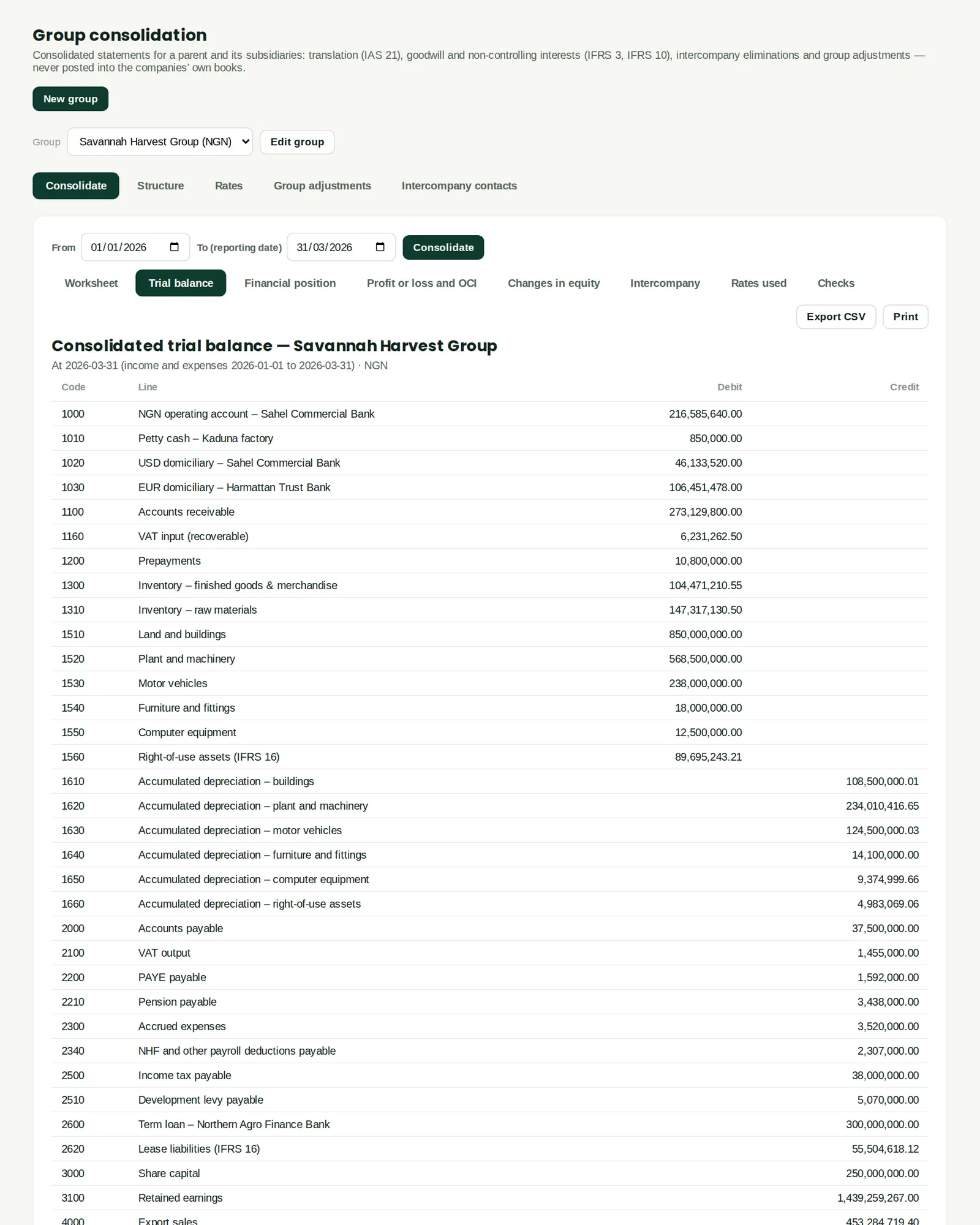
Why
The group's balances after eliminations and adjustments, account by account — the starting point for the group accounts file.
Who
Accountant, auditors.
13.14 Consolidated changes in equity
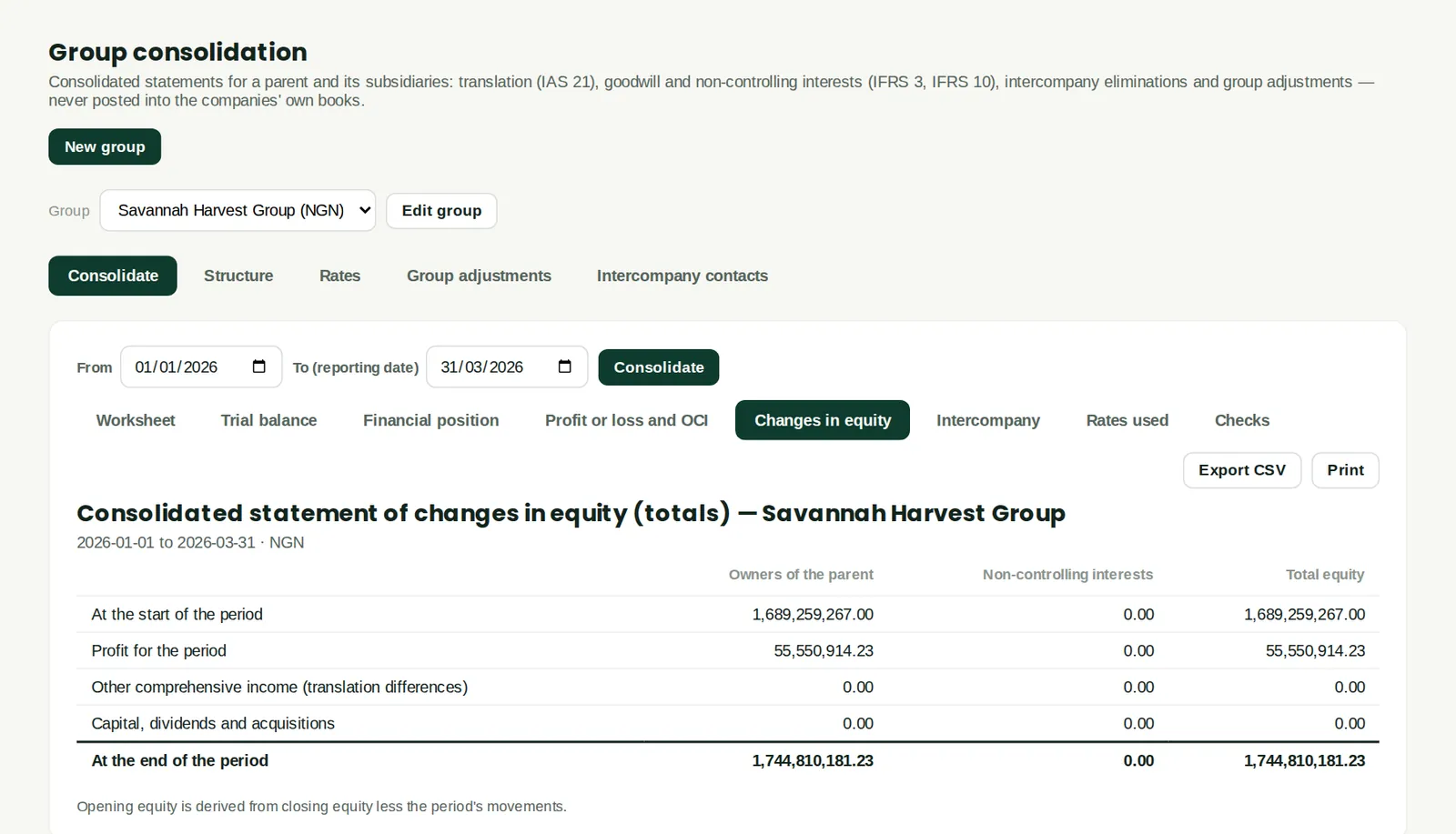
Why
Movements in share capital, reserves and retained earnings for the owners of the parent and non-controlling interests.
Who
Accountant.
13.15 Rates used
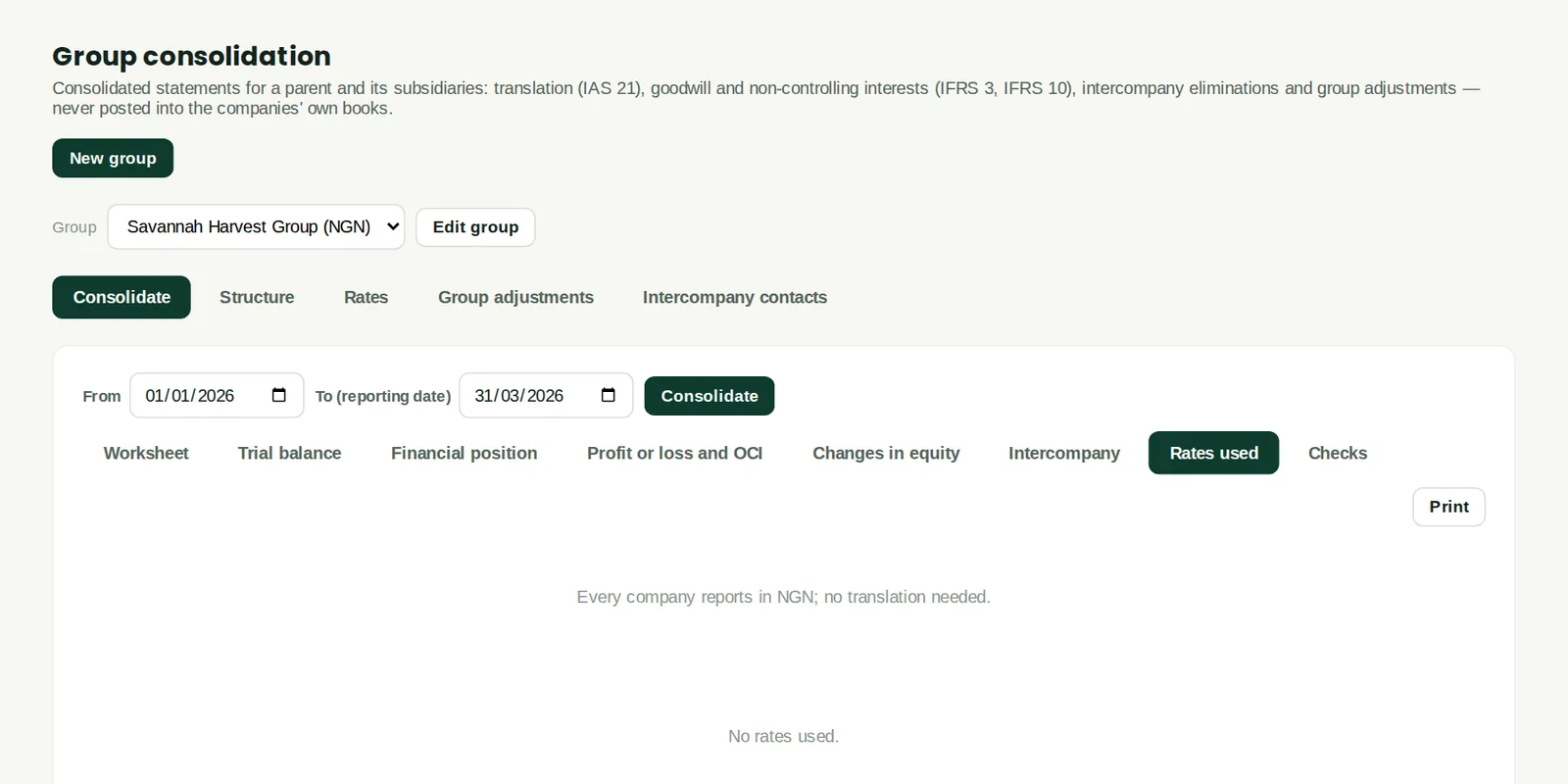
Why
The exchange rates used for each subsidiary in this run, and where they came from.
Who
Accountant, auditors.
13.16 Consolidation checks
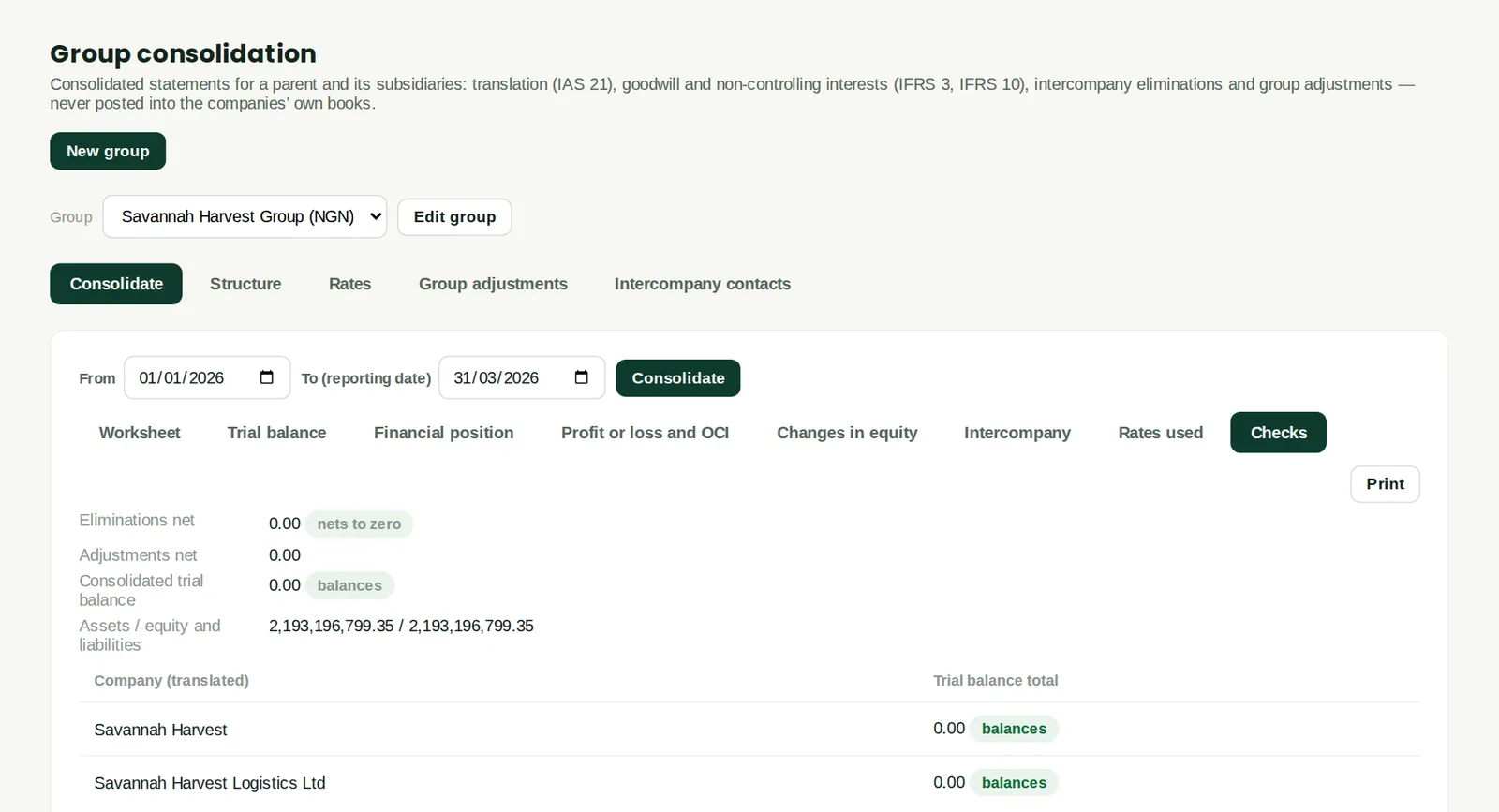
Why
Whether eliminations net to zero, the consolidated trial balance balances, assets equal equity and liabilities, and each company's own trial balance balances. All checks pass here.
Who
Accountant, auditors.