Steps in this chapter (5)
Record the company's details, salary structure, statutory registration numbers and pension rates, and check which statutory rules apply.
Before the first payroll, an Admin records the company's details, how salaries are structured and its statutory registration numbers. These appear on payslips and schedules and decide which statutory rules apply. Everything is on the Settings page.
PayTrove works out PAYE for the State Internal Revenue Service of each employee's state of residence, so there is nothing to set up per state: the state is recorded on each employee (chapter 5). The pay day and pay period are chosen on each payroll run (chapter 6).
2.1 Record the company profile
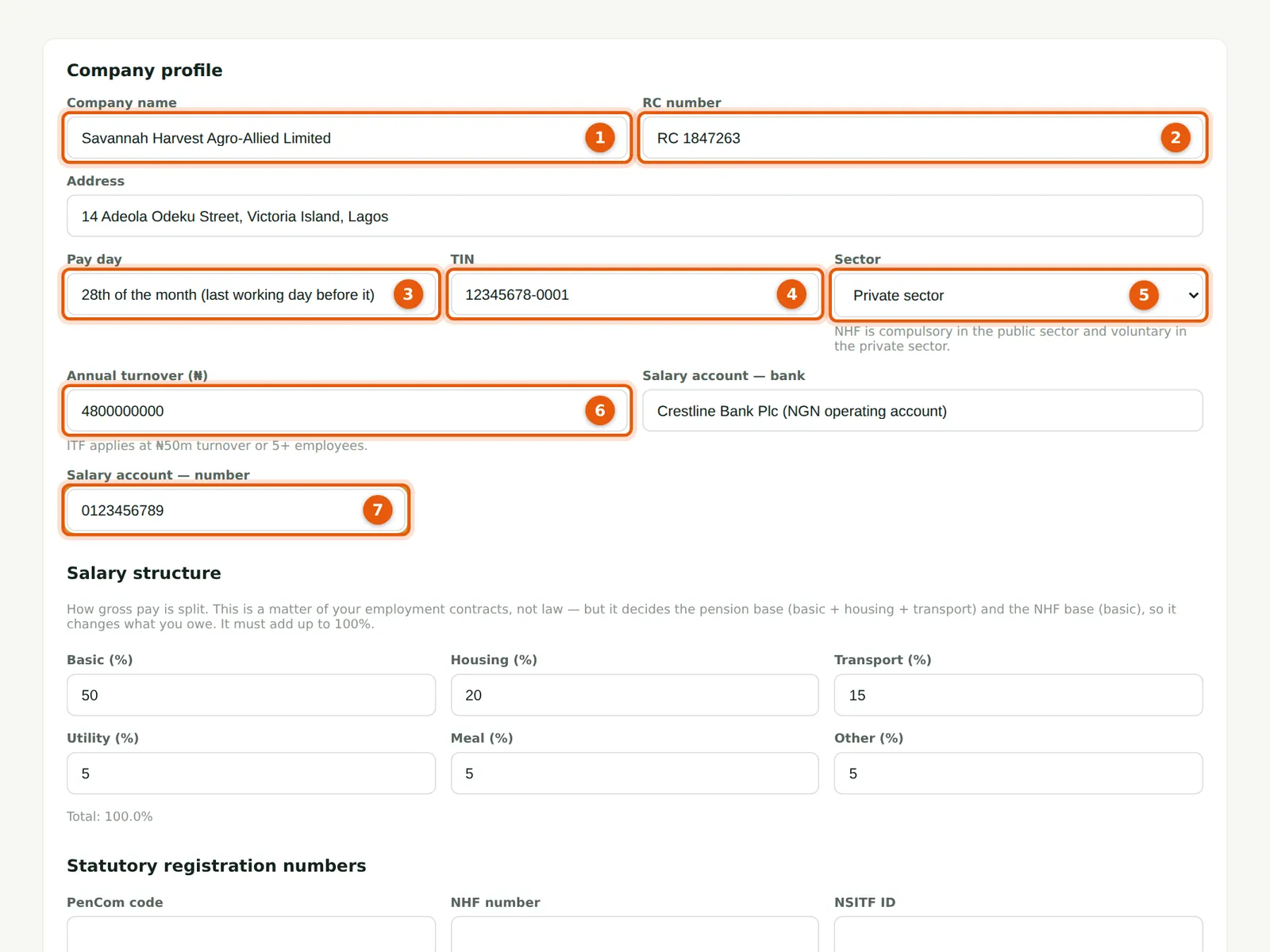
Why
The name, address and RC number are printed on every payslip. The sector matters: NHF is compulsory for public-sector employers and voluntary for private-sector employees. The annual turnover and headcount decide whether ITF applies (₦50 million turnover or five or more employees).
Who
Admin.
What to do
- Open Settings. Enter the company name (1) and RC number (2), then the address.
- Enter your usual pay day (3) (a note for your staff; each run has its own pay date) and the company TIN (4).
- Choose the sector (5) — Savannah Harvest is Private sector — and enter the annual turnover (6).
- Enter the bank and number of the account salaries are paid from (7).
2.2 Set the salary structure
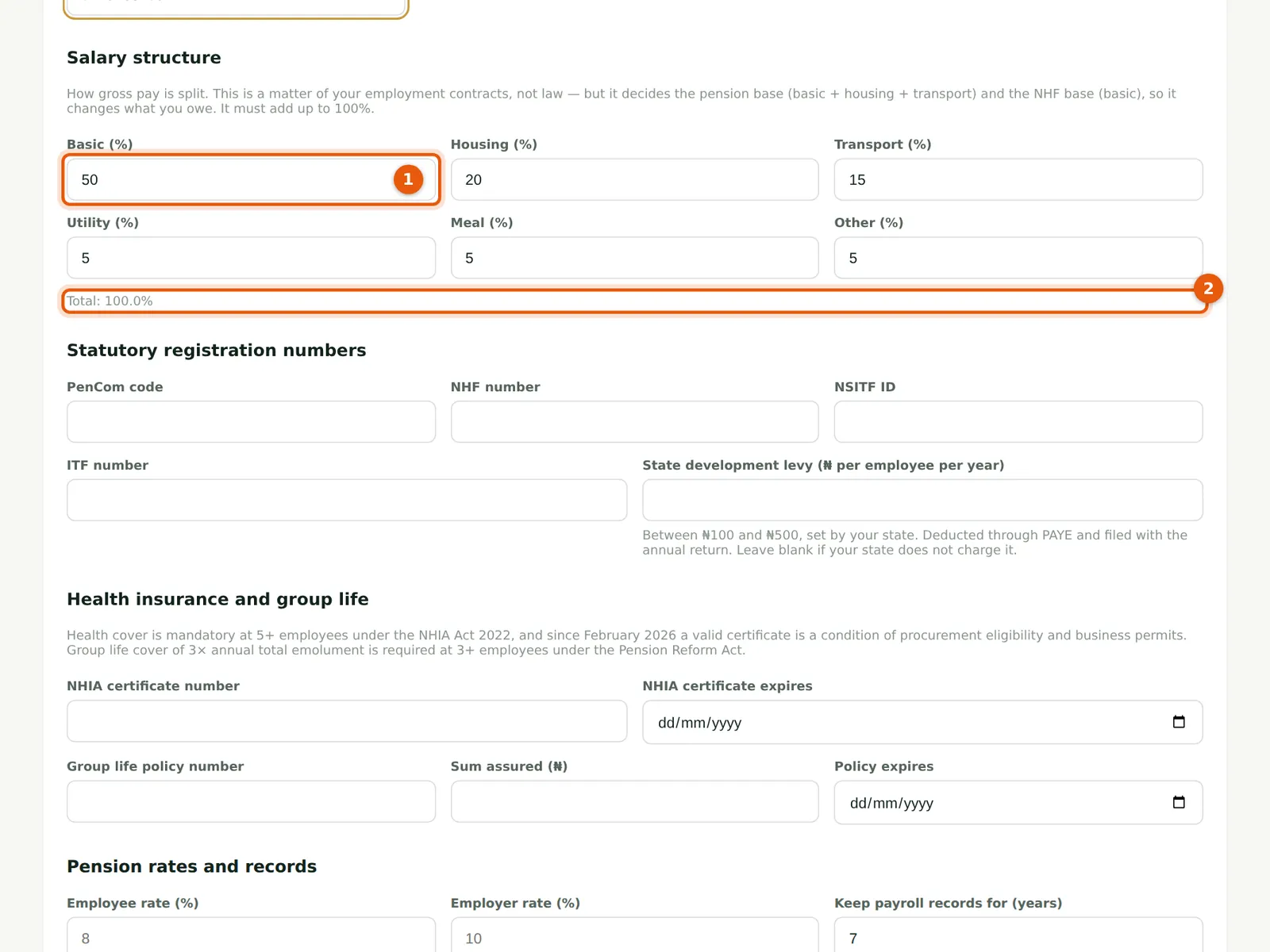
Why
PayTrove splits each employee's monthly gross into Basic, Housing, Transport, Utility, Meal and Other. The split is a matter of your employment contracts, not law, but it sets the pension base (Basic + Housing + Transport) and the NHF base (Basic). Savannah Harvest uses 50 / 20 / 15 / 5 / 5 / 5.
Who
Admin.
What to do
- Enter the percentages (1). They must add up to exactly 100%; the total is shown below (2).
- Other allowances that are not part of the monthly gross (a shift allowance, overtime, bonuses) are set up as pay components (chapter 4).
2.3 Enter the statutory registration numbers
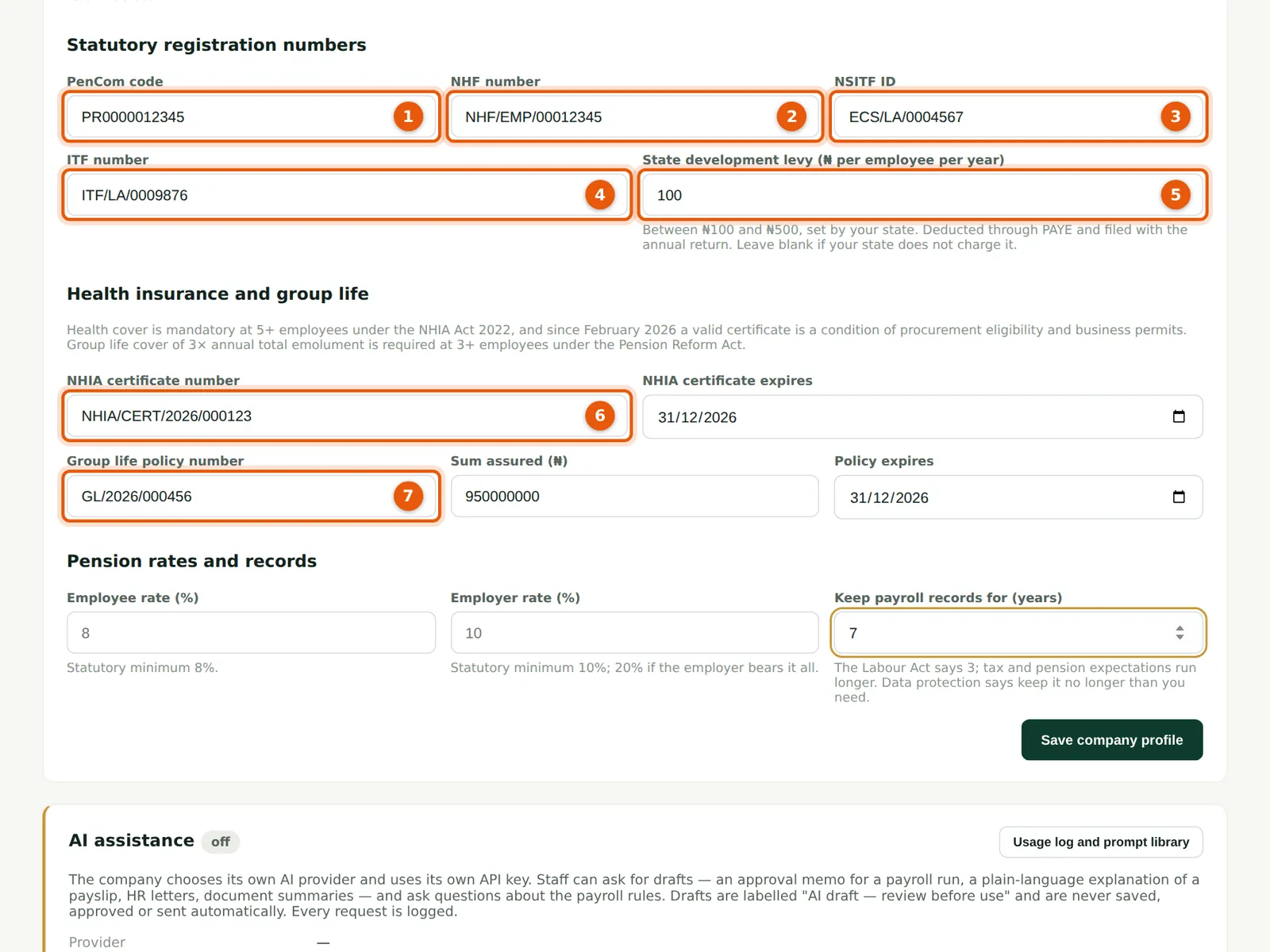
Why
The PenCom employer code goes on the pension schedule for PCRS. The state development levy (₦100 to ₦500 per employee per year, set by the state) is deducted through PAYE and carried to the annual return. Health insurance (NHIA Act 2022, five or more employees) and group life cover (three times annual emoluments, three or more employees) are checked on every run.
Who
Admin.
What to do
- Enter the PenCom employer code (1), NHF number (2), NSITF (Employee Compensation Scheme) ID (3) and ITF number (4).
- Enter the state development levy per employee per year (5); Savannah Harvest uses ₦100. Leave it blank if your state does not charge it.
- Enter the NHIA certificate number and expiry (6), and the group life policy number, sum assured and expiry (7). All numbers in the illustration are fictional.
2.4 Pension rates and record keeping, then save
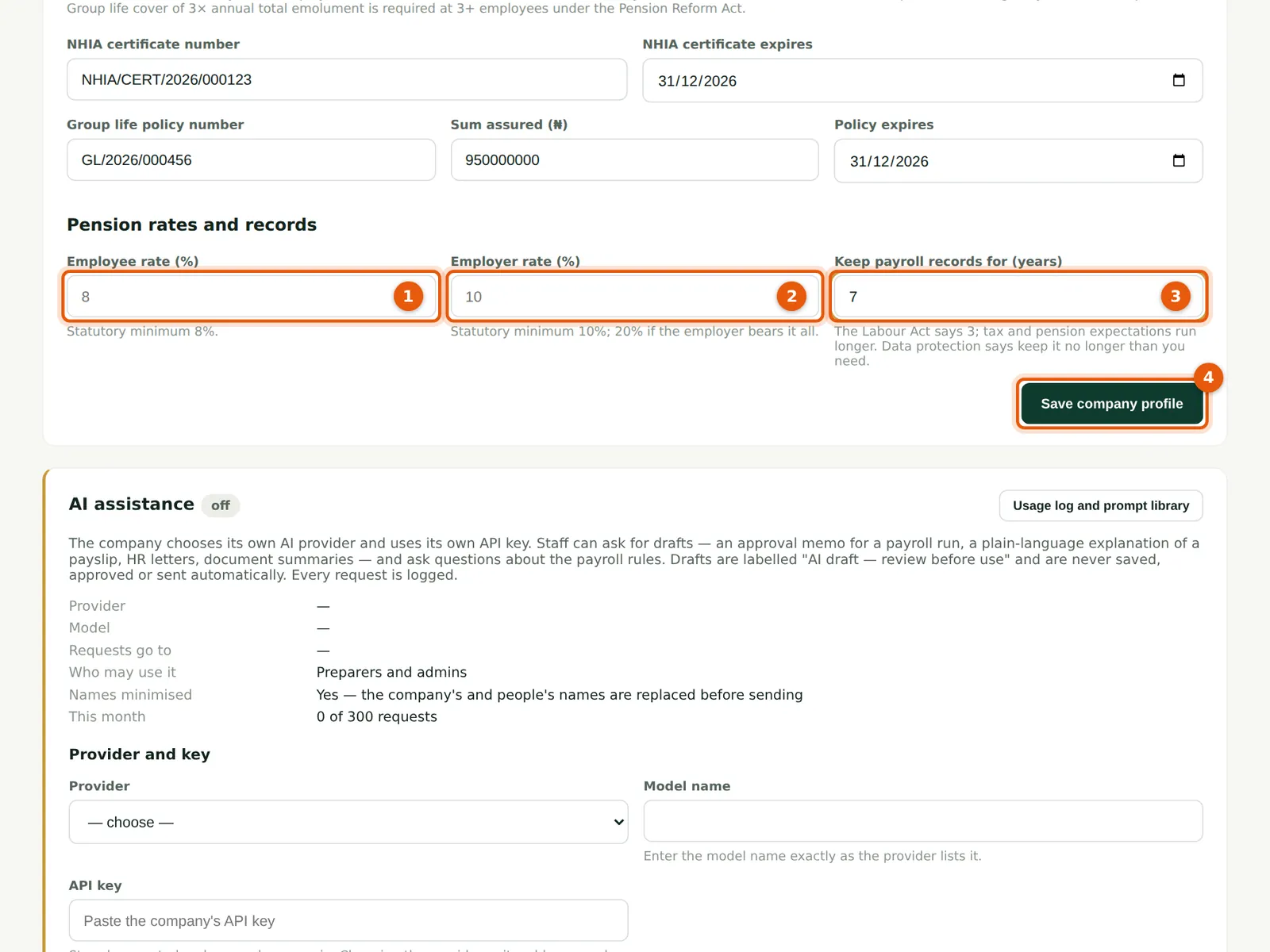
Why
The Pension Reform Act 2014 sets at least 8% from the employee and 10% from the employer. Leave the rates blank to use those minimums, or enter higher rates if your company contributes more. The retention period records how long payroll records are kept.
Who
Admin.
What to do
- Leave the employee (1) and employer (2) rates blank for 8% and 10%, or enter your company's rates.
- Enter how many years payroll records are kept (3). Savannah Harvest keeps them for 7 years.
- Choose Save company profile (4). 'Saved.' appears below the form.
2.5 Check which statutory rules apply
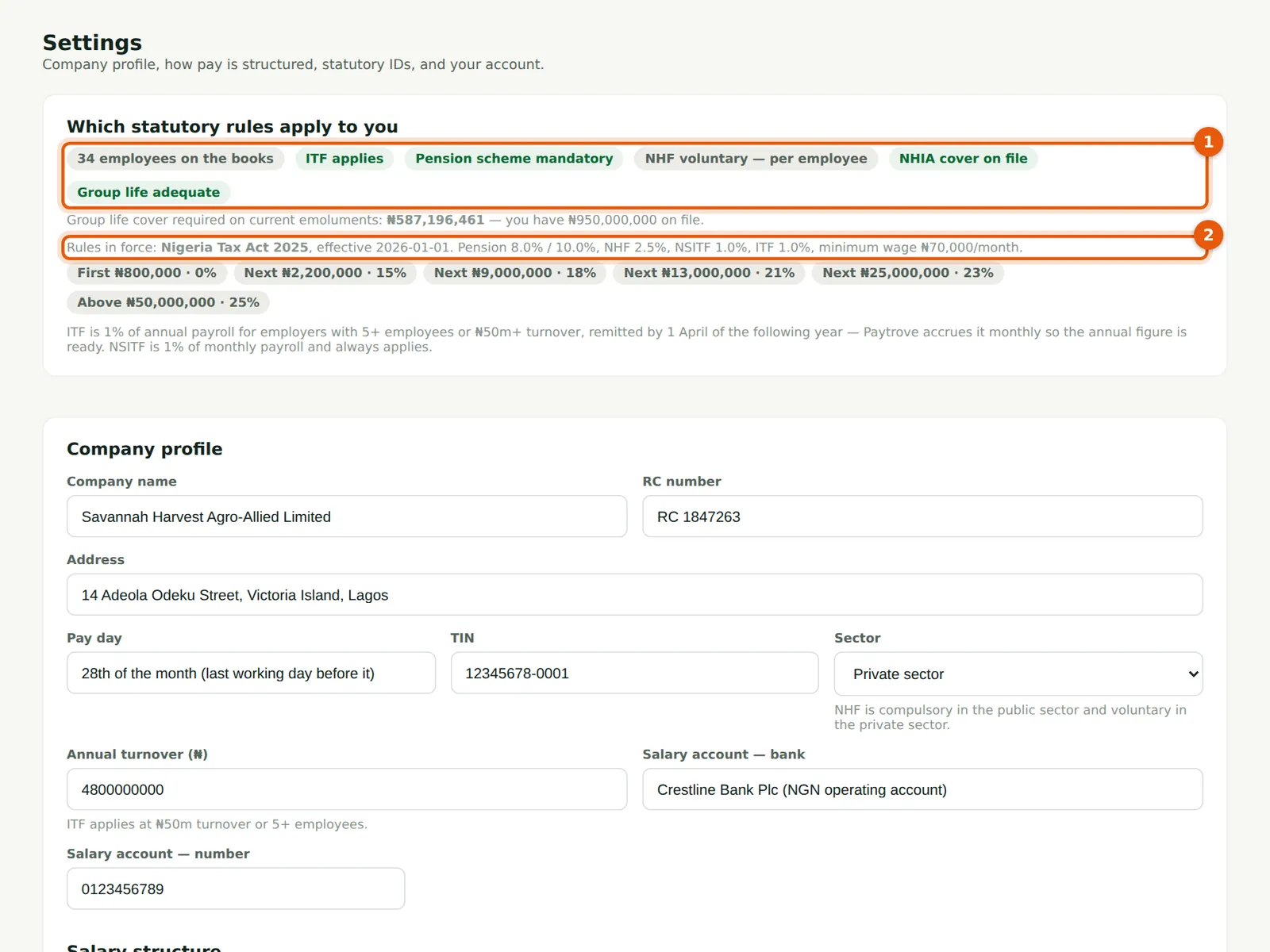
Why
Once employees are on file, PayTrove shows which rules apply: ITF, whether the contributory pension scheme is mandatory (15 or more employees), NHF, NHIA cover and group life. It also shows the rule set in force — the Nigeria Tax Act 2025 bands from 1 January 2026 — and the rates it will use.
Who
Admin; anyone can read it.
What to do
- Read the pills (1). A red pill means something is missing or has expired.
- Check the rules in force (2): the PAYE bands, pension 8% / 10%, NHF 2.5%, NSITF 1%, ITF 1% and the ₦70,000 national minimum wage.