Steps in this chapter (19)
Run the guided set-up, assess each quality risk for likelihood and effect with reasons, describe the responses, link risks, responses and objectives, record conditions and changes, and publish versions of the system.
ISQM 1.23–27 requires the firm to establish quality objectives, identify and assess quality risks — conditions, events or actions that could adversely affect an objective — and design and implement responses to them. SQMTrove holds the objectives ISQM 1 requires (locked), a starter library of quality risks with draft responses, the ten specified responses of ISQM 1.34, and the links between them.
SQMTrove scores likelihood and effect from 1 to 5; the score is the product. ISQM 1 does not prescribe a scale: what matters is that each assessment has reasons (ISQM 1.25(b), 26). In the illustration, Emeka Obi runs the set-up on 7 January 2026 and the partners' council assesses the risks at a workshop on 8 January.
5.1 Answer the set-up questions
Why
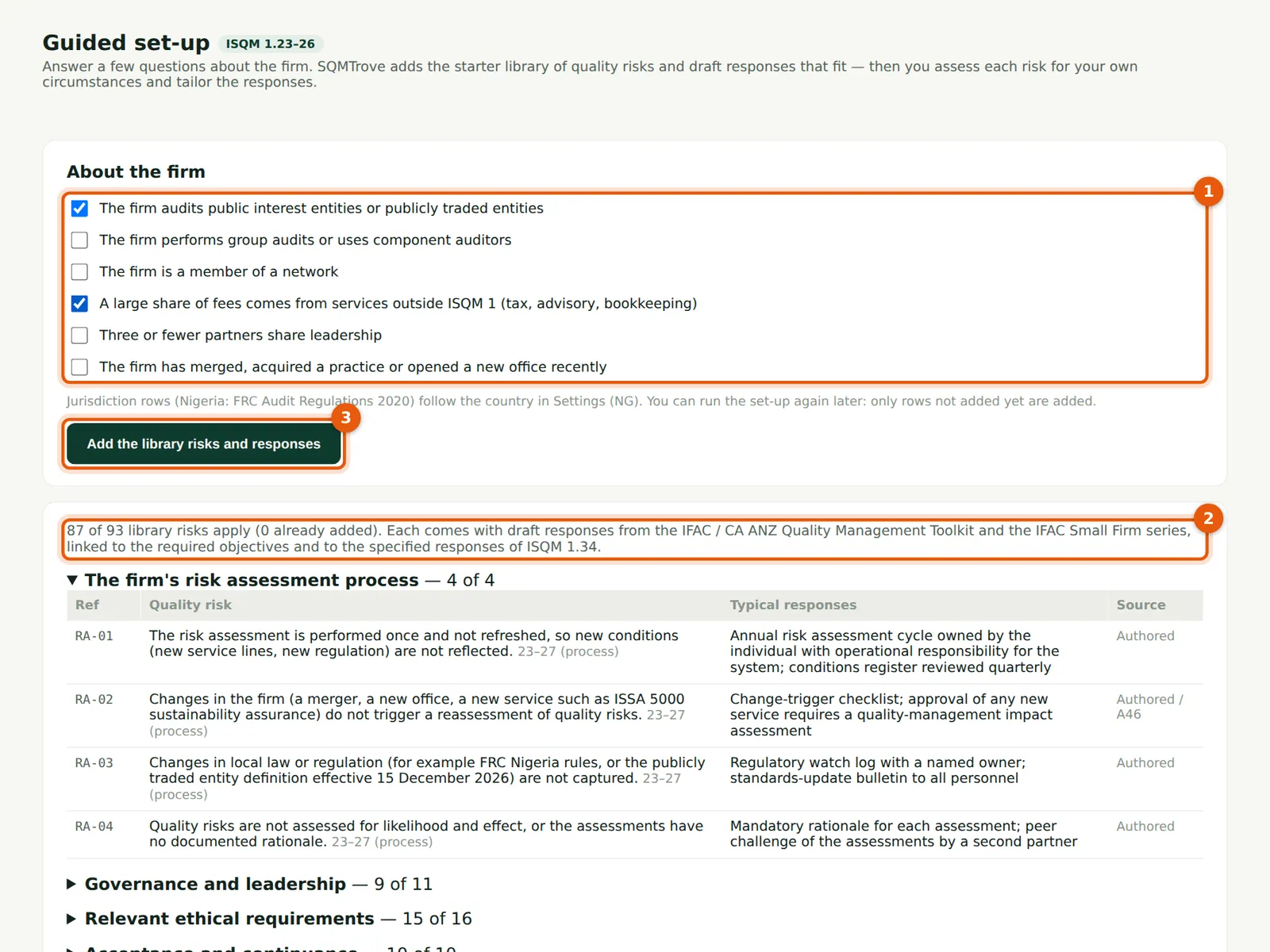
Six questions (1) decide which rows of the starter library apply: public interest entities, group audits, network membership, a large share of non-audit fees, three or fewer partners, and recent mergers or new offices. Nigerian rows (FRC Audit Regulations 2020) follow the country in Settings. The count (2) updates as you answer. The library comes from the IFAC / CA ANZ Quality Management Toolkit, the IFAC Small Firm series and ISQM 1 A46.
Who
Quality lead or Owner.
What to do
- Open Risk assessment and choose Guided set-up (or the link on the dashboard).
- Tick the questions that apply (1). Okafor Bello & Co audits public interest entities and earns a large share of fees from tax, advisory and outsourcing.
- Choose Add the library risks and responses (3). You can run the set-up again later; only rows not added yet are added.
5.2 Read the library before you add it
Why
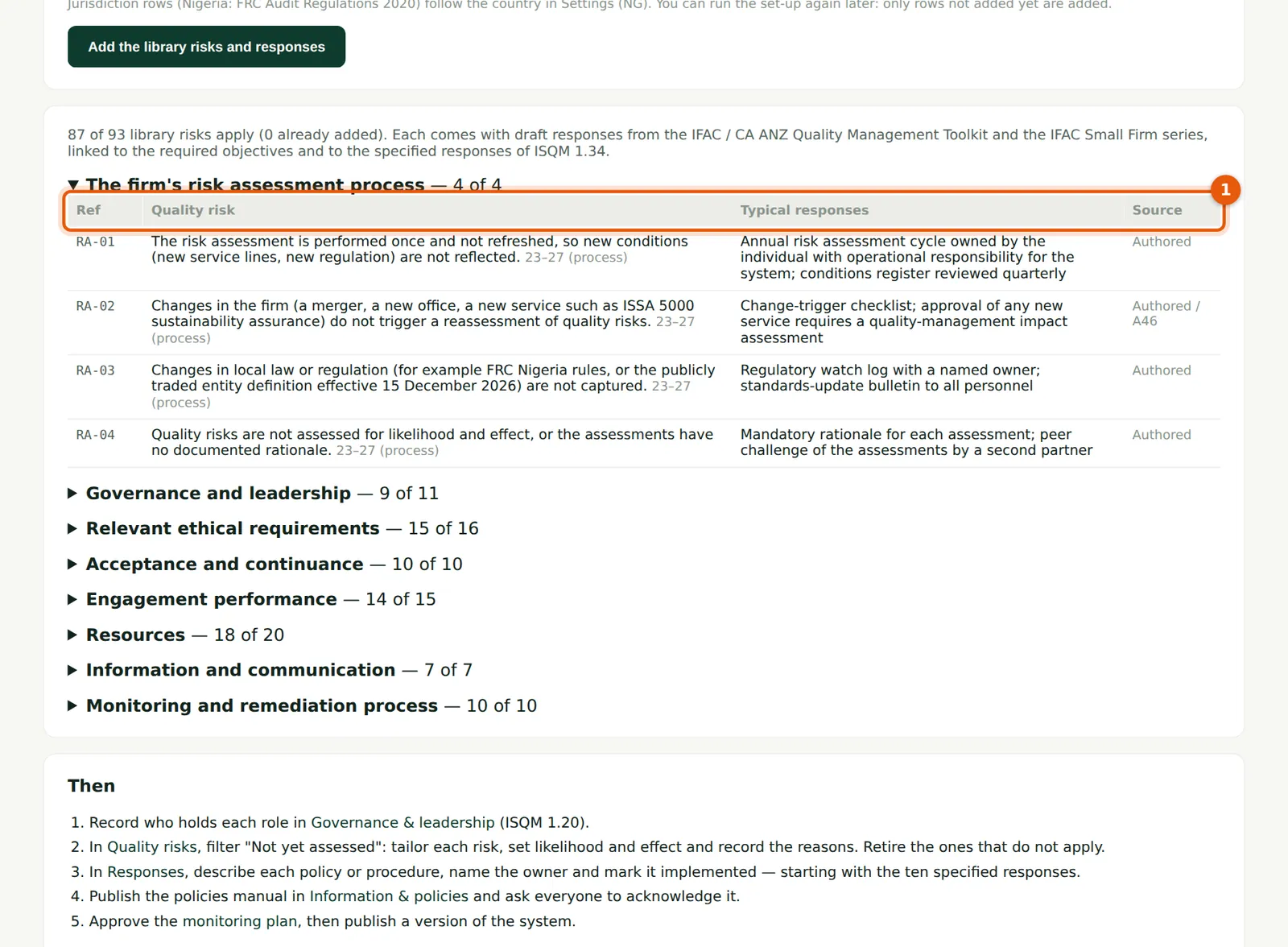
Each component lists the library risks (1), whether they apply to your answers, the typical responses and the source. Rows that do not apply are greyed out.
Who
Quality lead.
What to do
- Open each component to read its rows before running the set-up.
5.3 Find the risks not yet assessed
Why
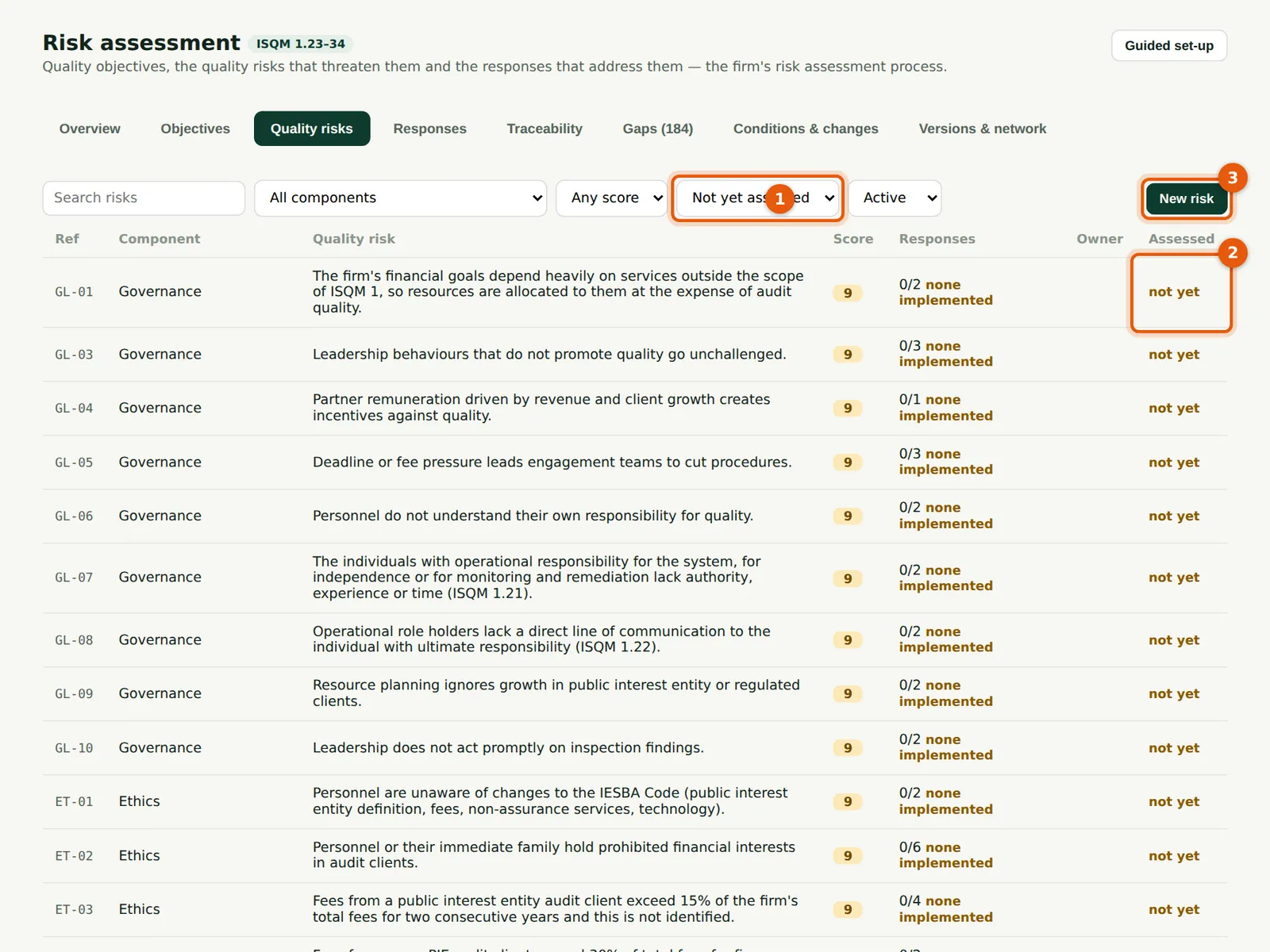
Library risks arrive unassessed. Filter them (1) and work through the list; the Assessed column (2) shows not yet until likelihood, effect and reasons are recorded. Add the firm's own risks with New risk (3).
Who
Quality lead, with the risk owners.
What to do
- Choose Not yet assessed in the filter (1).
- Choose a row to open the risk. Choose New risk (3) for a risk that is not in the library.
5.4 Assess a quality risk
Why
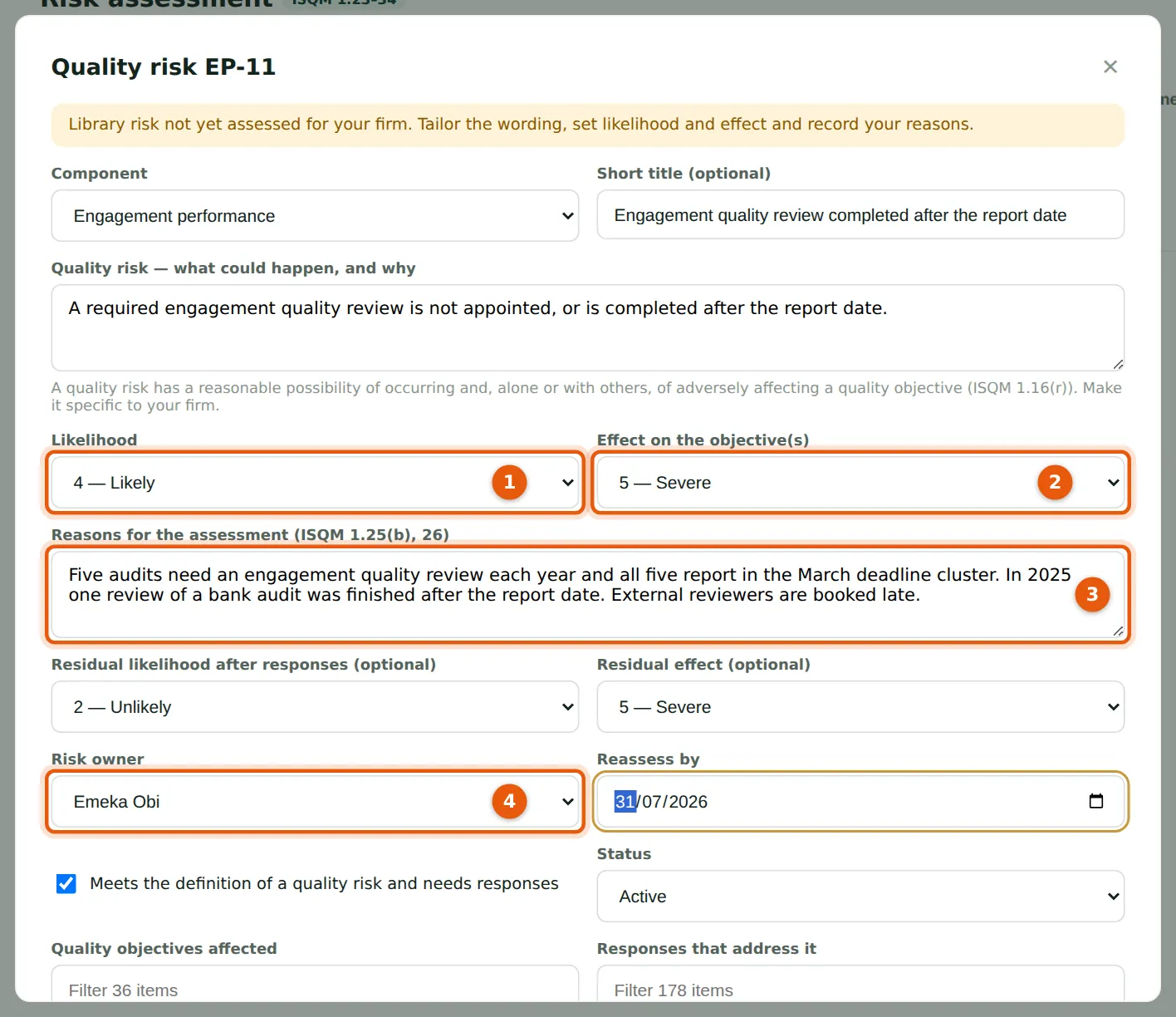
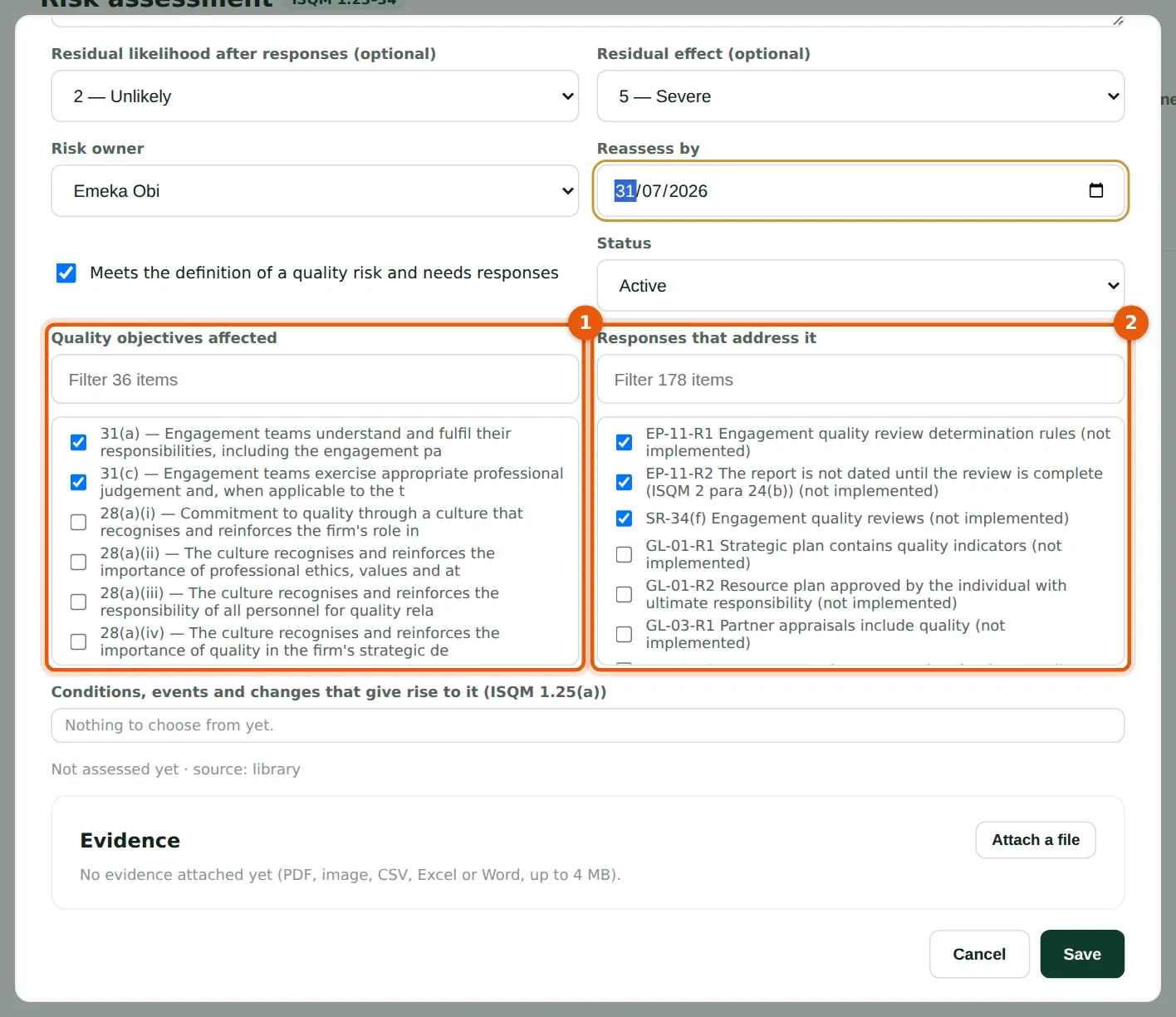
Tailor the wording to the firm, then assess likelihood (1) and effect on the objectives (2) and record the reasons (3). Emeka Obi scores EP-11 at 4 × 5 = 20 because all five audits that need a review report in the March cluster and one 2025 review was finished after the report date. Name the risk owner (4) and the date to reassess it.
Who
Quality lead and the risk owner.
What to do
- Edit the short title and description if needed.
- Choose the likelihood (1) and effect (2).
- Write the reasons for the assessment (3).
- Choose the residual likelihood and effect after responses, the owner (4) and the reassess-by date. A risk that does not apply can be set to Retired, with the reason.
5.5 Link the risk to objectives, responses and conditions
Why
A quality risk must be linked to the objectives it threatens (1) and to the responses that address it (2). Links drive the traceability matrix and the gap list. Conditions and changes (step 5.15) can also be linked. Evidence, such as a risk workshop minute, can be attached.
Who
Quality lead.
What to do
- Tick the quality objectives affected (1) and the responses that address the risk (2). Use the filter boxes to find items.
- Choose Save.
5.6 The overview and heat maps
Why
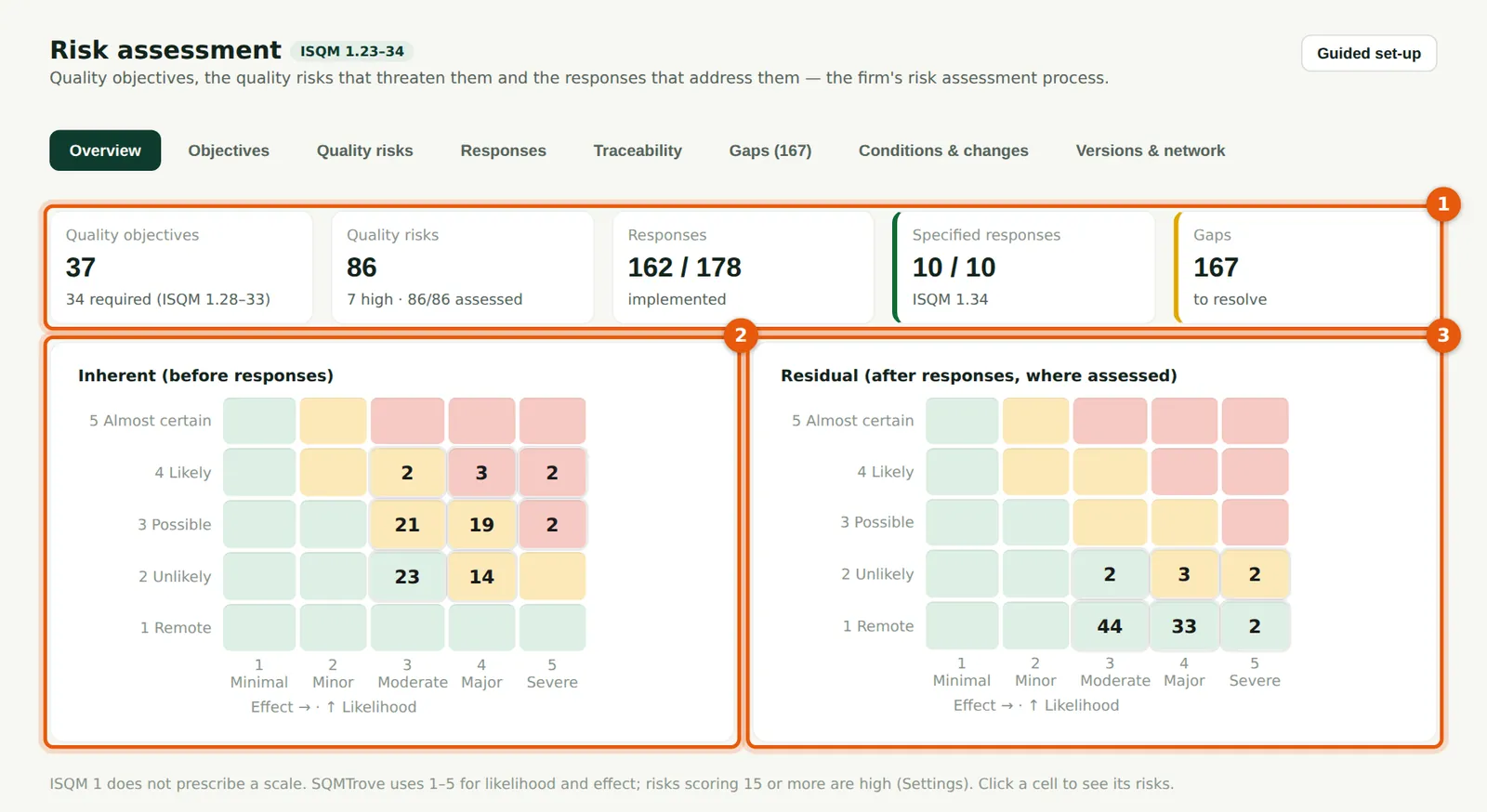
The counts (1) show objectives, risks (and how many are high), responses implemented, the specified responses and the gaps. The inherent heat map (2) shows the risks before responses; the residual map (3) shows them after responses, where the residual has been assessed.
Who
Quality lead and leadership.
What to do
- Choose a cell to list its risks.
5.7 The high risks
Why
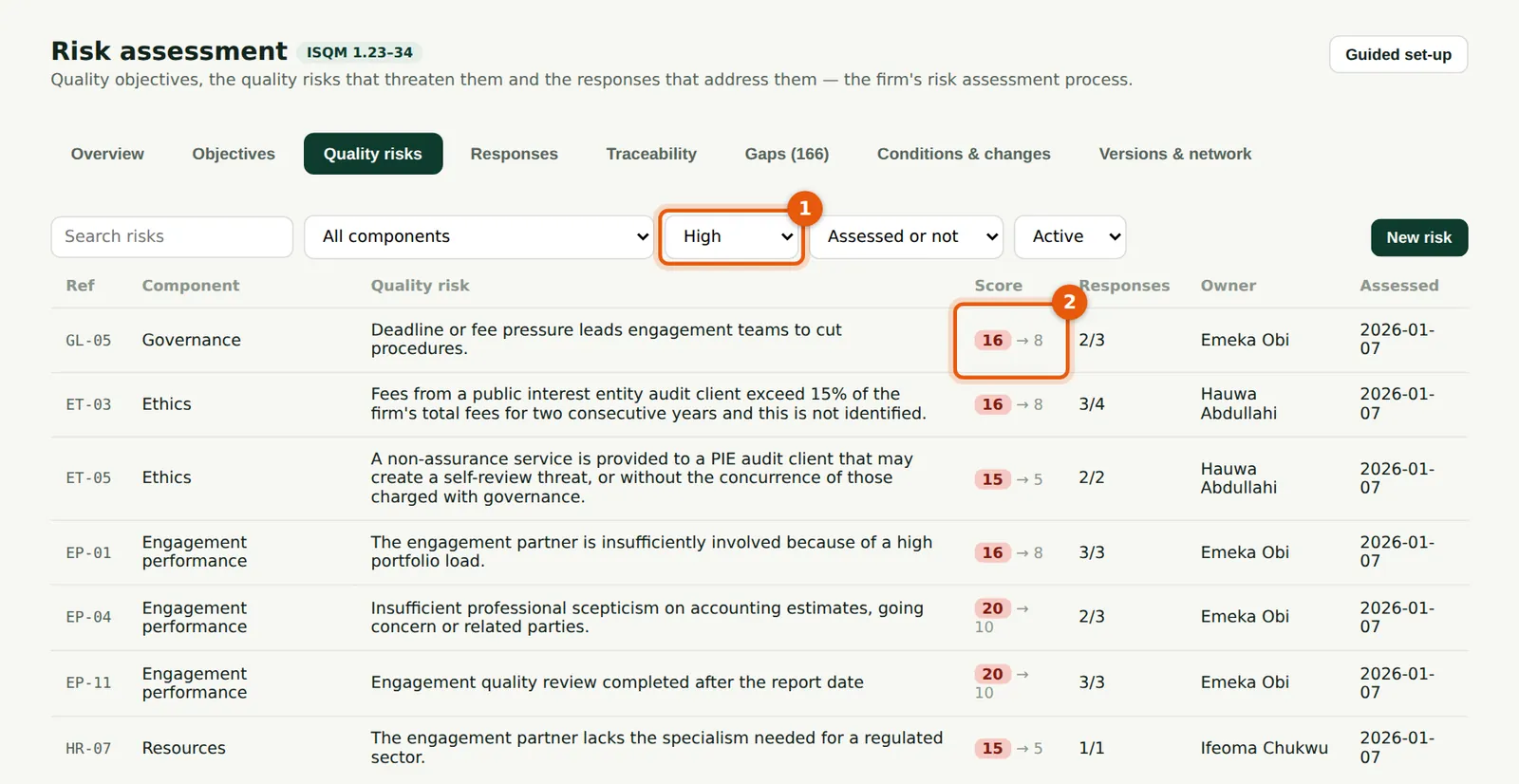
Filtering on the score (1) lists the risks at or above the firm's threshold. The score column (2) shows the inherent score and, after the arrow, the residual score. These risks shape the monitoring plan (chapter 11).
Who
Quality lead and monitoring lead.
What to do
- Choose High in the score filter (1).
5.8 Quality objectives
Why
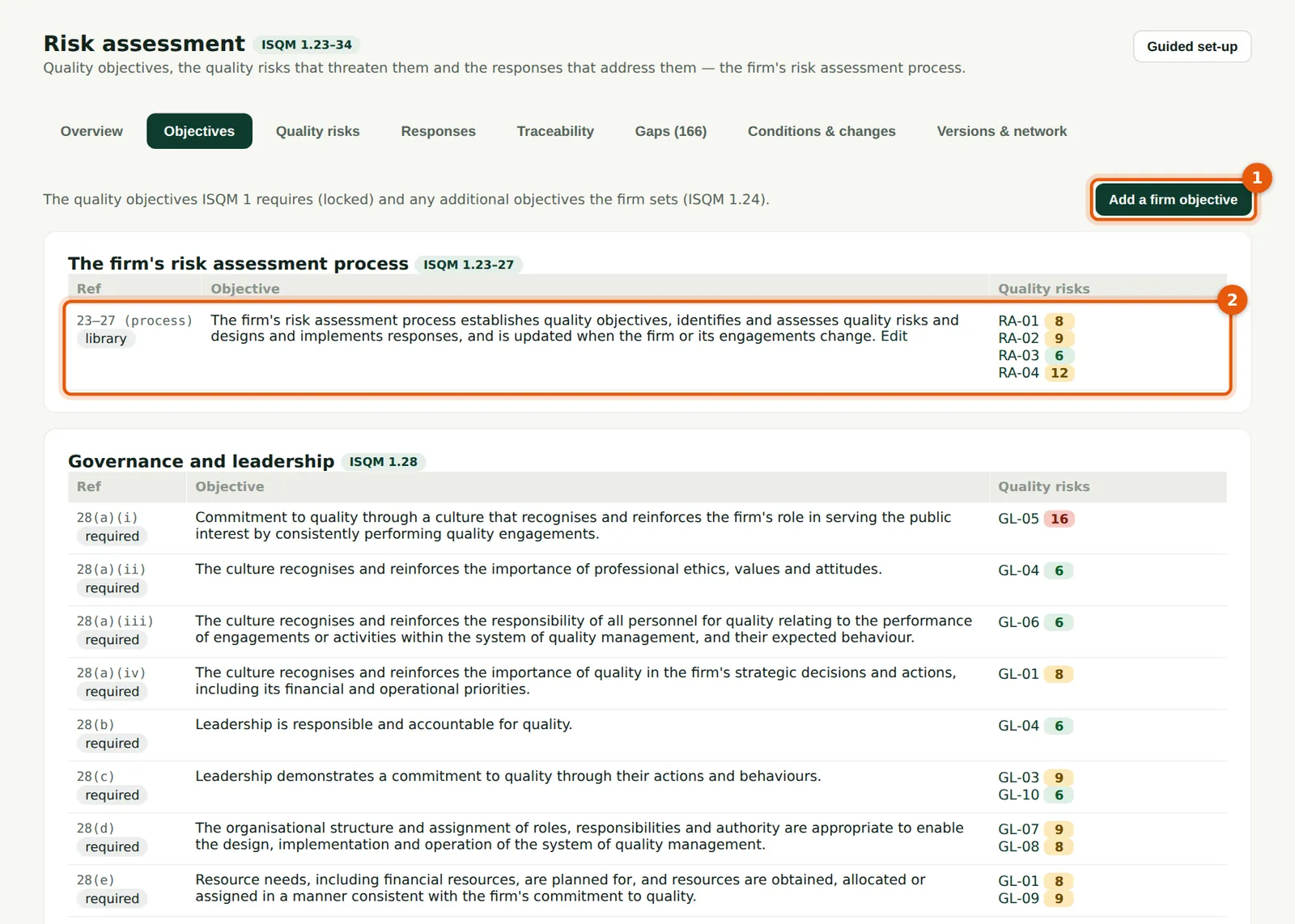
The objectives ISQM 1.28–33 requires are locked (2). Each shows the risks linked to it; an objective with no risk is flagged. The firm can add its own objectives (ISQM 1.24).
Who
Quality lead.
What to do
- Read each component's objectives and linked risks (2).
- Choose Add a firm objective (1) to add one.
5.9 Add a firm objective
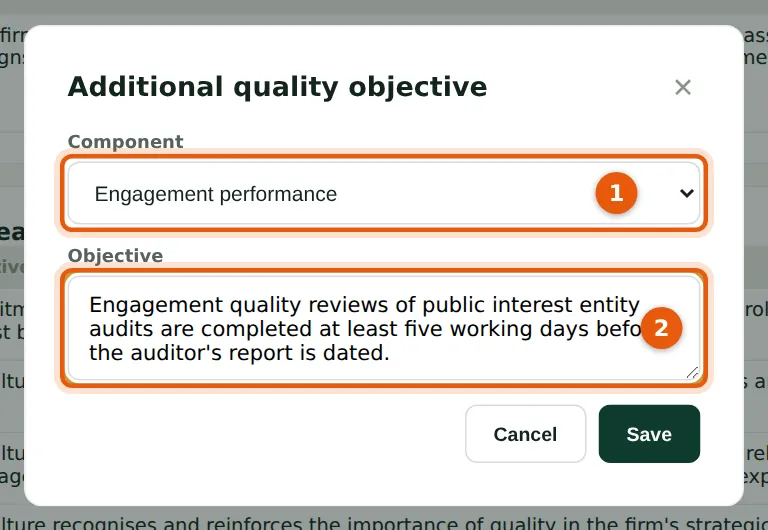
Why
Okafor Bello & Co adds a stricter objective of its own for engagement performance: reviews of public interest entity audits are completed at least five working days before the report is dated.
Who
Quality lead or Owner.
What to do
- Choose the component (1), write the objective (2) and choose Save.
5.10 The specified responses
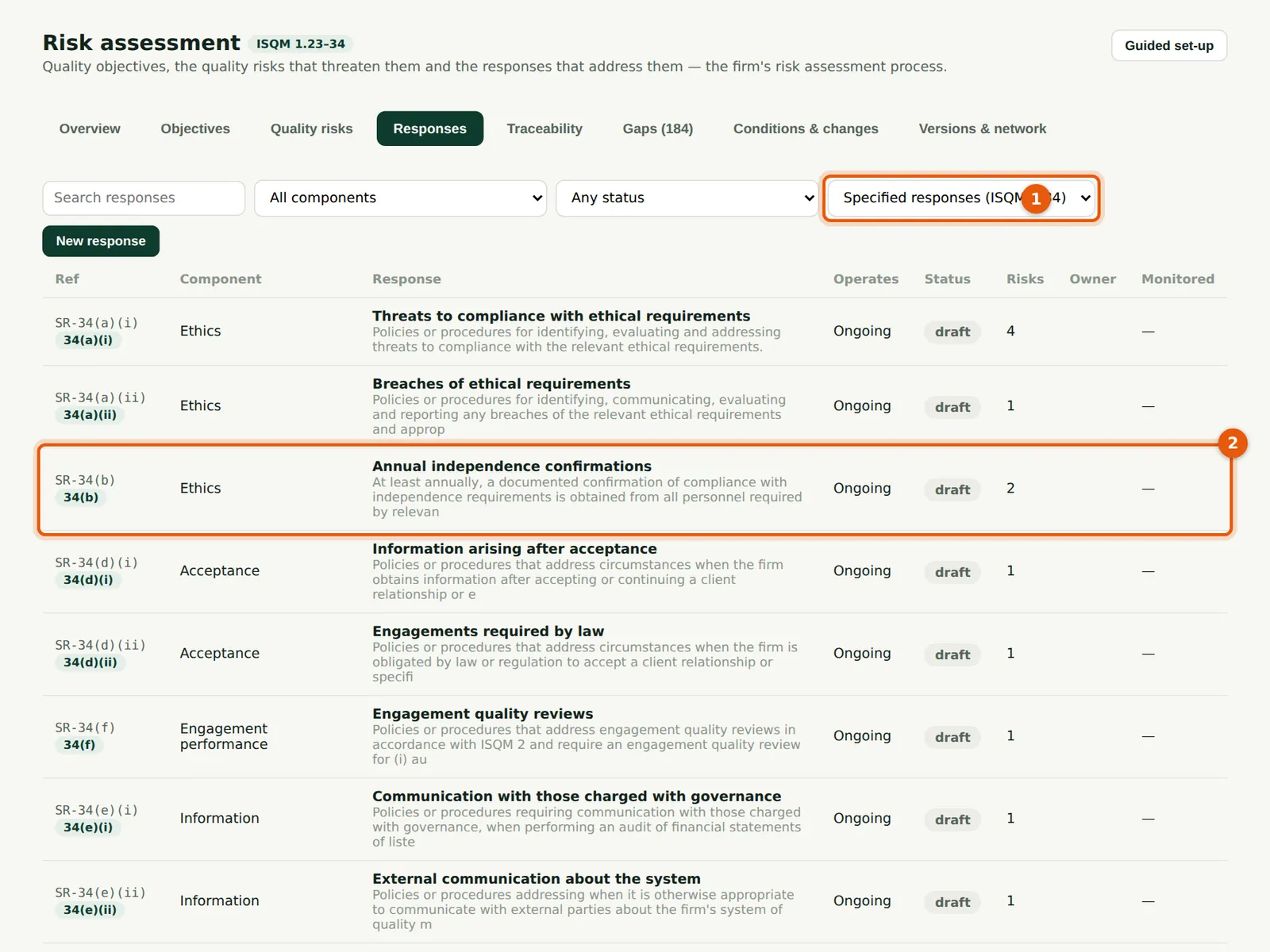
Why
ISQM 1.34 specifies ten responses every firm must have (1), such as annual independence confirmations (2), complaints handling and engagement quality reviews. Start with these.
Who
Quality lead.
What to do
- Choose Specified responses (ISQM 1.34) in the filter (1).
- Choose a row (2) to describe how the firm meets it.
5.11 Describe a response
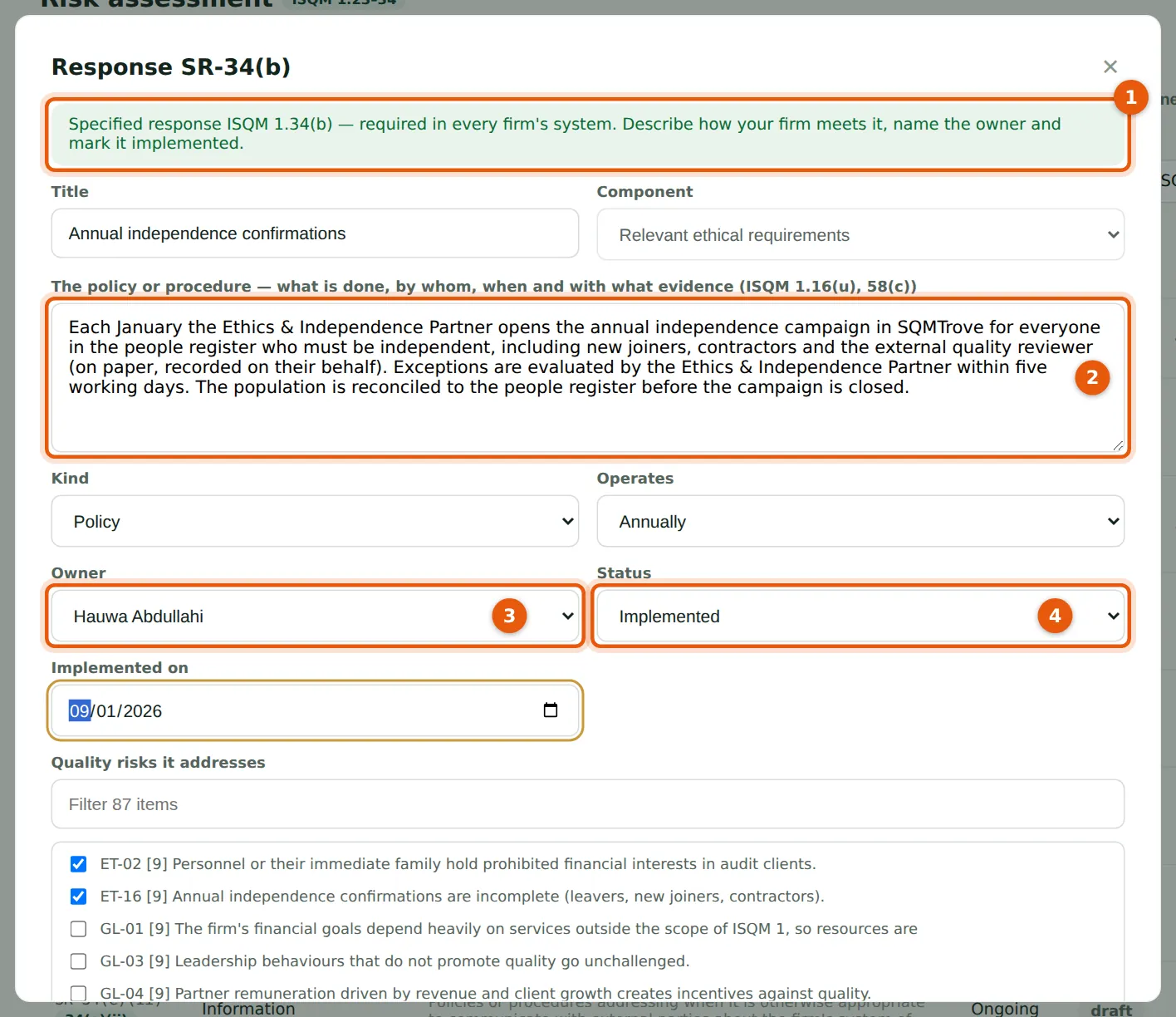
Why
The banner (1) marks a specified response. Describe the policy or procedure — what is done, by whom, when and with what evidence (2) (ISQM 1.16(u), 58(c)) — name the owner (3), and mark it implemented (4) with the date. The response form also shows how the response has been monitored and its tasks.
Who
Quality lead and the response owner.
What to do
- Write the procedure (2); choose the kind and how often it operates.
- Choose the owner (3), the status (4) and the implemented-on date.
- Tick the quality risks it addresses and choose Save.
5.12 Schedule a task that operates a response
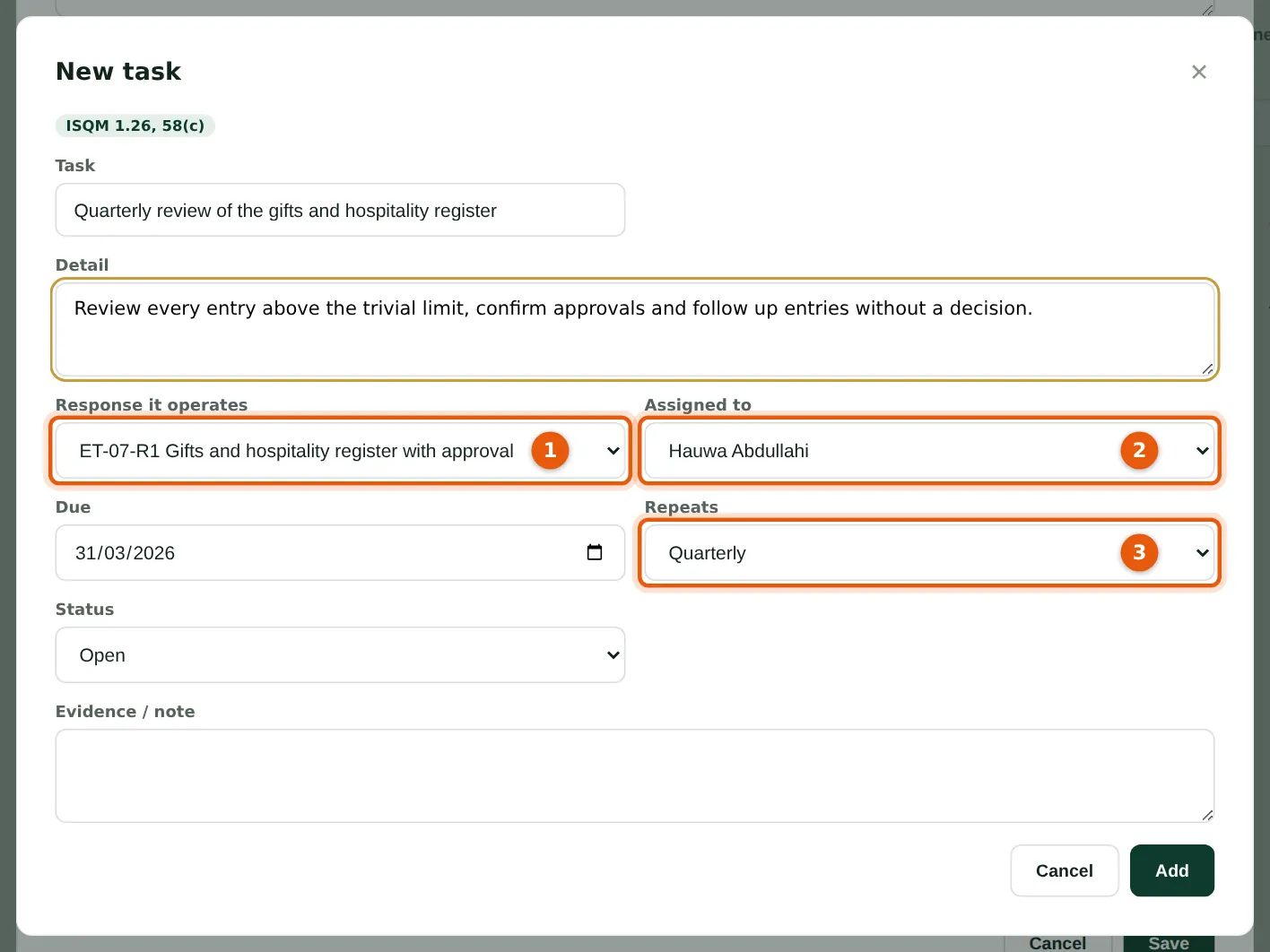
Why
Many responses are operated by a recurring task: a quarterly review of the gifts register, a CPD check, an annual review of methodology. The task is linked to the response (1), assigned (2) and repeats (3); completing it schedules the next one (chapter 17) and counts as evidence that the response operated.
Who
Quality lead.
What to do
- Open the response and choose Schedule a task that operates it.
- Check the response (1), choose who does it (2), the due date and how often it repeats (3), and choose Add.
5.13 The traceability matrix
Why
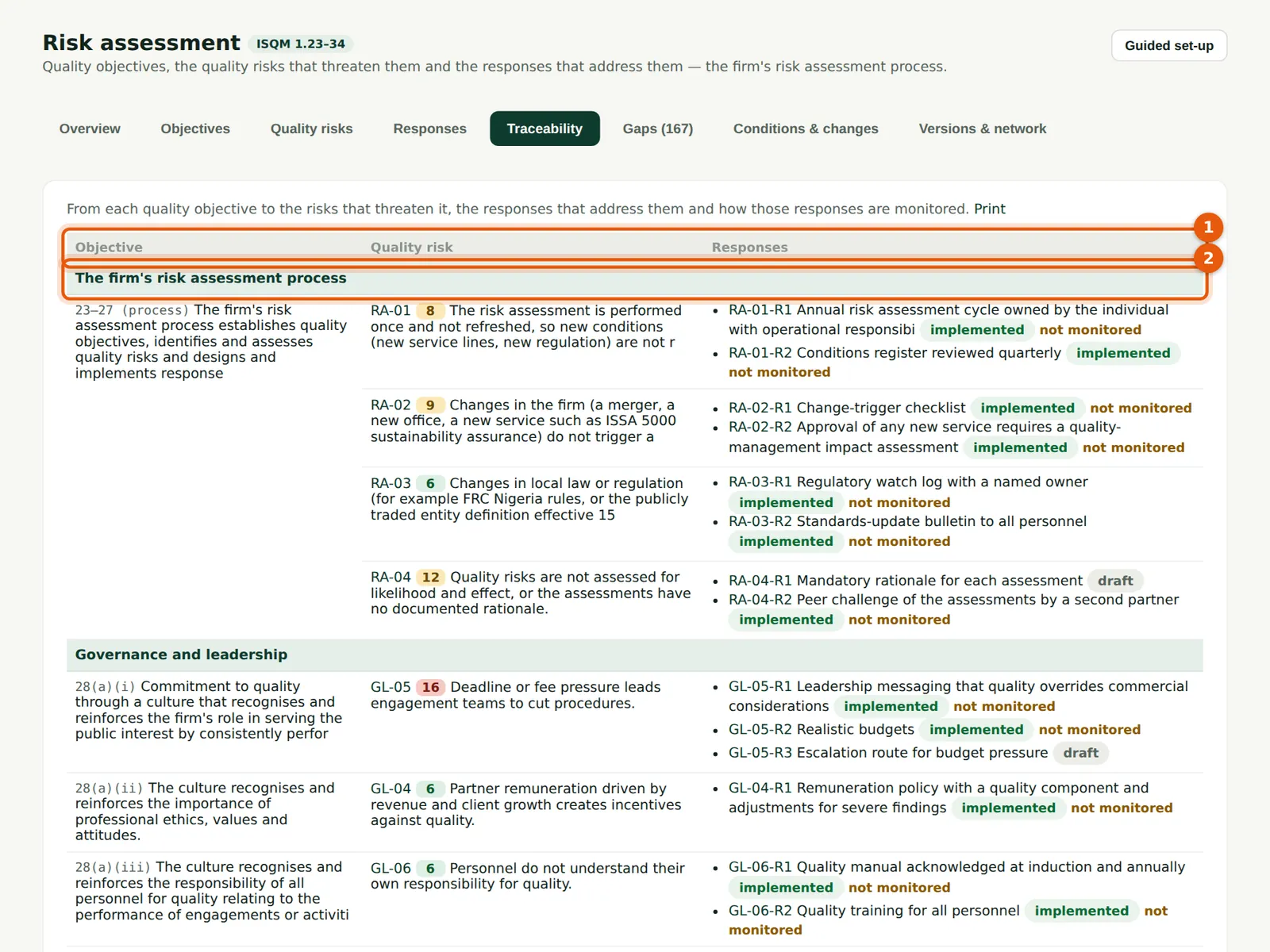
From each objective (1) to the risks that threaten it and the responses that address them, with how each response is monitored, component by component (2). Inspectors often ask for it.
Who
Quality lead; inspectors.
What to do
- Choose Print to print the matrix or save it as a PDF.
5.14 The gap list
Why
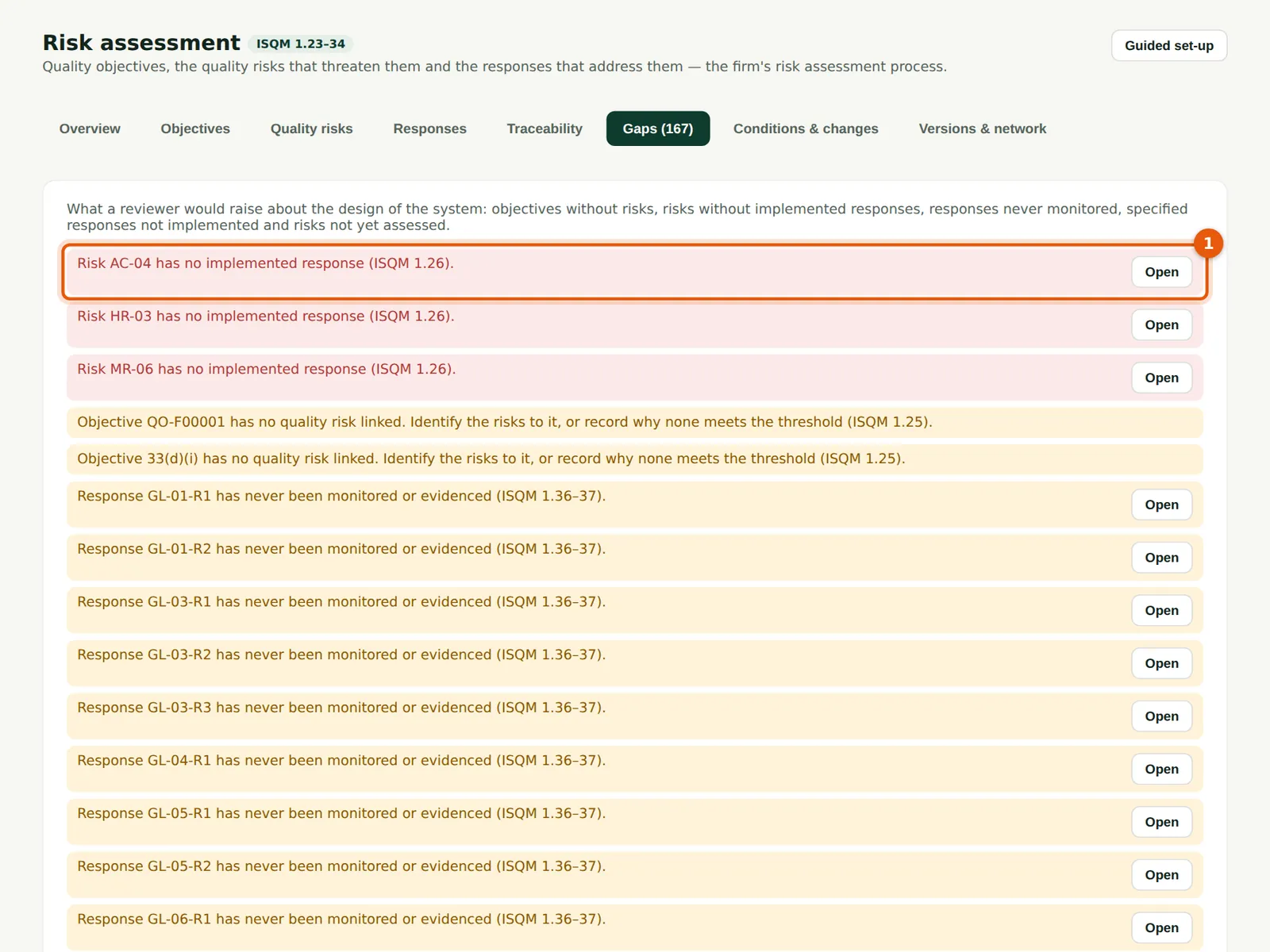
Gaps are design problems: a risk with no response, a response not implemented, an objective with no risk, an implemented response never monitored. The first (1) is the most serious. Most gaps early in the year are responses not yet monitored; they close as the monitoring plan is carried out.
Who
Quality lead.
What to do
- Choose Open next to a gap to go to the risk or response.
5.15 Record a condition, event or change
Why
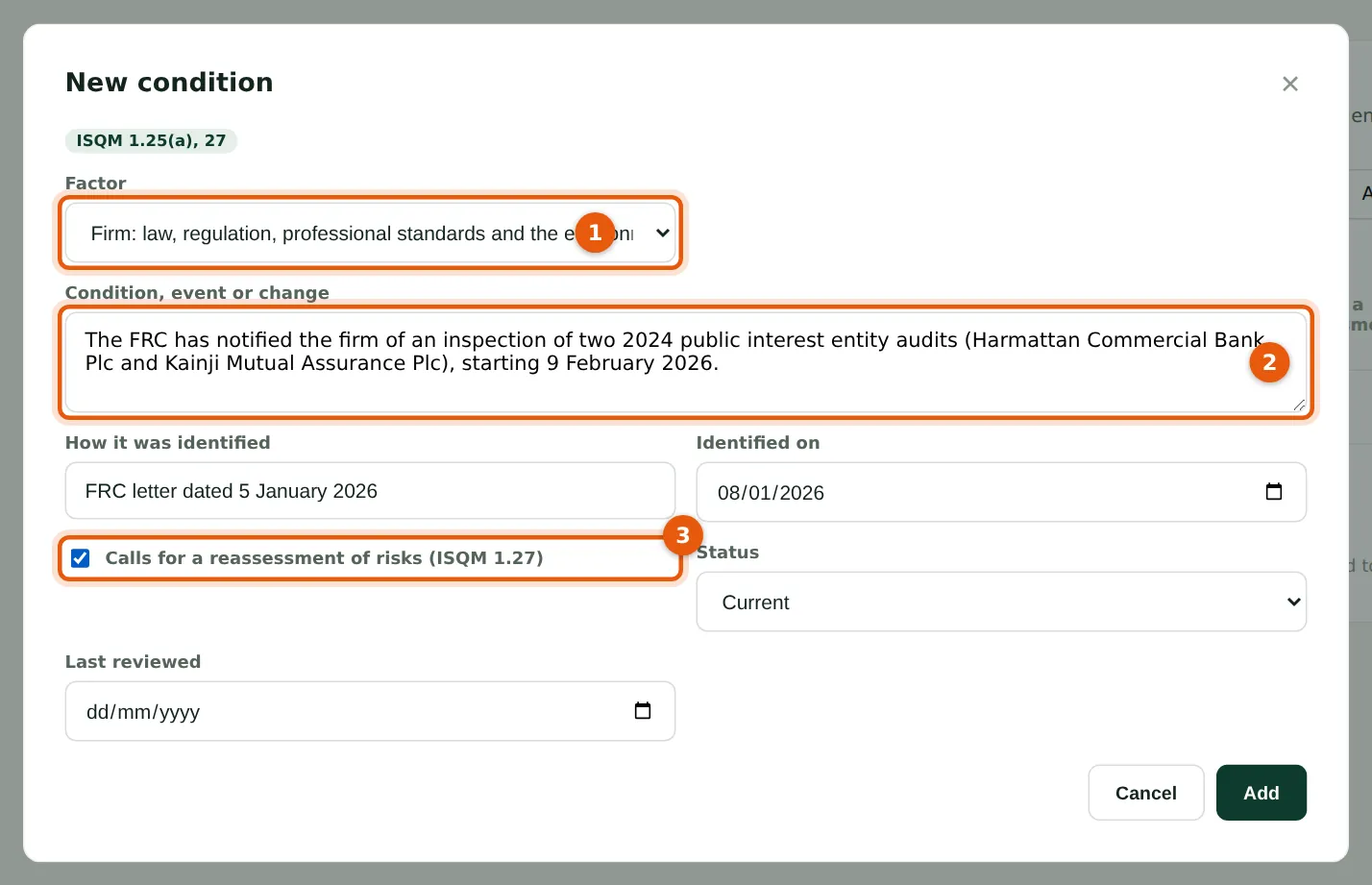
ISQM 1.25(a) and 27 require the firm to consider conditions, events and changes that may give rise to new risks or change existing ones. Record the factor (1), what happened (2) and whether it calls for a reassessment (3), then link it to the risks it affects.
Who
Quality lead.
What to do
- Open Conditions & changes and choose New condition.
- Choose the factor (1), describe it (2) and tick Calls for a reassessment (3); choose Add.
- Open the affected risks and tick the condition in their form (step 5.5).
5.16 The conditions register
Why
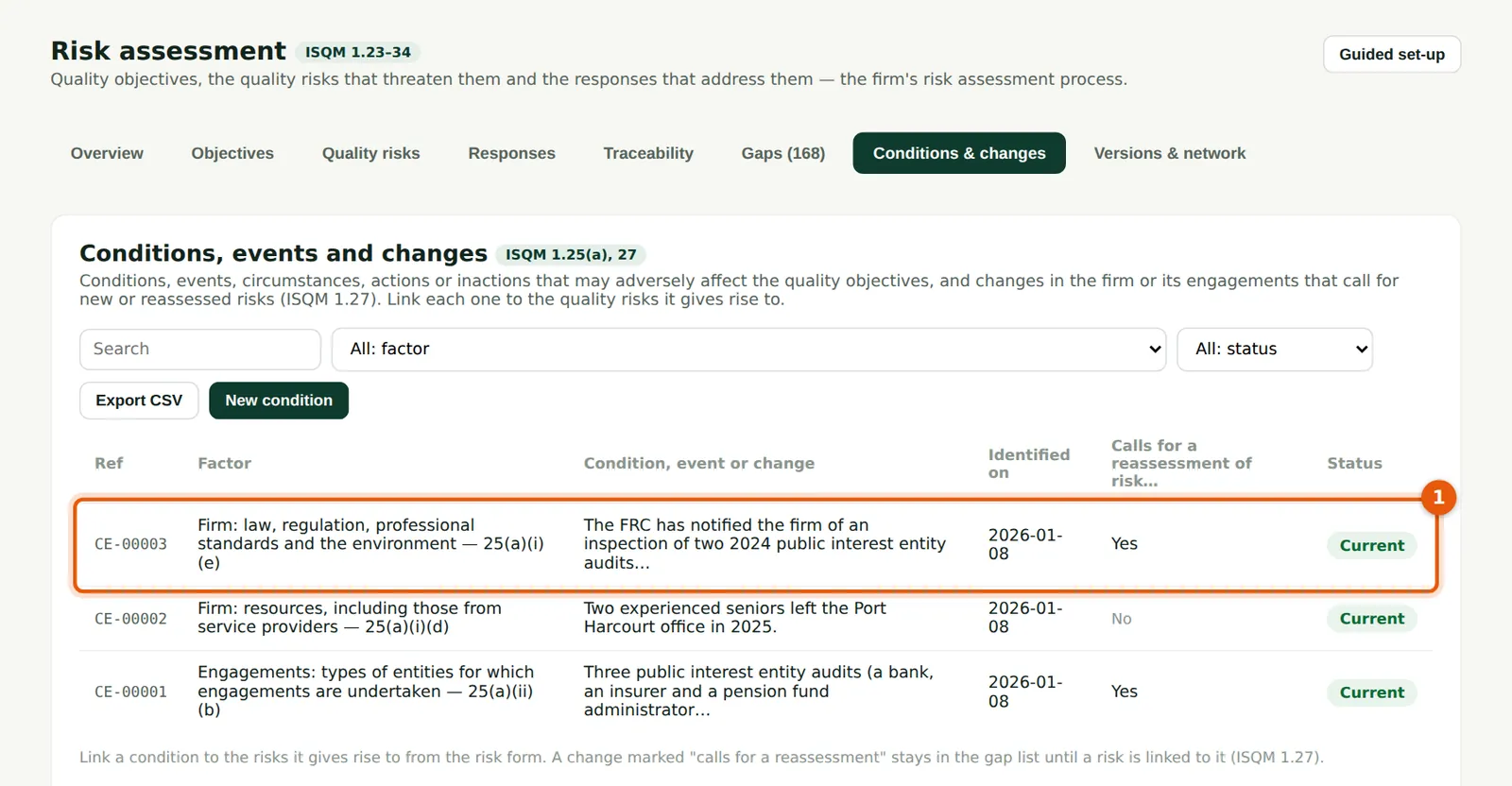
The register lists what the firm has considered (1): the FRC inspection notice, the concentration of PIE audits on one partner, staff departures in Port Harcourt. Mark a condition No longer applies when it is resolved.
Who
Quality lead.
What to do
- Review the list at least quarterly and at each annual evaluation.
5.17 Publish a version of the system
Why
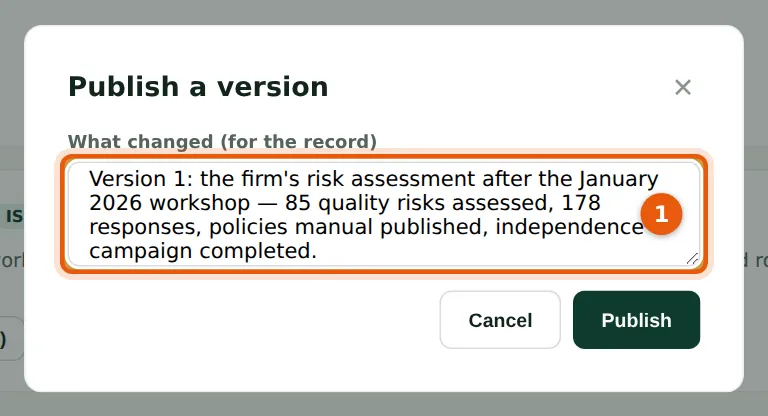
Publishing freezes a copy of the objectives, risks, responses and links with a SHA-256 fingerprint, so the firm can show what its system was at any date. Emeka Obi publishes version 1 on 30 January 2026, after the policies and independence campaign.
Who
Quality lead or Owner.
What to do
- Open Versions & network and choose Publish a version.
- Say what changed (1) and choose Publish.
5.18 Versions, and network content
Why
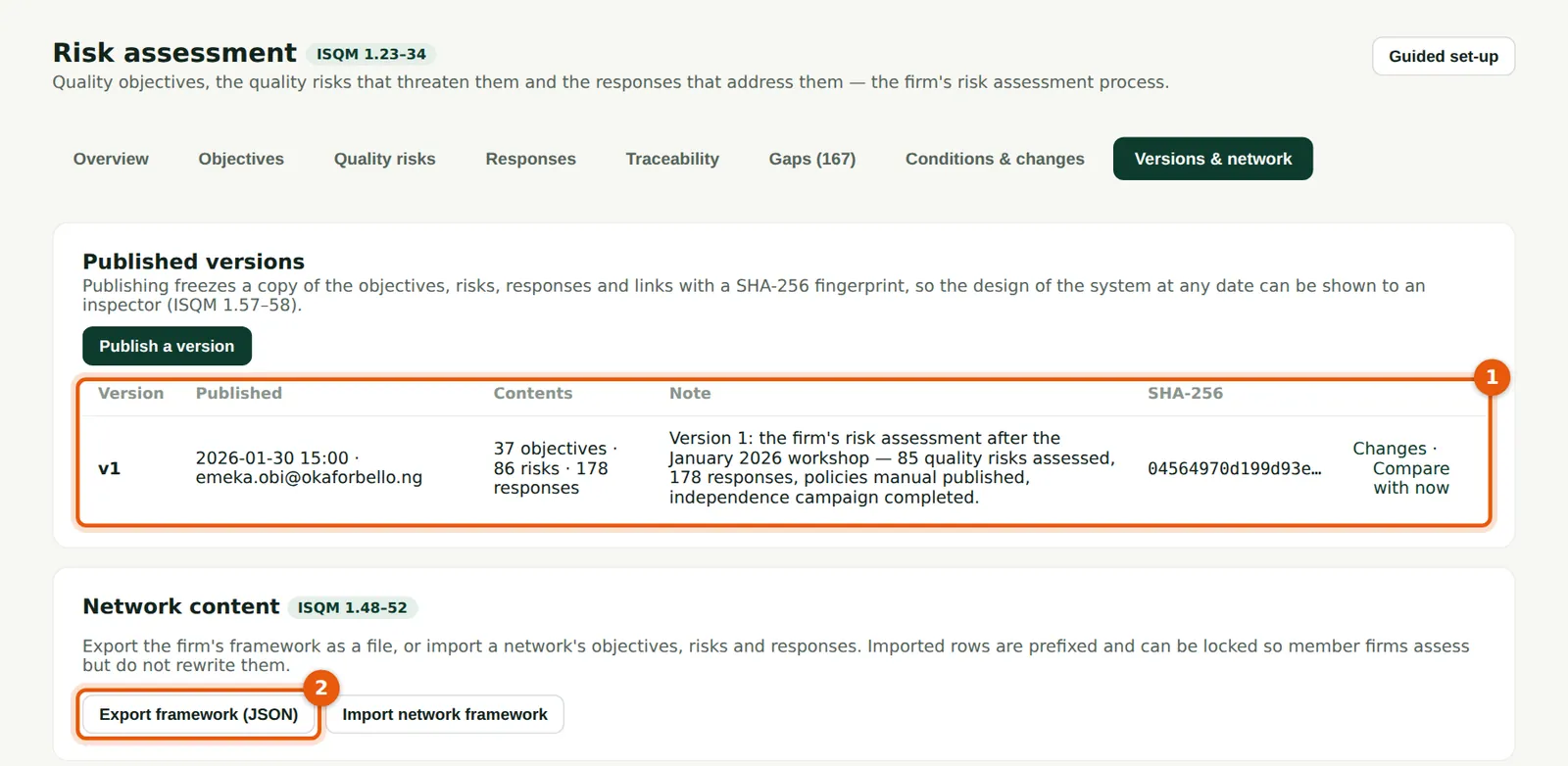
Each version (1) shows when it was published, by whom and its fingerprint, with Changes and Compare with now. For network firms, Export framework (JSON) (2) and Import network framework share a framework between member firms; imported risks and responses can be locked and must still be assessed for the firm's circumstances (ISQM 1.48–52).
Who
Quality lead.
What to do
- Choose Changes to see what a version changed, or Compare with now.
- A network firm imports the network's file with Import network framework, a reference prefix and, if the network requires it, Lock.
5.19 Compare a version with now
Why
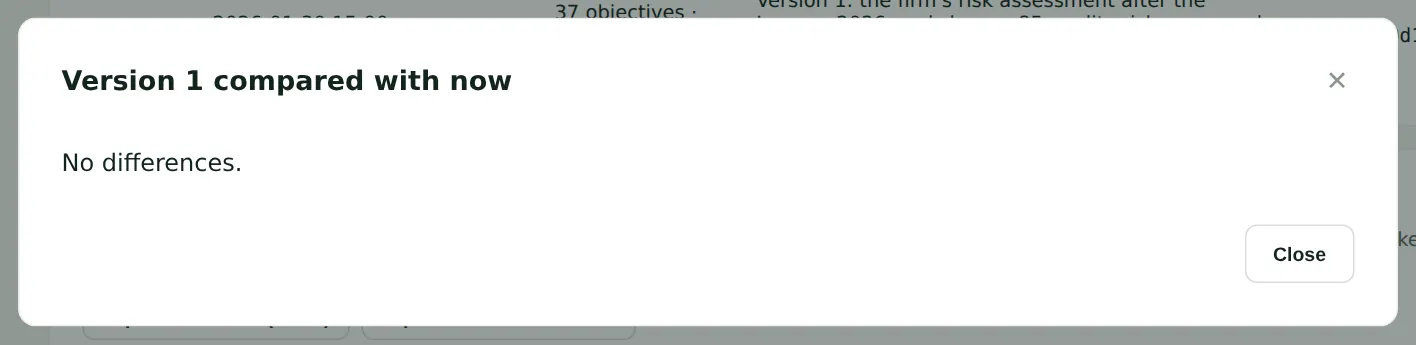
The comparison lists every risk and response added, changed or retired since the version. It shows the regulator how the system responded to the year's findings.
Who
Quality lead; inspectors.
What to do
- Read the changes and close the window.