Steps in this chapter (17)
Import the trial balance from Excel, check the mapping, set materiality, perform preliminary analytics, identify significant accounts, assess risks and fraud, record controls and tailor the programme.
Planning starts on 19 January 2026. Chioma Eze, the senior, imports the trial balance, sets materiality, performs preliminary analytics, identifies the significant accounts and assesses inherent risk at assertion level, and documents the understanding of the entity and its controls (ISA 300, ISA 315 (Revised 2019), ISA 320, ISA 330).
Since release 22 the trial balance can be imported straight from an Excel workbook (.xlsx): AuditTrove reads it in the browser, lets you pick the sheet and finds the header row. Older .xls files get a message asking for .xlsx or CSV.
Use cases
- Use case — The client sends an Excel trial balance. Import it as it is (step 8.2): choose the sheet; the header row is found for you.
- Use case — The client keeps its books in BookTrove, Xero or QuickBooks. Pull the trial balance instead of importing a file (chapters 4 and 15).
- Use case — Materiality must be revised. Save a new calculation with the reason; the history is kept and a lower materiality asks you to reconsider the procedures (ISA 320.12–13).
8.1 Open the trial balance
Why
Everything in the file — lead schedules, materiality benchmarks, analytics, the draft financial statements and the summary of misstatements — is built from the trial balance.
Who
Senior.
What to do
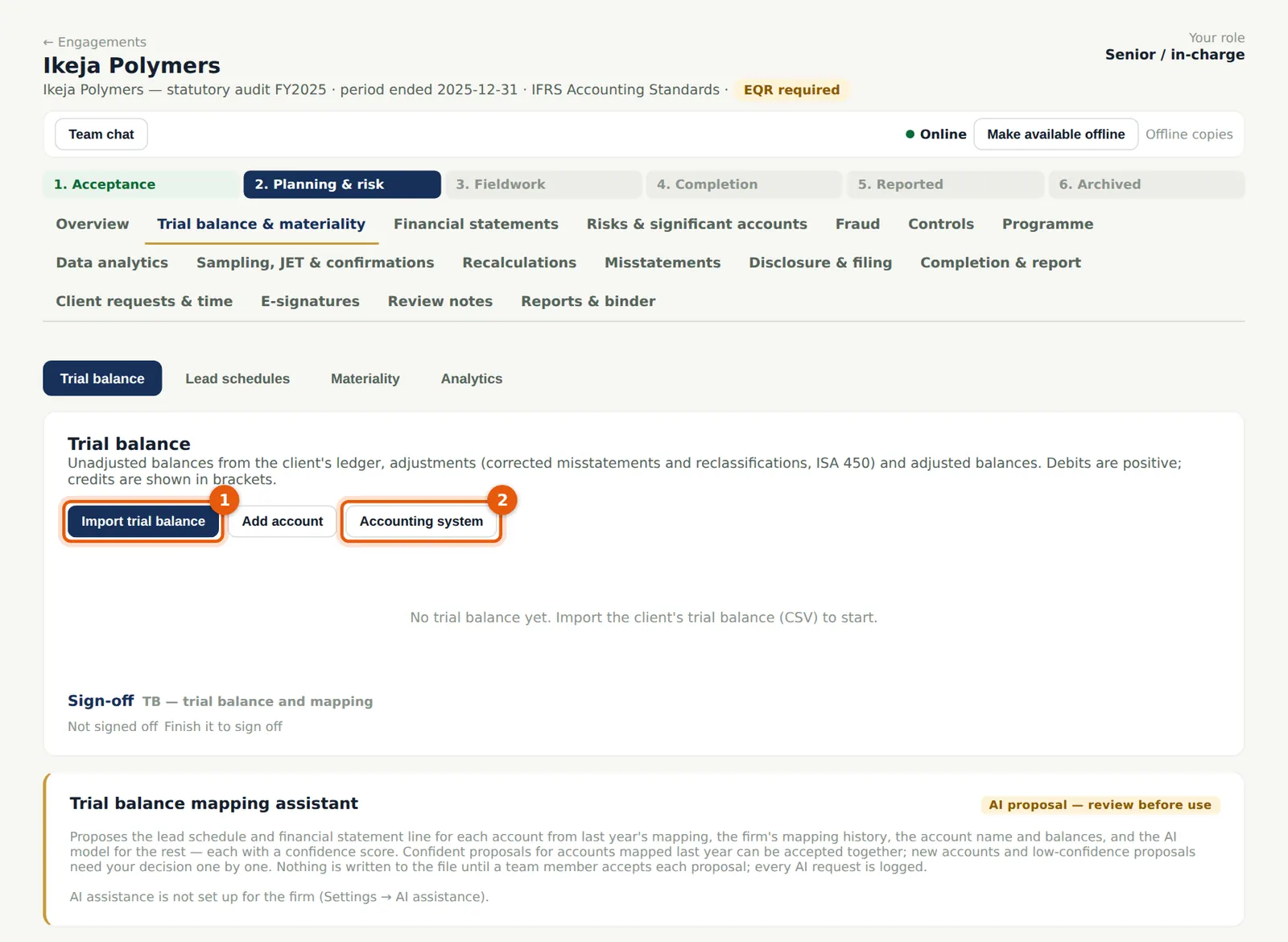
- Open Trial balance & materiality → Trial balance and choose Import trial balance (1). If the client's ledger is connected, use Accounting system (2) or Pull from BookTrove instead.
8.2 Import the Excel workbook
Why
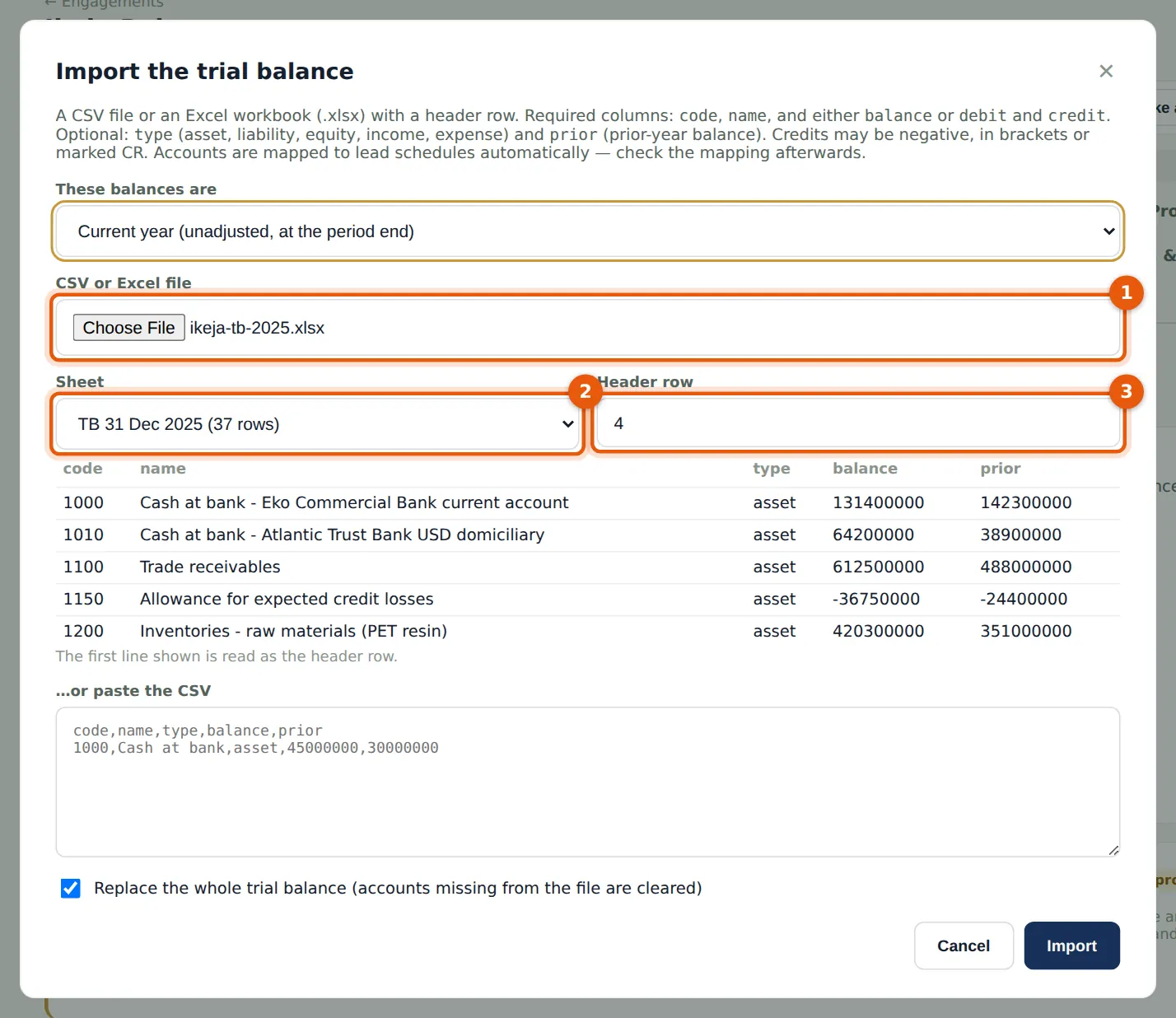
A CSV file or an Excel workbook with a header row: code, name and either balance or debit and credit; optionally type and prior (the prior-year balance). Ikeja Polymers' finance manager sent the SAP export as a workbook with a notes sheet first and two title rows above the headings: pick the sheet and the header row is found automatically. Accounts are mapped to lead schedules automatically.
Who
Senior.
What to do
- Choose Current year (unadjusted, at the period end).
- Choose the file (1). Pick the sheet (2) — TB 31 Dec 2025 — and check the header row (3) and the preview.
- Tick Replace the whole trial balance if you are re-importing, and choose Import.
8.3 Check the balances and the mapping
Why
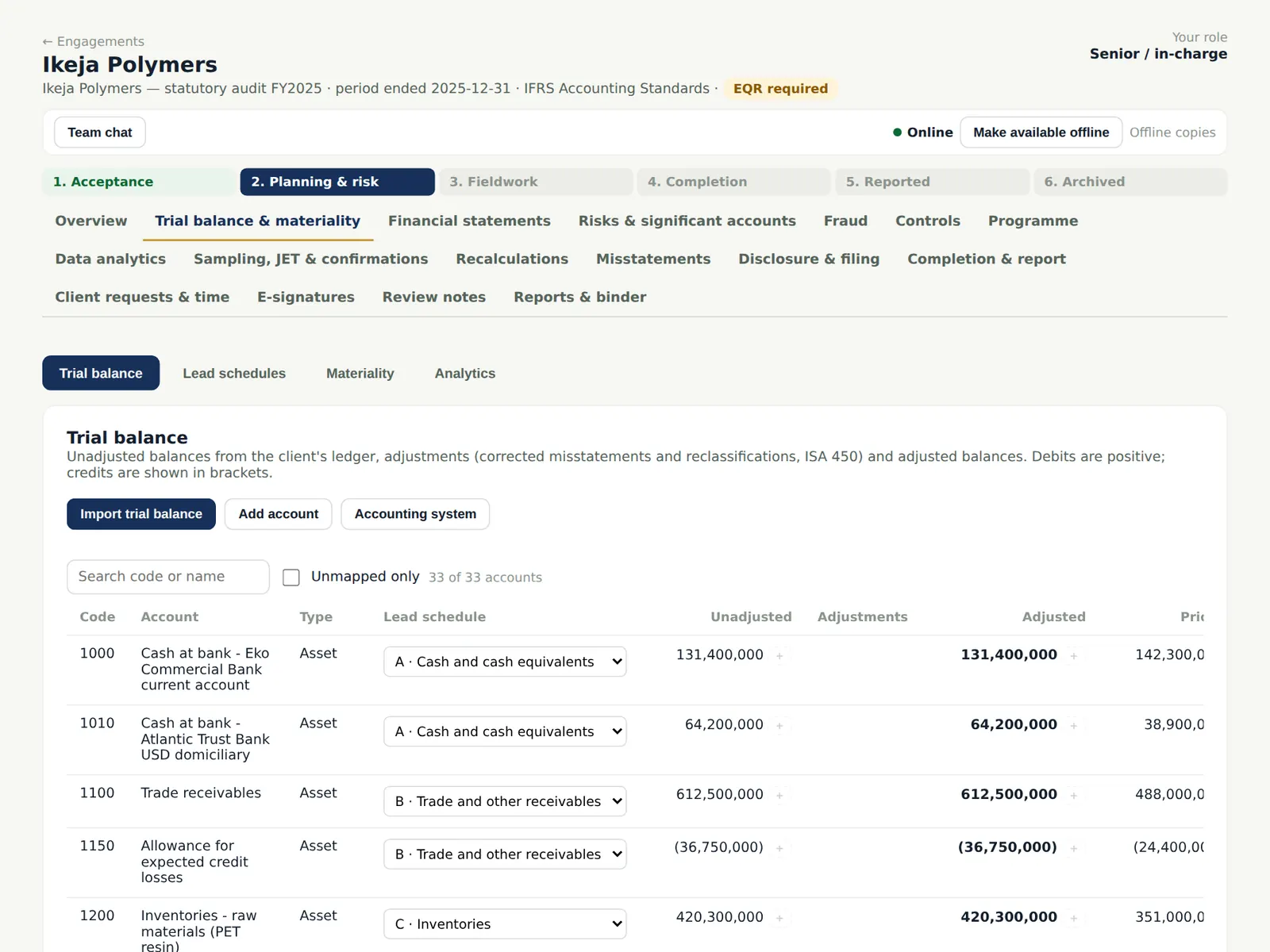
The banner confirms the trial balance balances. Check that each account is mapped to the right lead schedule; change it in the Lead schedule column. The trial balance mapping assistant can propose mappings when AI assistance is on (chapter 20).
Who
Senior; reviewed by the manager.
What to do
- Filter Unmapped only, or choose Auto-map.
- Change a mapping in the Lead schedule column where needed and choose Save mapping.
8.4 Lead schedules
Why
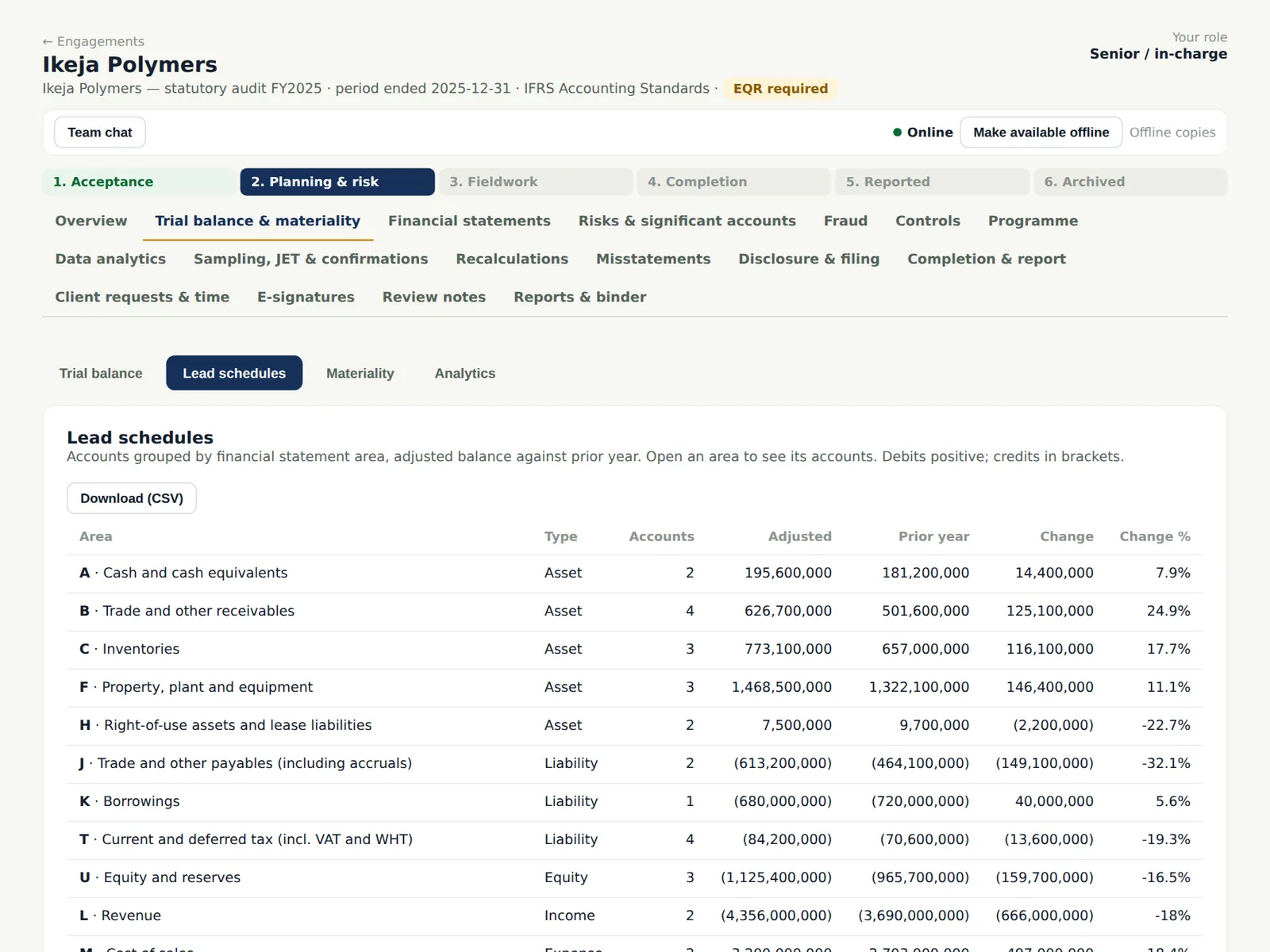
Lead schedules group the accounts by area (cash, receivables, inventories, revenue and so on) with the current year, adjustments, the adjusted balance and the prior year.
Who
—
What to do
- Open an area to see its accounts; download the lead schedules as CSV.
8.5 Calculate materiality
Why
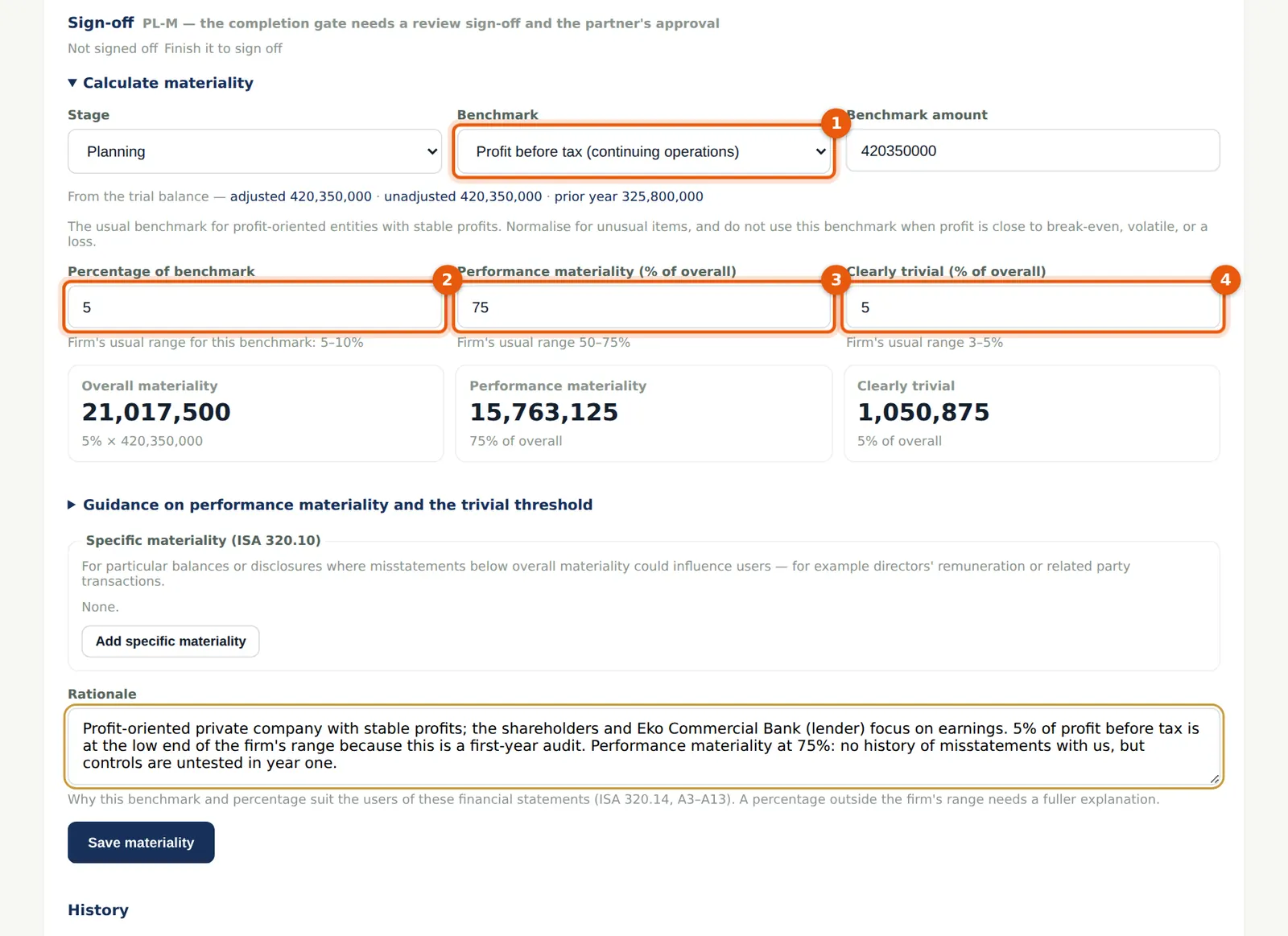
Materiality for the financial statements as a whole, performance materiality and the clearly trivial threshold are set and documented with the reasons (ISA 320.10–14; ISA 450.5). AuditTrove proposes the benchmark amount from the trial balance and shows the firm's usual range.
Who
Senior prepares; manager reviews; partner approves.
What to do
- Open the Materiality tab. Choose the stage (Planning) and the benchmark (1): Profit before tax — NGN 420,350,000.
- Enter the percentage (2) — 5% —, performance materiality (3) — 75% — and clearly trivial (4) — 5%.
- Explain why the benchmark and percentages suit the users, and choose Save materiality.
8.6 Materiality on file
Why
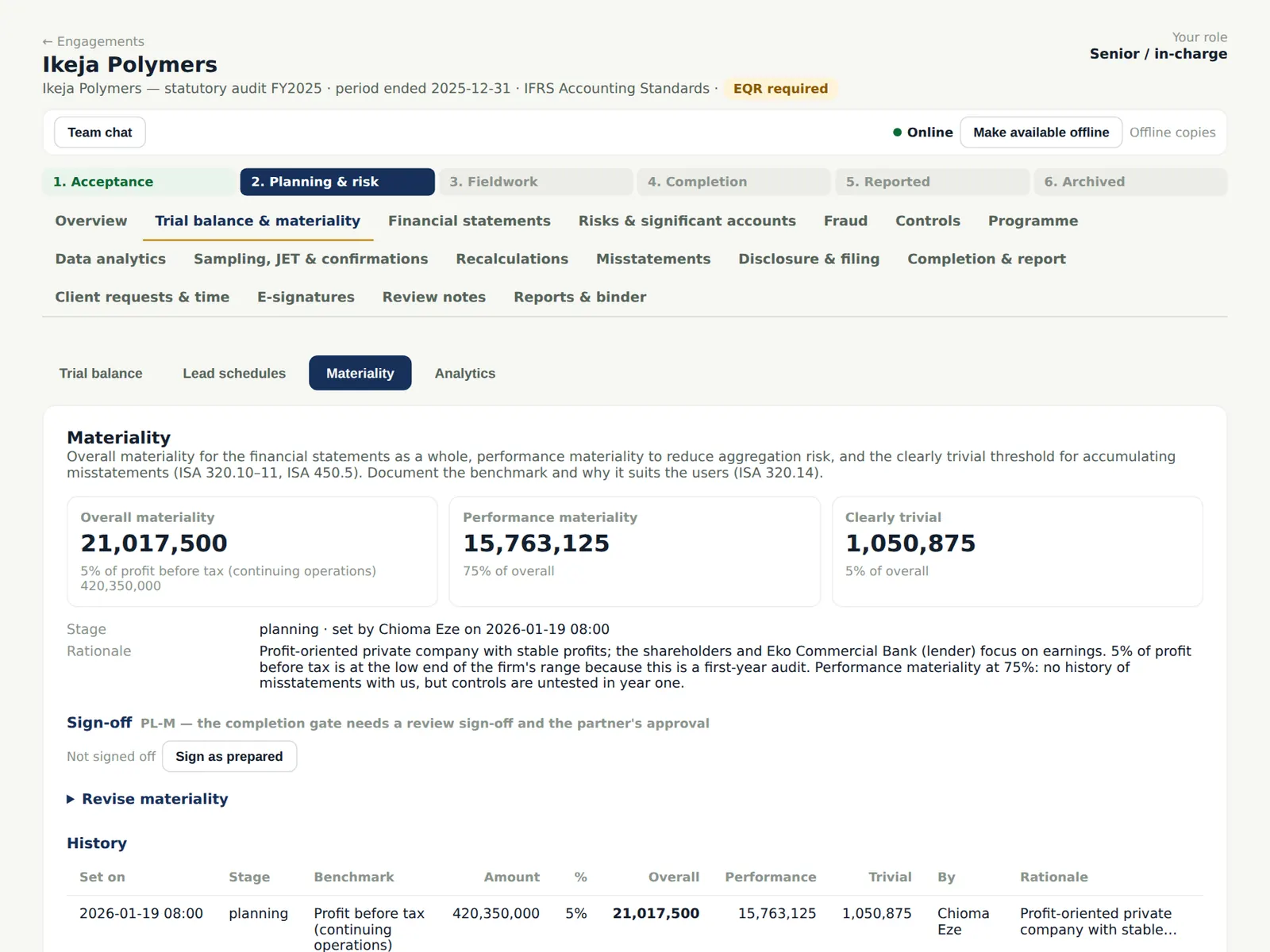
Overall materiality is NGN 21,017,500, performance materiality NGN 15,763,125 and the clearly trivial threshold NGN 1,050,875. Revisions are kept in the history with the reasons.
Who
Senior, manager, partner.
What to do
- Sign the materiality section as prepared; the manager reviews it and the engagement partner approves it (a completion gate).
8.7 Preliminary analytical review
Why
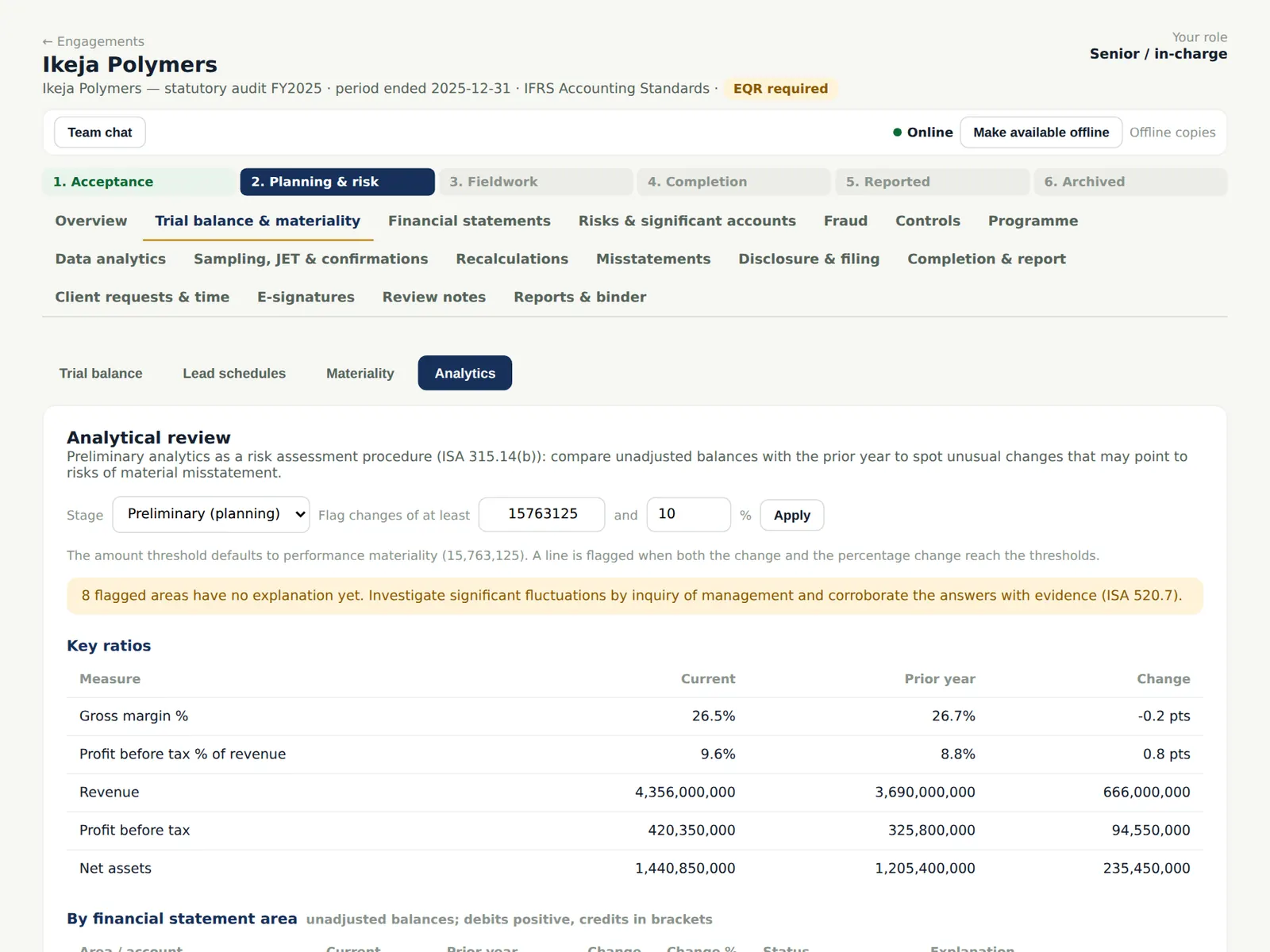
Preliminary analytics are a risk assessment procedure (ISA 315.14(b); ISA 520). AuditTrove flags lines whose change exceeds the thresholds (by default performance materiality and 10%) and shows key ratios.
Who
Senior.
What to do
- Open the Analytics tab and keep the stage on Preliminary (planning).
- For each flagged line record your expectation and management's explanation. Revenue rose 18% (price rises after the naira depreciation and a new bottler contract); inventories rose because resin was stockpiled in December.
8.8 Significant accounts
Why
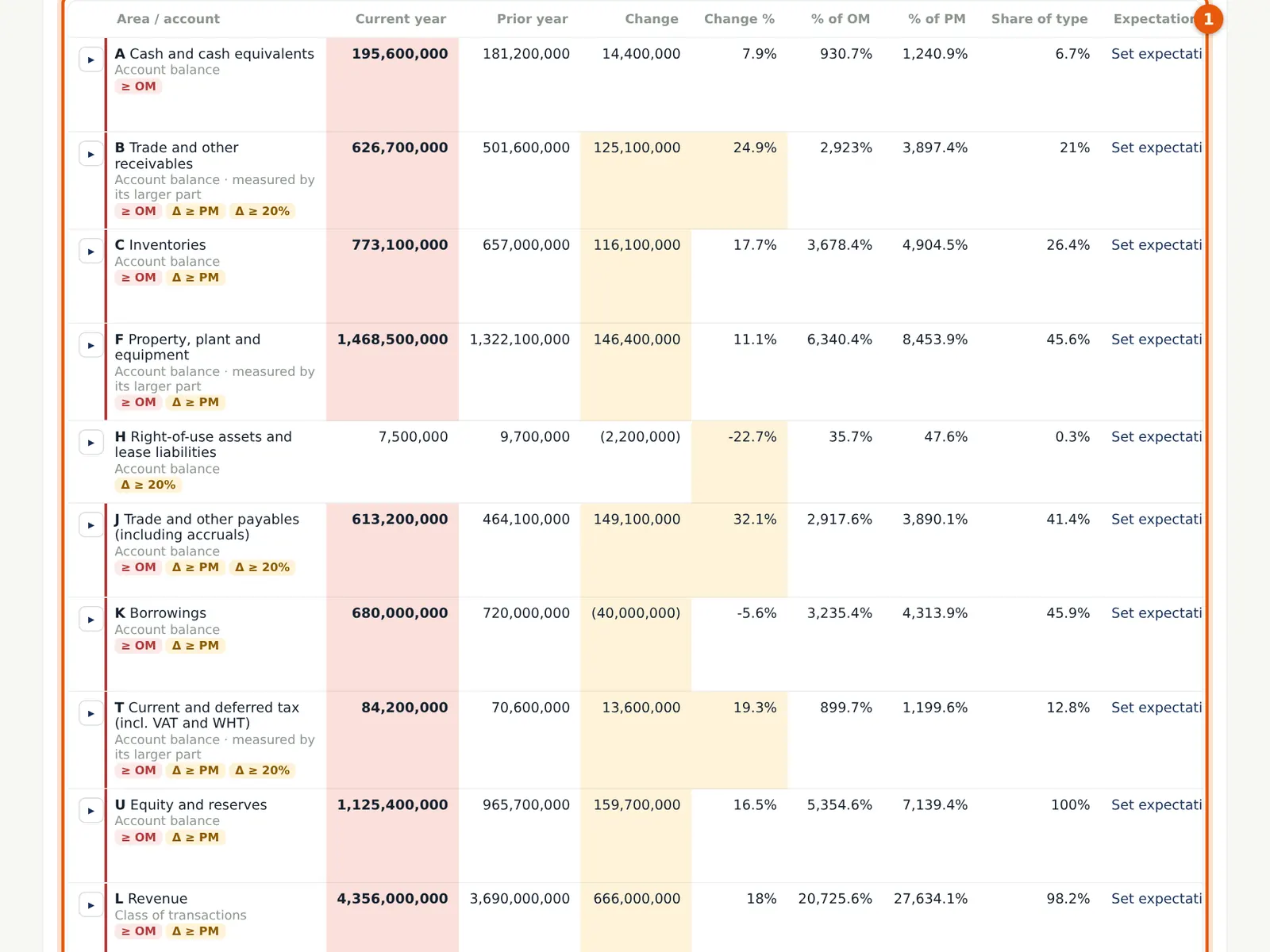
ISA 315 (Revised 2019) asks you to identify the significant classes of transactions, account balances and disclosures and their relevant assertions. The grid compares each area with materiality and last year and proposes which are significant.
Who
Senior prepares; manager reviews.
What to do
- Review each area's size (as a % of overall and performance materiality), its movement and the indicators.
- Open an area to confirm or override the proposal, rate the relevant assertions on the spectrum of inherent risk (likelihood × magnitude) and tick the inherent risk factors (complexity, subjectivity, change, uncertainty, susceptibility to bias or fraud).
8.9 Inherent risk by assertion
Why
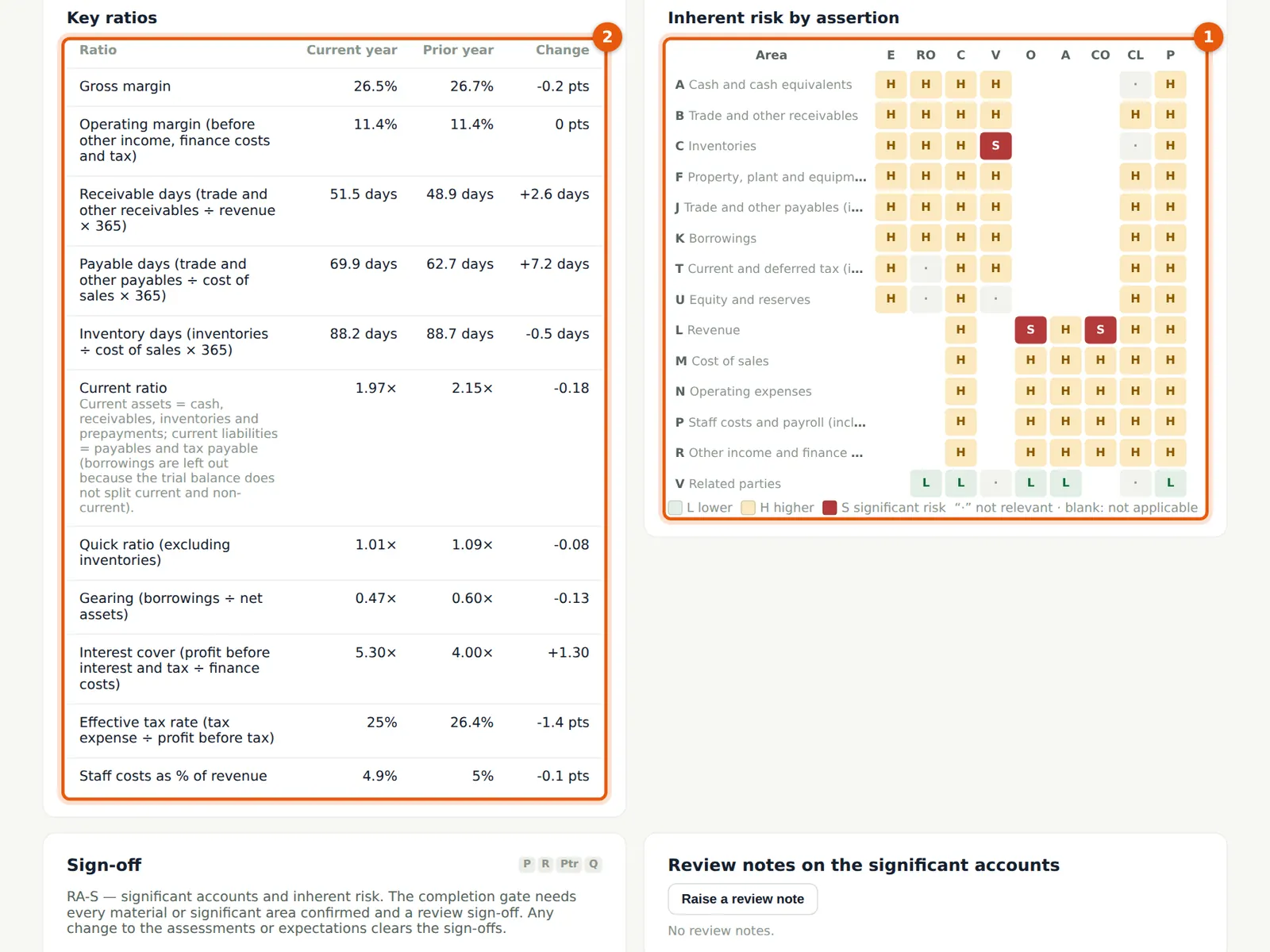
The heat map summarises the inherent risk of each relevant assertion as lower, higher or significant (S). For Ikeja Polymers, revenue occurrence and cut-off and inventory valuation are significant risks. The ratios (receivable days, inventory days, gearing, interest cover, effective tax rate) support the assessment.
Who
Senior; manager.
What to do
- Choose Create/update risks to put the assessed risks in the register and Tailor programme to add the matching procedures.
- Sign the section as prepared; the manager reviews it.
8.10 Add a risk of your own
Why
The risk register holds every risk of material misstatement at financial statement or assertion level, with its inherent risk and the planned response (ISA 315.28–37; ISA 330). The presumed fraud risks — management override (always) and revenue recognition (unless rebutted) — are there from the start (ISA 240).
Who
Senior or manager.
What to do
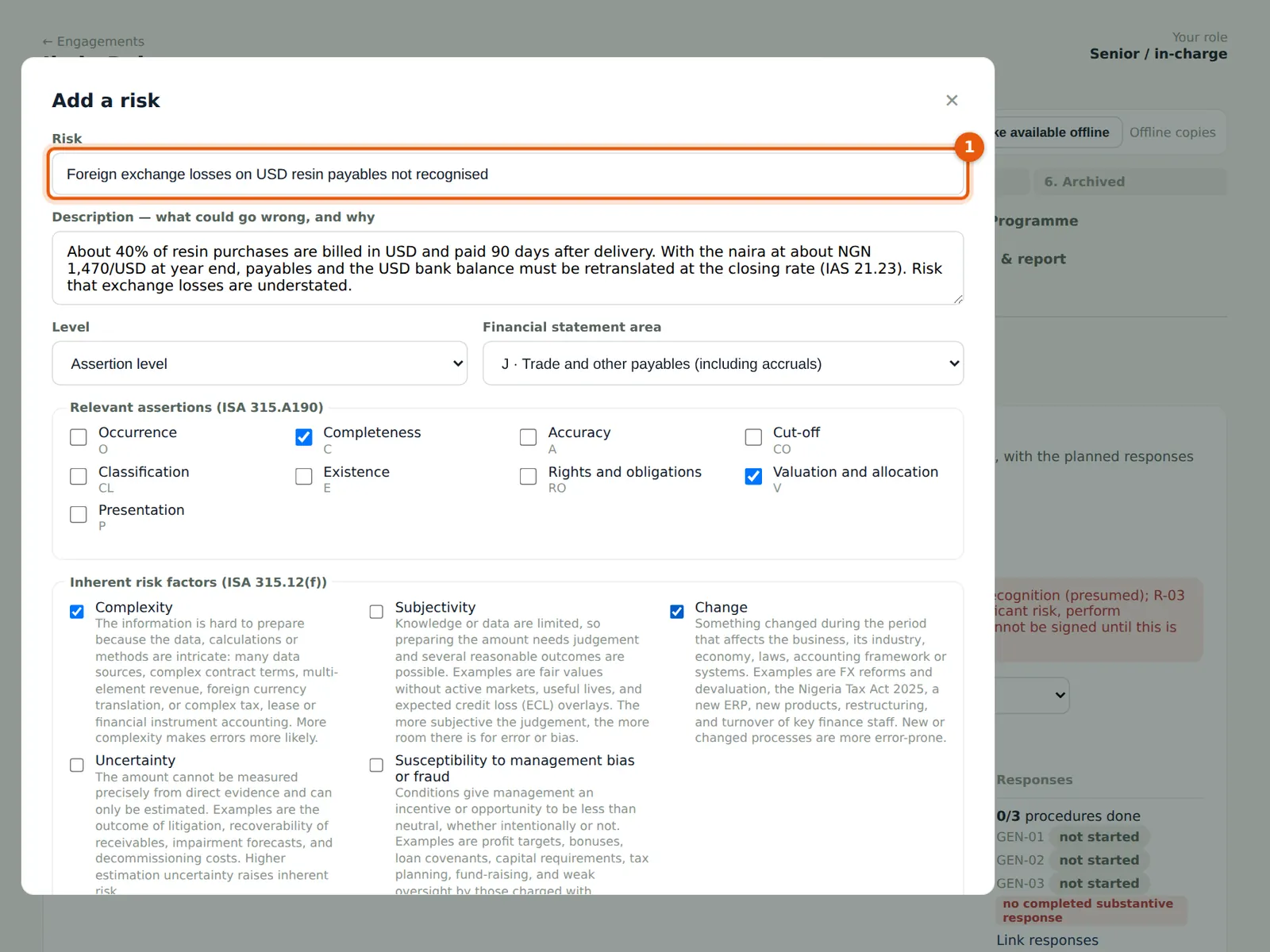
- Choose Add a risk and describe it (1) — here, foreign exchange losses on USD resin payables not recognised (IAS 21).
- Choose the level and area, tick the assertions and the inherent risk factors.
- Rate likelihood (2) and magnitude (3); record the planned response and save.
8.11 The risk register
Why
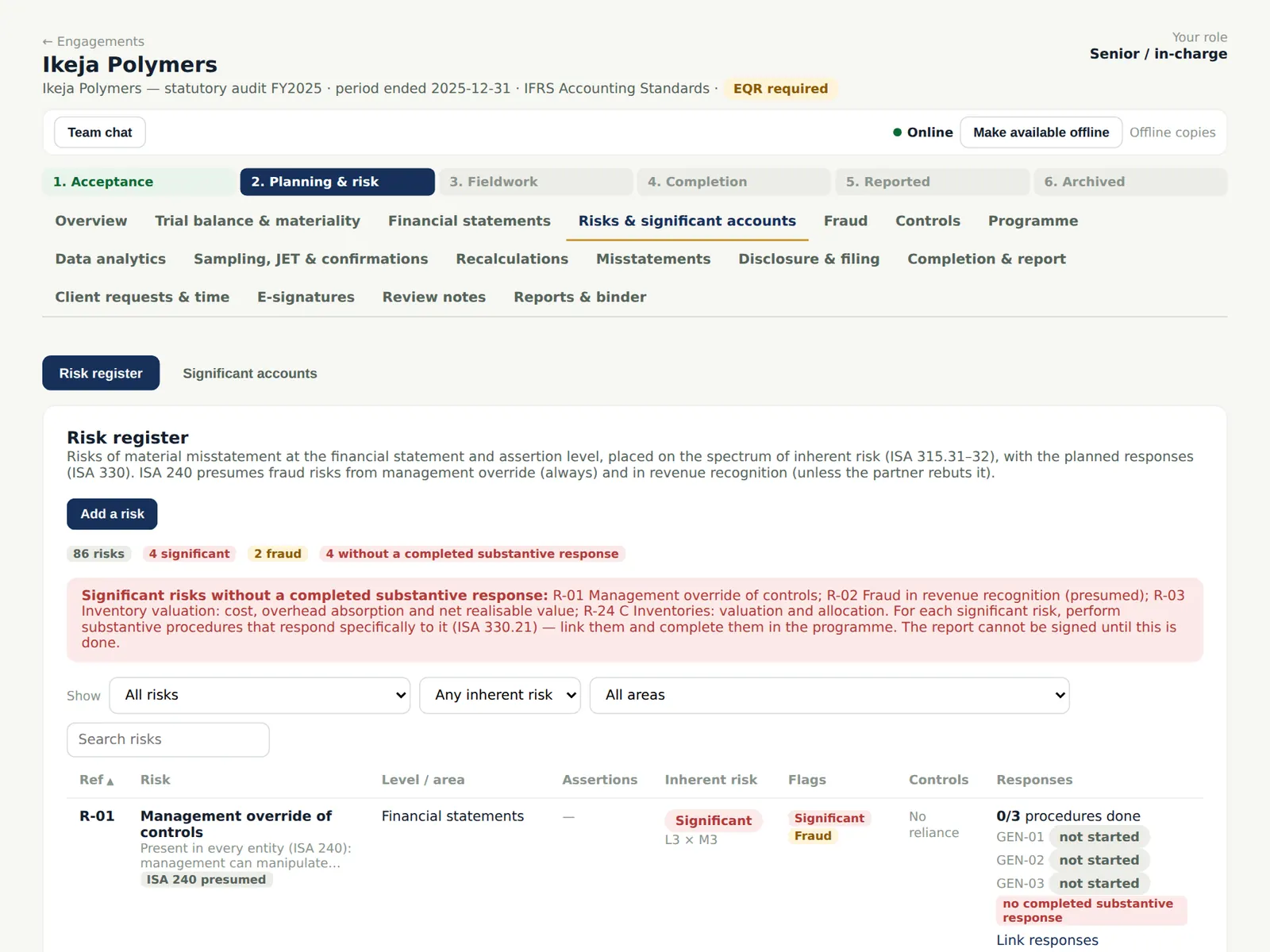
Each significant risk must have a completed substantive procedure linked to it before the report can be signed (ISA 330.21), and the partner's review of those responses is monitored (chapter 13). The banner lists any that do not yet.
Who
Senior; manager.
What to do
- Use Link responses on each risk to link the procedures that respond to it.
- Filter by area or show only significant risks.
8.12 Understanding the entity (RA-1)
Why
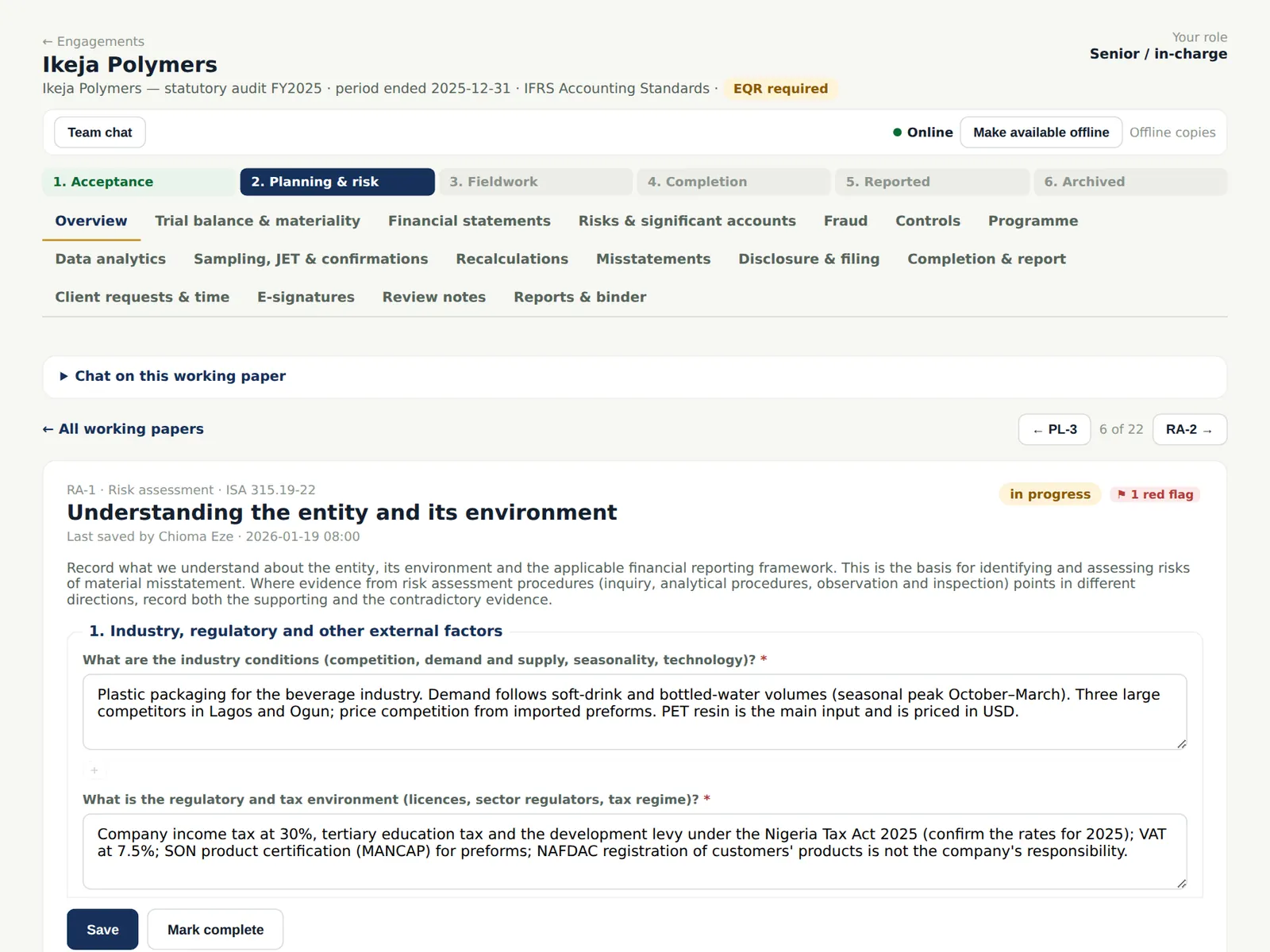
The understanding of the entity, its environment, the framework and its internal control is the basis for identifying risks (ISA 315.19–27). RA-2 to RA-11 cover internal control, the IT environment, fraud (ISA 240), laws and regulations (ISA 250), related parties (ISA 550), estimates (ISA 540) and going concern (ISA 570).
Who
Senior prepares; manager reviews.
What to do
- Answer each question with what you learned and where it came from. Red flags show answers that point to a risk; carry those risks to the register.
8.13 The fraud risk assessment (RA-4)
Why
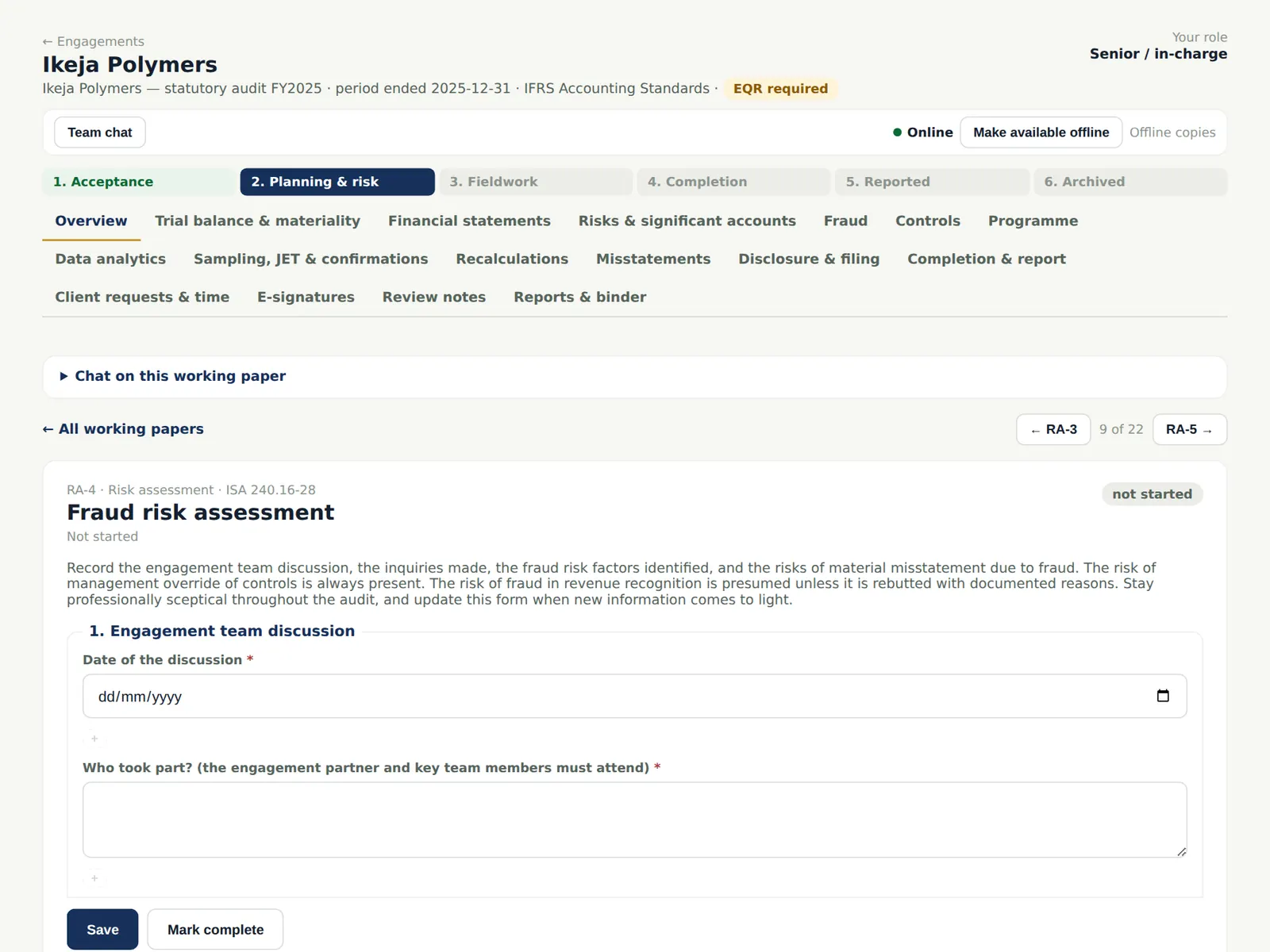
RA-4 records the engagement team discussion, the inquiries of management, those charged with governance and others, the fraud risk factors and the responses (ISA 240). For periods beginning on or after 15 December 2026 — or when the partner adopts it early — the paper follows ISA 240 (Revised), and the Fraud tab (chapter 12) becomes a completion gate.
Who
Senior prepares; manager and partner review.
What to do
- Record the date of the team discussion and who took part (the engagement partner and key team members must attend), then work through each section and mark the paper complete.
8.14 Record a key control
Why
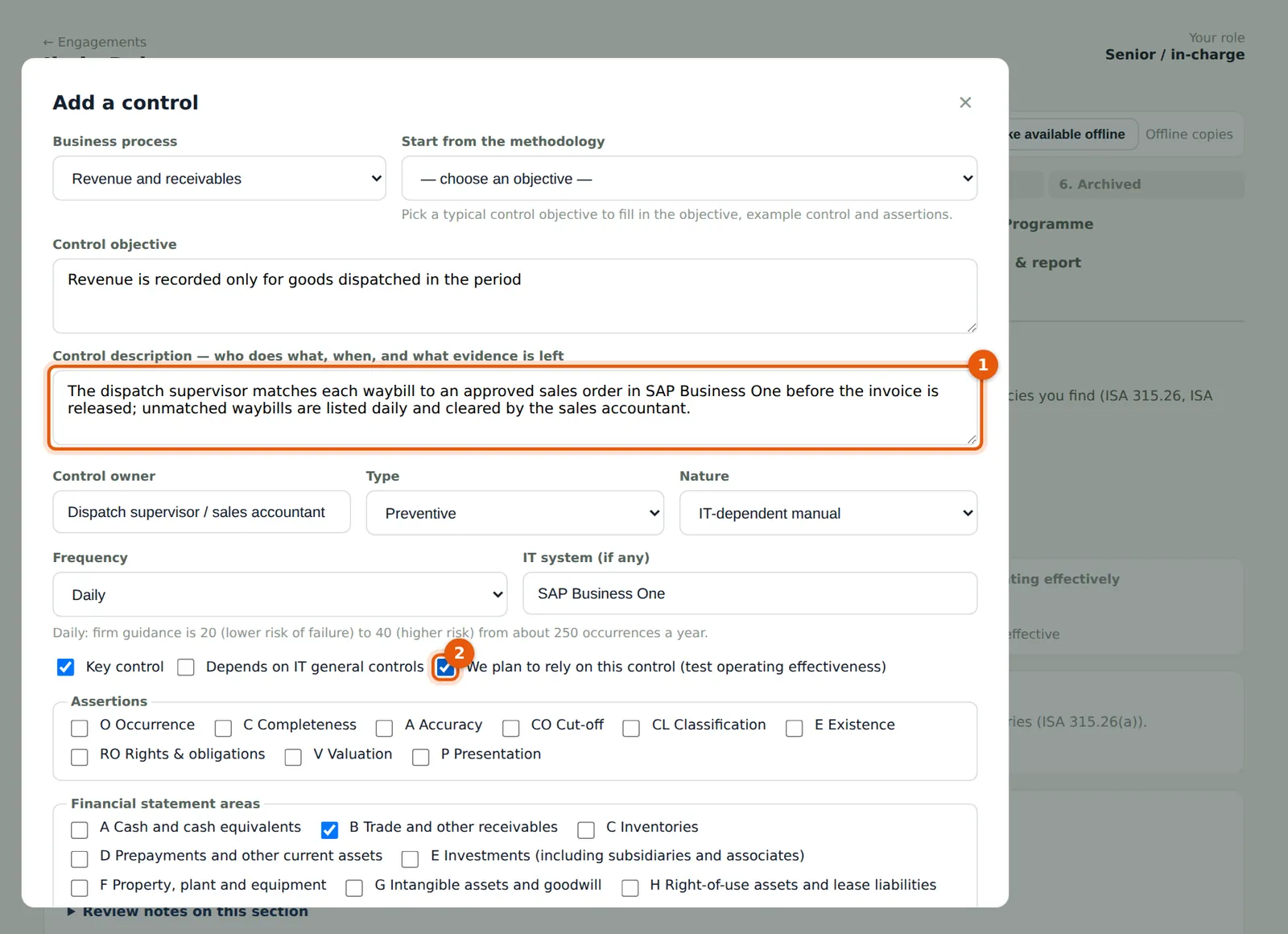
Understand the controls relevant to the audit and evaluate their design and implementation (ISA 315.26). If you plan to rely on a control, test its operating effectiveness (ISA 330.8).
Who
Senior.
What to do
- Open Controls → Risk & control matrix and choose Add a control.
- Describe who does what, when, and what evidence is left (1): the dispatch supervisor matches each waybill to an approved sales order before the invoice is released.
- Record the type, nature, frequency and IT system; tick Key control and We plan to rely on this control (2); record the walkthrough and the conclusion on design and implementation.
8.15 The risk and control matrix
Why
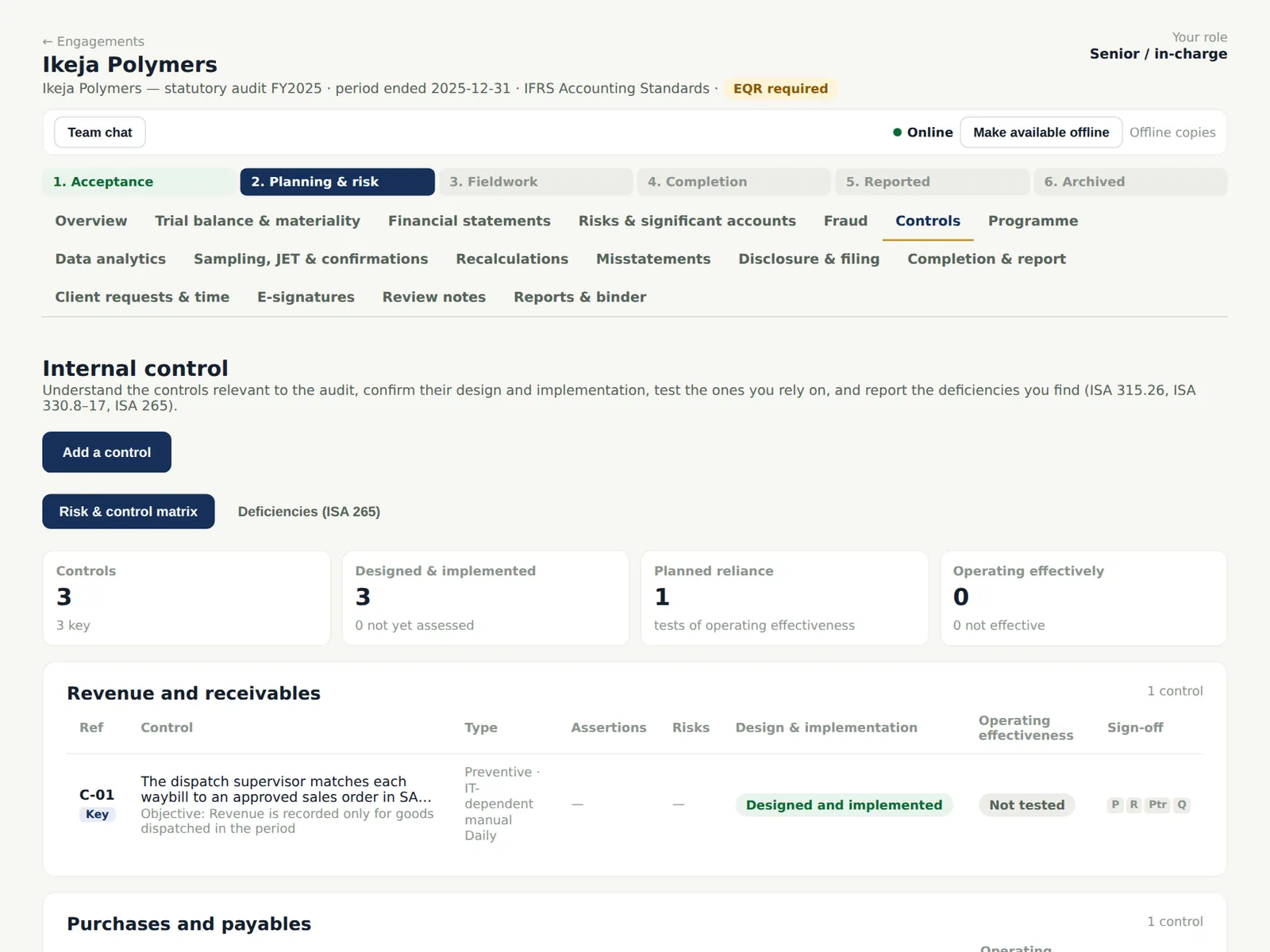
The matrix shows each control by business process, its design and implementation conclusion, and whether operating effectiveness is planned or tested.
Who
—
What to do
- Open a control to plan and record the test of operating effectiveness (chapter 10).
8.16 The audit programme and the industry pack
Why
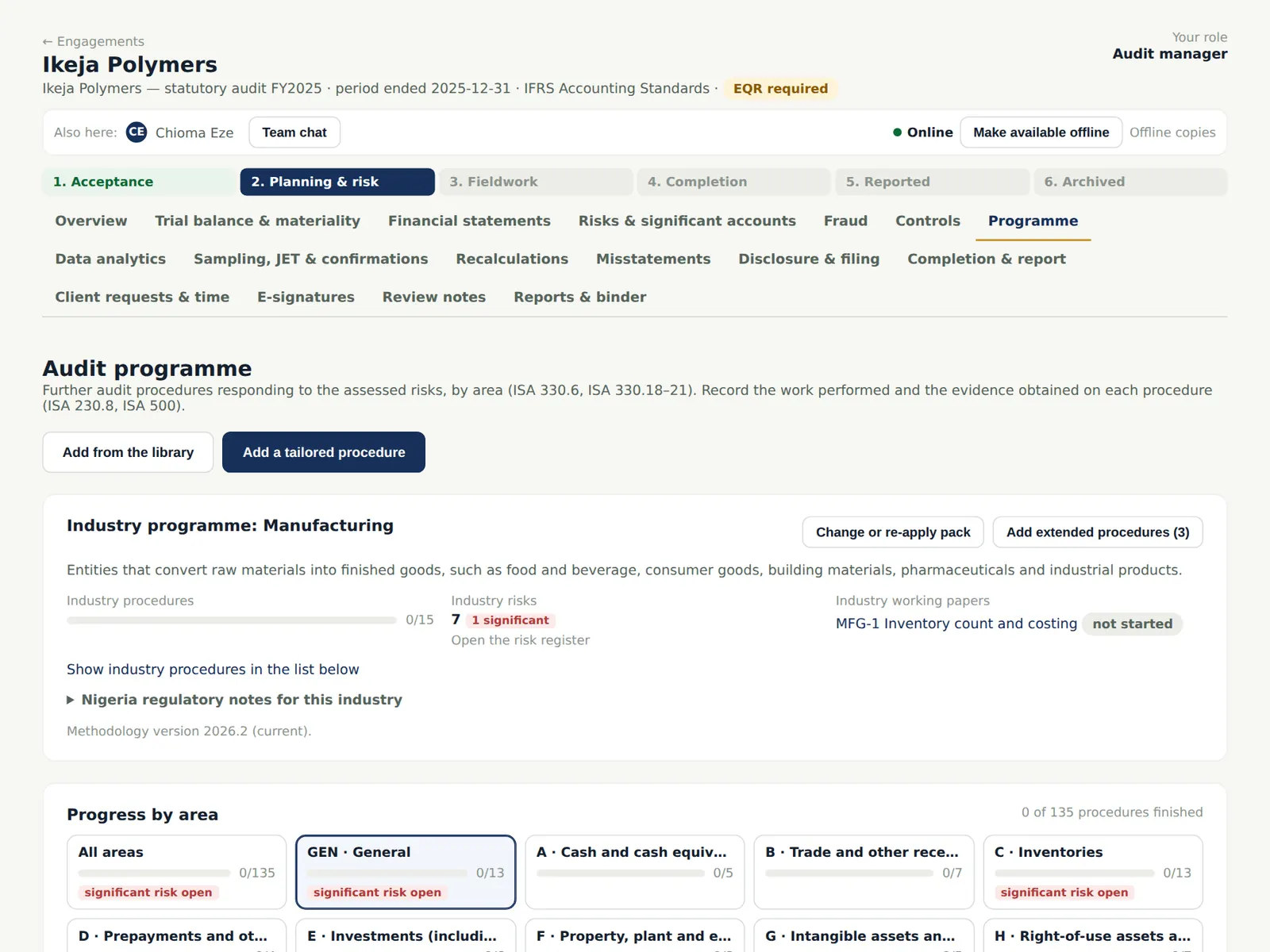
The programme holds the further audit procedures by area (ISA 330.6, 330.18–21). The manufacturing industry pack adds its risks, procedures and the inventory count and costing checklist, with notes for Nigeria. Methodology updates published by the firm can be applied to open engagements.
Who
Manager tailors; team performs.
What to do
- Add procedures from the library or write tailored ones; mark an area not applicable with a reason.
- Show the industry procedures and add extended procedures where the risk calls for them.
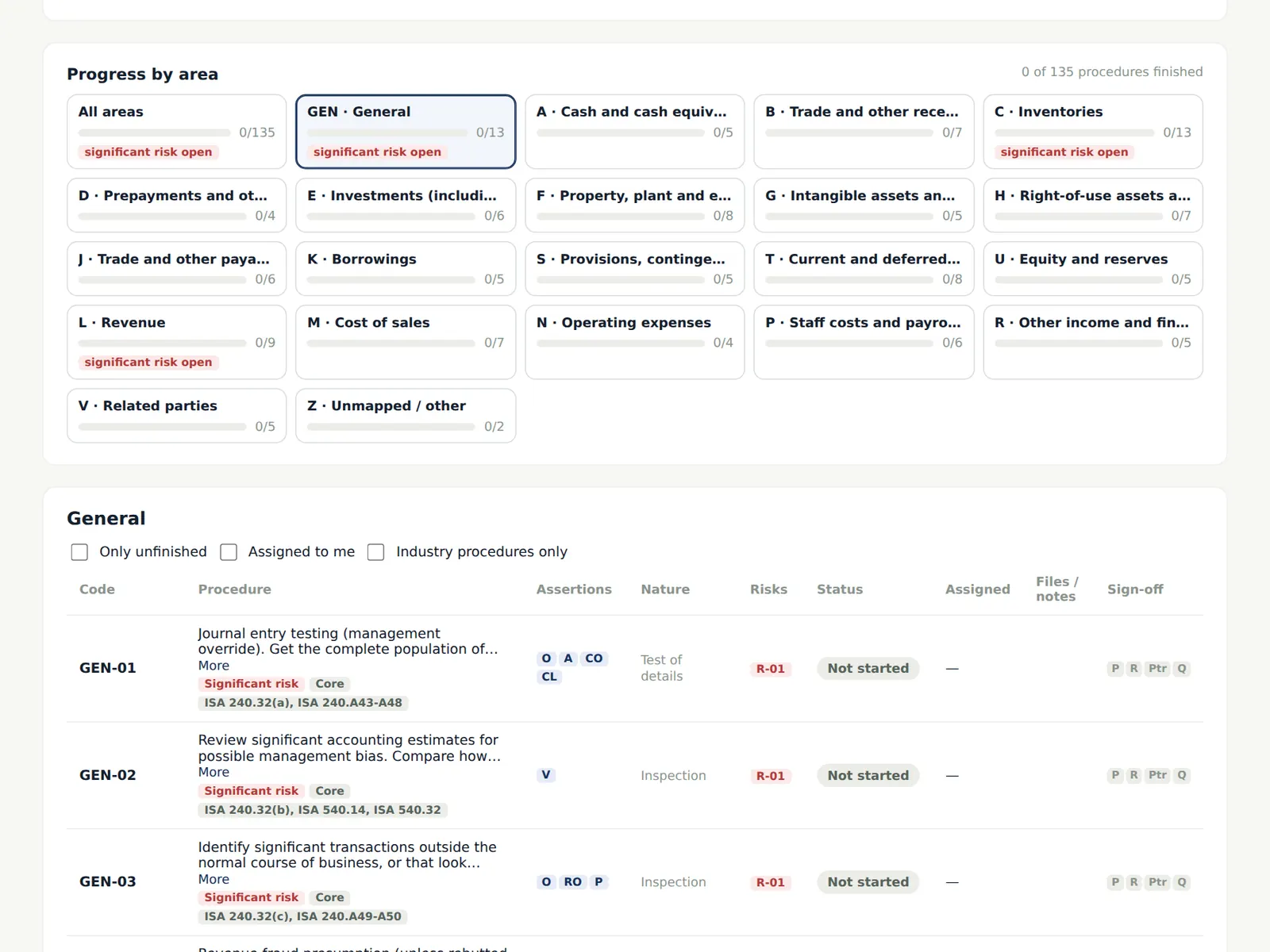
8.17 Progress by area
Why
Each area shows how many procedures are finished and whether a significant risk is still open.
Who
—
What to do
- Before fieldwork the manager completes the overall audit strategy (PL-1) and the partner approves it; the manager then moves the file to Fieldwork.